215922 184 Revision A
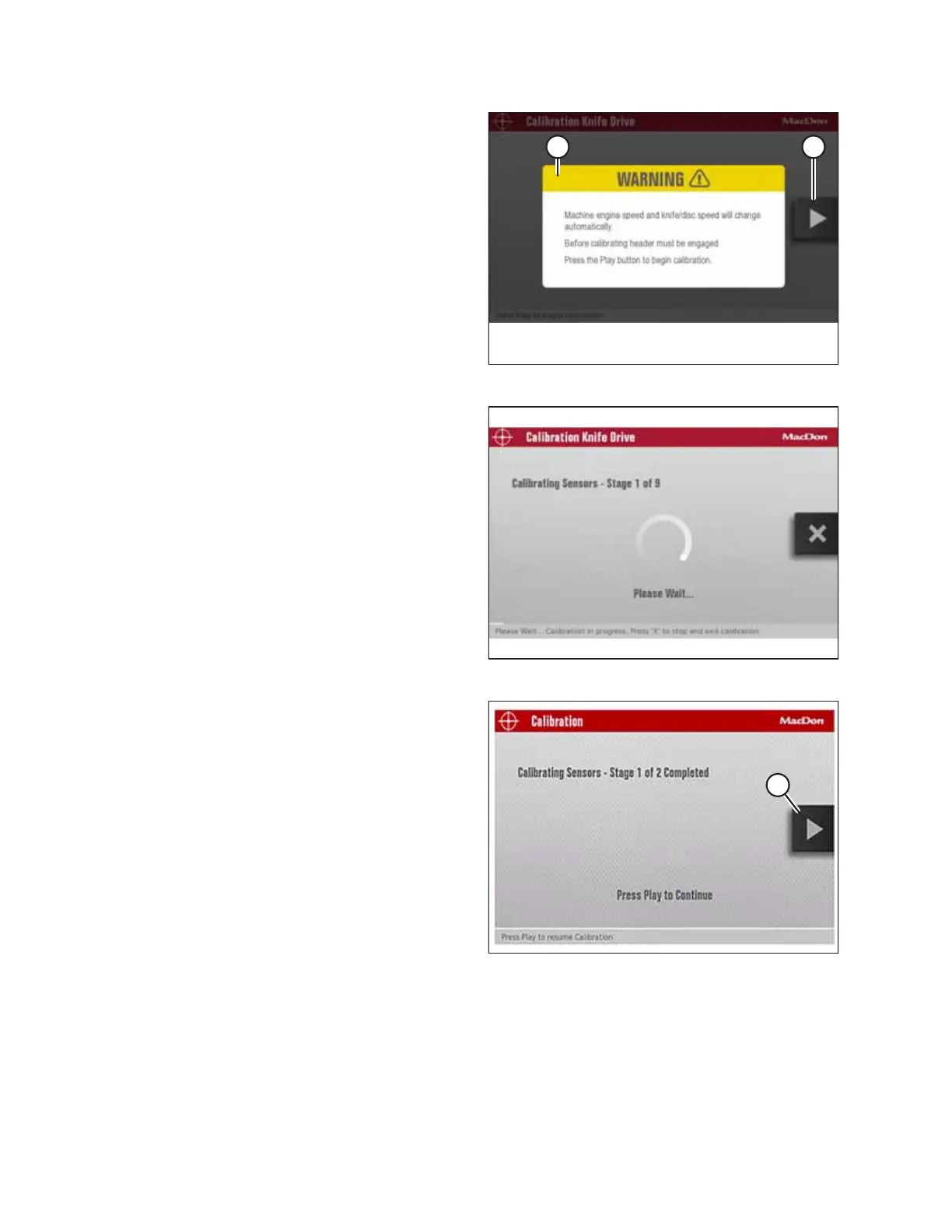
Figure 4.143: Engage Header Warning
NOTE:
If calibration is selected while the header is disengaged,
WARNING (A) will appear. Engage the header. PLAY icon (B)
appears after you engage the header.
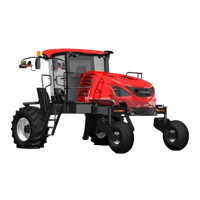
Figure 4.144: Calibration Screen
9. Press the PLAY icon on the screen to begin the calibration
process. The display on the screen changes to show that
the calibration procedure has started.
NOTE:
If the engine speed is less than 1500 rpm prior to starting
the calibration procedure, the system will raise the engine
speed to 1500 rpm.
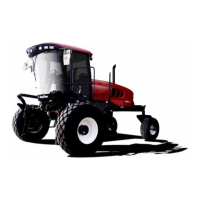
Figure 4.145: Calibration Page
10. When Stage 1 of the calibration is complete, press PLAY
icon (A) on the screen to continue with Stage 2 of the
calibration process.
NOTE:
Knife drive calibration consists of nine stages.
OPERATION



 To Next Page