214366 83 Revision A
4.1.3 Checking Float – M1240 Windrower
DANGER
To avoid bodily injury or death from unexpected startup of the machine, always stop the engine and
remove the key from the ignition before leaving the operator’s seat for any reason.
1015816
A
A
B
Figure 4.2: GSL
1. Start the engine
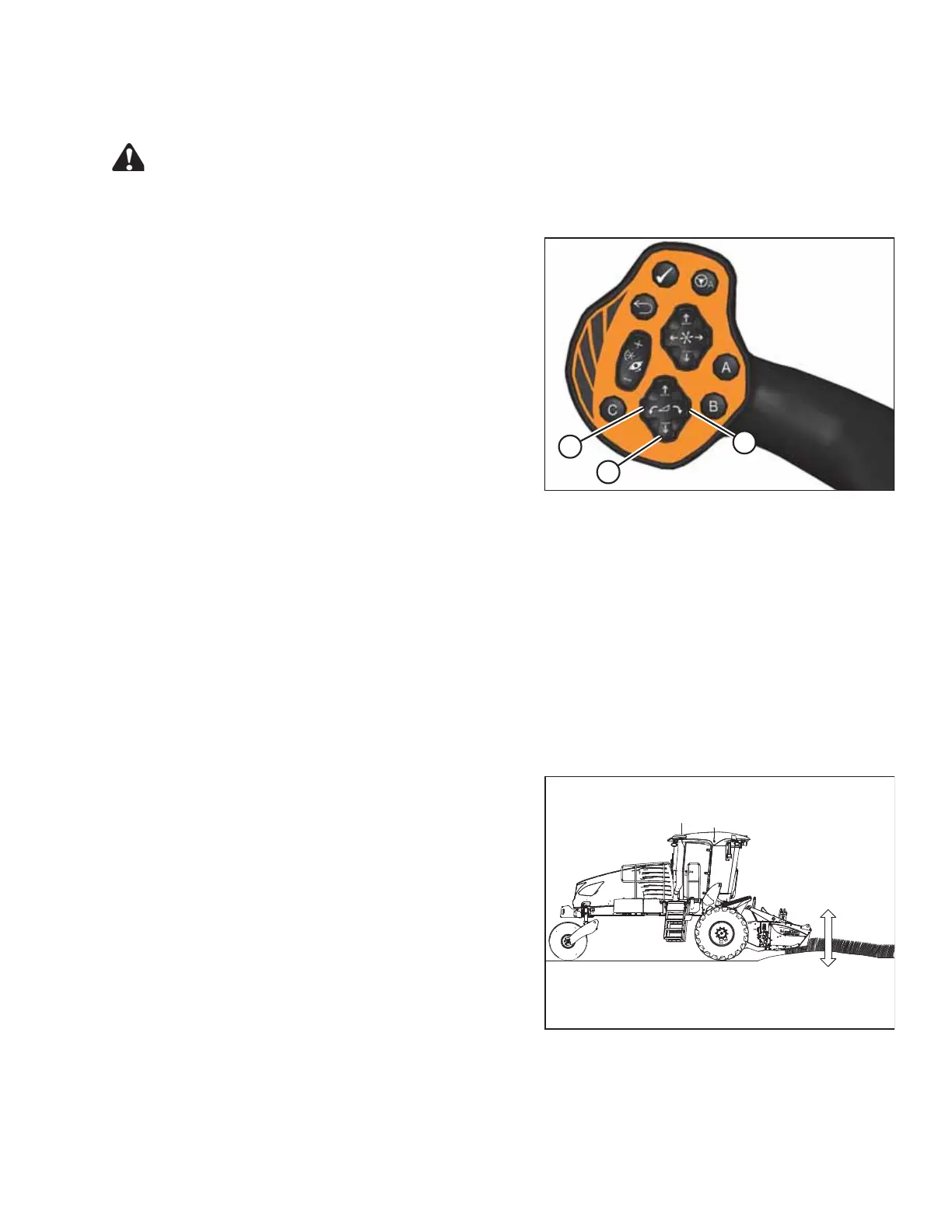
2. Use the HEADER TILT switches (A) on the ground
speed lever (GSL) to set the center-link to the
mid-range position (5.0 on the Harvest Performance
Tracker [HPT]).
3. Using the HEADER DOWN switch (B), lower header
fully with lift cylinders fully retracted.
4. Turn engine off and remove the ignition key.
5. Grasp one end of the header and lift. Lifting force
should be 426–471 N (95–105 lbf) and should be the
same at both ends.
6. Restart the engine and adjust float as required. Refer to 4.1.4 Setting the Float – M1240 Windrower, page 83.
NOTE:
Increasing the float value on the HPT makes the header feel lighter.
4.1.4 Setting the Float – M1240 Windrower
The float can be set for windrowing with the cutterbar on the ground or with the cutterbar off the ground (normally
used with the draper header).
Cutterbar on Ground
The optimum float setting lets the header follow the contour of the terrain. Proceed as follows:
1015842
Figure 4.3: Header Float (Cutterbar on Ground)
1. Set center-link to mid-range position 5.0 on the Harvest
Performance Tracker (HPT). Refer to windrower
operator’s manual.
2. Lower header until cutterbar is on the ground.
NOTE:
To minimize scooping rocks when operating at the
flattest header angle, lower the header skid shoes.
Refer to your header operator’s manual.
OPERATING THE HEADER




 To Next Page