214366 150 Revision A
3. Open the cutterbar doors. Refer to 3.5 Cutterbar Doors, page 33.
1006794
A
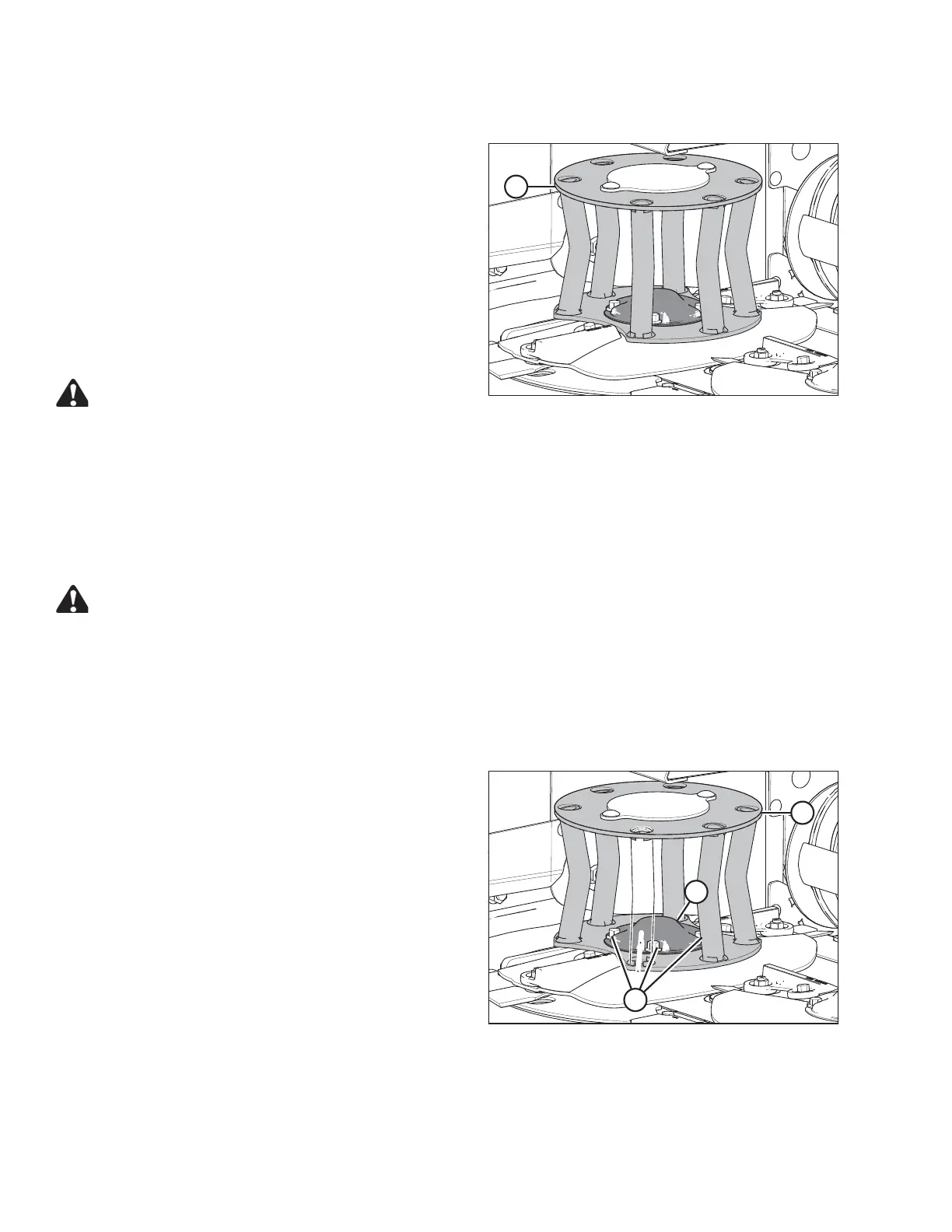
Figure 5.30: Rotary Deflector
4. Check that deflectors (A) are not damaged or bent, also
check for loose hardware.
5. Replace deflectors (A) if they are severely damaged or
worn. Do NOT repair. Refer to:
• Removing the Driven Deflector, page 150
• Installing the Driven Deflector, page 151
• Removing the Driveline Deflector, page 151
• Installing the Driveline Deflector, page 152
6. Tighten loose fasteners.
WARNING
Ensure cutterbar is completely clear of foreign objects.
These objects can be ejected with considerable force
when the machine is started and may result in serious injury or machine damage.
7. Close the cutterbar doors. Refer to 3.5 Cutterbar Doors, page 33.
Removing the Driven Deflector
Follow these steps to replace the driven rotary deflector:
DANGER
To avoid bodily injury or death from unexpected startup of the machine, always stop the engine and
remove the key from the ignition before leaving the operator’s seat for any reason.
1. Lower the header fully.
2. Stop the engine and remove the key.
3. Open the cutterbar doors. Refer to 3.5 Cutterbar Doors, page 33.
1006796
A
B
C
Figure 5.31: Driven Deflector
4. Remove four bolts (A).
5. Remove cover (B) and deflector (C).
MAINTENANCE AND SERVICING





 To Next Page