214366 63 Revision A
Routing Hydraulic Hoses and Electrical Components to M1240 Windrowers
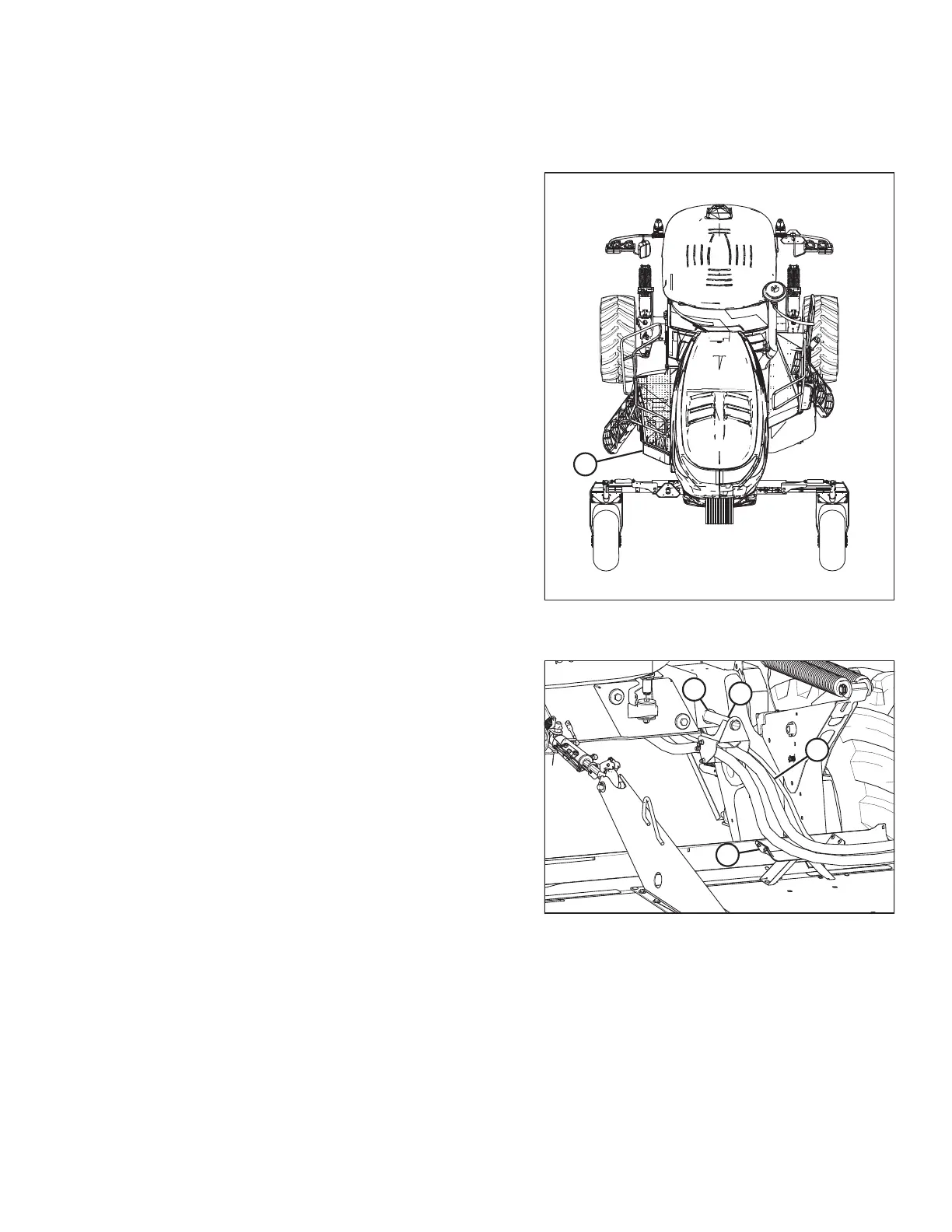
To route the R85 Header hydraulic hoses and electrical harness to the M1240 Windrower, follow these steps.
1018900
A
Figure 3.71: Windrower with Left Platform in
Open Position
1. Move windrower left (cab-forward) platform (A) to the
OPEN position. For instructions, refer to the windrower
operator’s manual.
1018903
A
C
B
D
Figure 3.72: Hydraulic Hoses
2. Route hose bundle (A) from the header, under the
windrower frame, then insert pin (B) into hole (C) in the
windrower frame.
NOTE:
Route hoses as straight as possible and avoid rub/wear
points that could damage the hydraulic hoses.
3. Place hoses on support (D) and on the forming shield
hose support (not shown).
4. If your M1240 Windrower has factory-installed quick connect couplers, refer to Connecting Header Hydraulics
Using Quick Couplers: M1240 Windrowers, page 64 for connection instructions.
If your M1240 Windrower has factory-installed hard plumb connections, refer to Connecting Header Hydraulics
Using Hard Plumbing: M1240 Windrowers, page 65 for connection instructions.
OPERATION





 To Next Page