214366 71 Revision A
3.8.2 Detaching the Header: M205 Windrowers
Refer to your windrower operator’s manual for the procedure to mechanically detach the header from a windrower.
Refer to the following procedure to disconnect electrical and hydraulic systems:
DANGER
To avoid bodily injury or death from unexpected startup of the machine, always stop the engine and
remove the key from the ignition before leaving the operator’s seat for any reason.
1. Lower the header to the ground. If ground is soft, place blocks under header.
2. Stop the engine and remove the key.
1005185
A
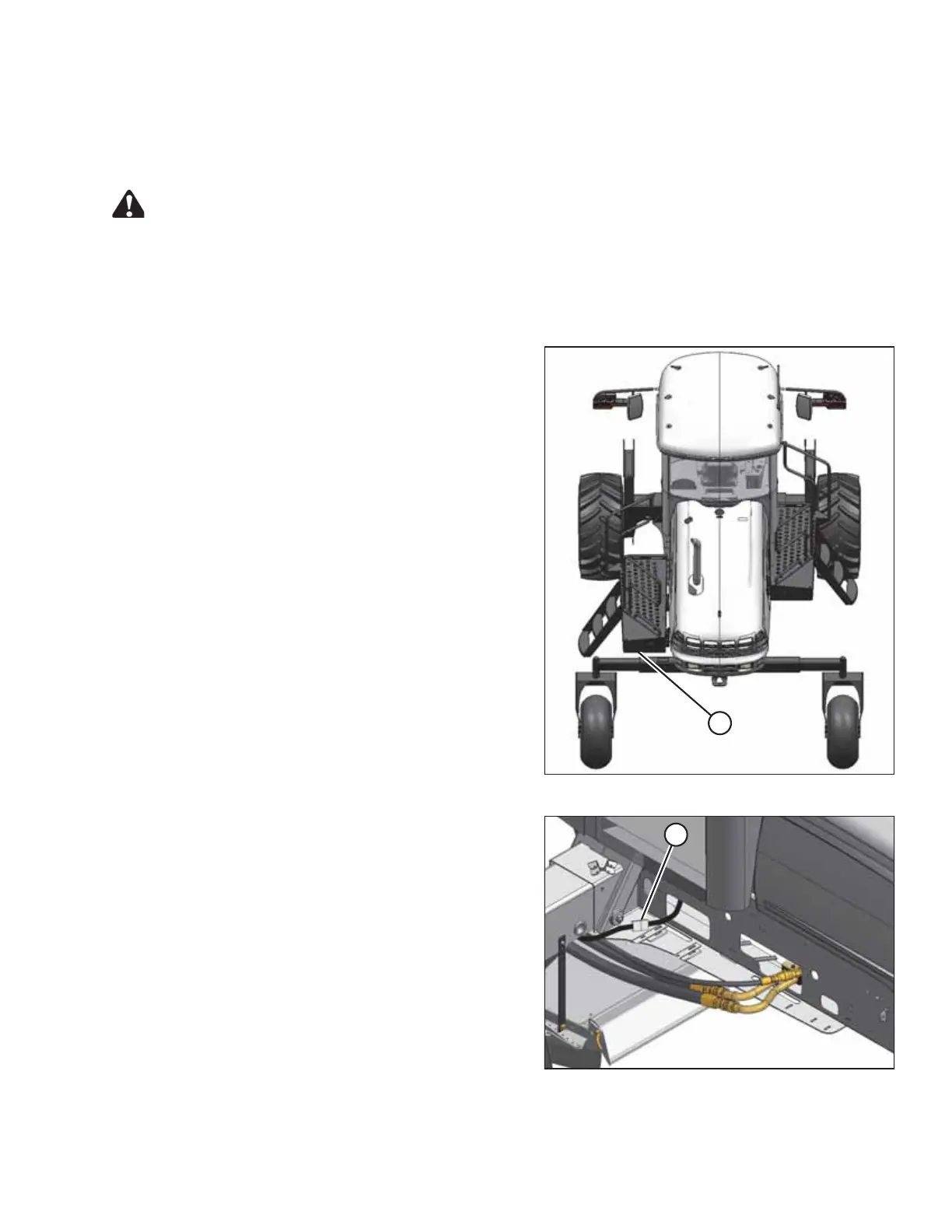
Figure 3.87: Windrower Left Platform
3. Move the left side (cab-forward) platform (A) to the
open position. For instructions, refer to the windrower
operator’s manual.
1005206
A
Figure 3.88: Hydraulic Connections
4. Disconnect the electrical harness at connector (A).
NOTE:
The valve block was removed from the illustration to
show the electrical connector.
5. If couplers and coupler lock are installed on lines,
proceed as follows. Otherwise, proceed to Step 13,
page 73.
OPERATION





 To Next Page