214366 136 Revision A
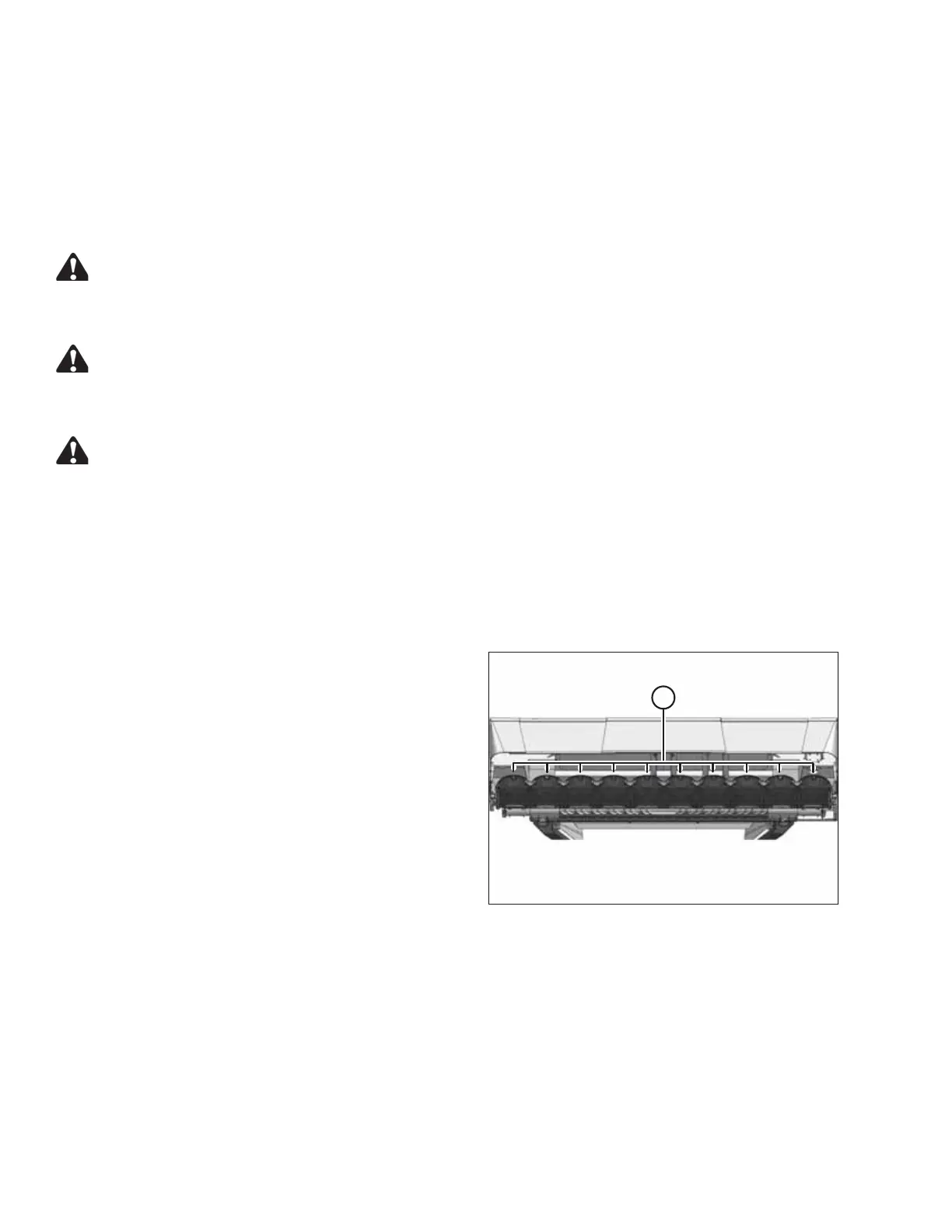
5.2.8 Rock Guards
The machine is equipped with rock guards at each cutting disc location. Rock guards prevent the cutterbar from
digging into the ground and protect the disc from coming in contact with stones and other debris.
Inspecting the Rock Guards
Check rock guards periodically for severe damage or wear as follows:
DANGER
To avoid bodily injury or death from unexpected startup of the machine, always stop the engine and
remove the key from the ignition before leaving the operator’s seat for any reason.
DANGER
To avoid bodily injury or death from unexpected start-up or fall of raised machine: stop the engine,
remove the key, and engage header safety props before going under machine for any reason.
CAUTION
Exercise caution when working around the blades. Blades are sharp and can cause serious injury. Wear
gloves when handling blades.
1. Raise the header fully.
2. Stop the engine and remove the key.
3. Engage header safety props.
4. Engage header safety props. Refer to 3.3 Engaging and Disengaging Header Safety Props, page 28.
1004643
A
Figure 5.9: Rock Guards
5. Inspect rock guards (A) for severe damage, wear, and
distortion. The guards should be replaced if severely
damaged or worn.
6. Check for loose or missing fasteners and tighten or
replace fastener if missing.
7. Contact your MacDon Dealer for
replacement procedures.
MAINTENANCE AND SERVICING





 To Next Page