214366 107 Revision A
Removing Tall Crop Feed Plates from under Driveline Deflector
1. Open cutterbar doors. Refer to 3.5 Cutterbar Doors, page 33.
2. Remove the deflector. Refer to Removing the Driveline Deflector, page 151.
1004853
A
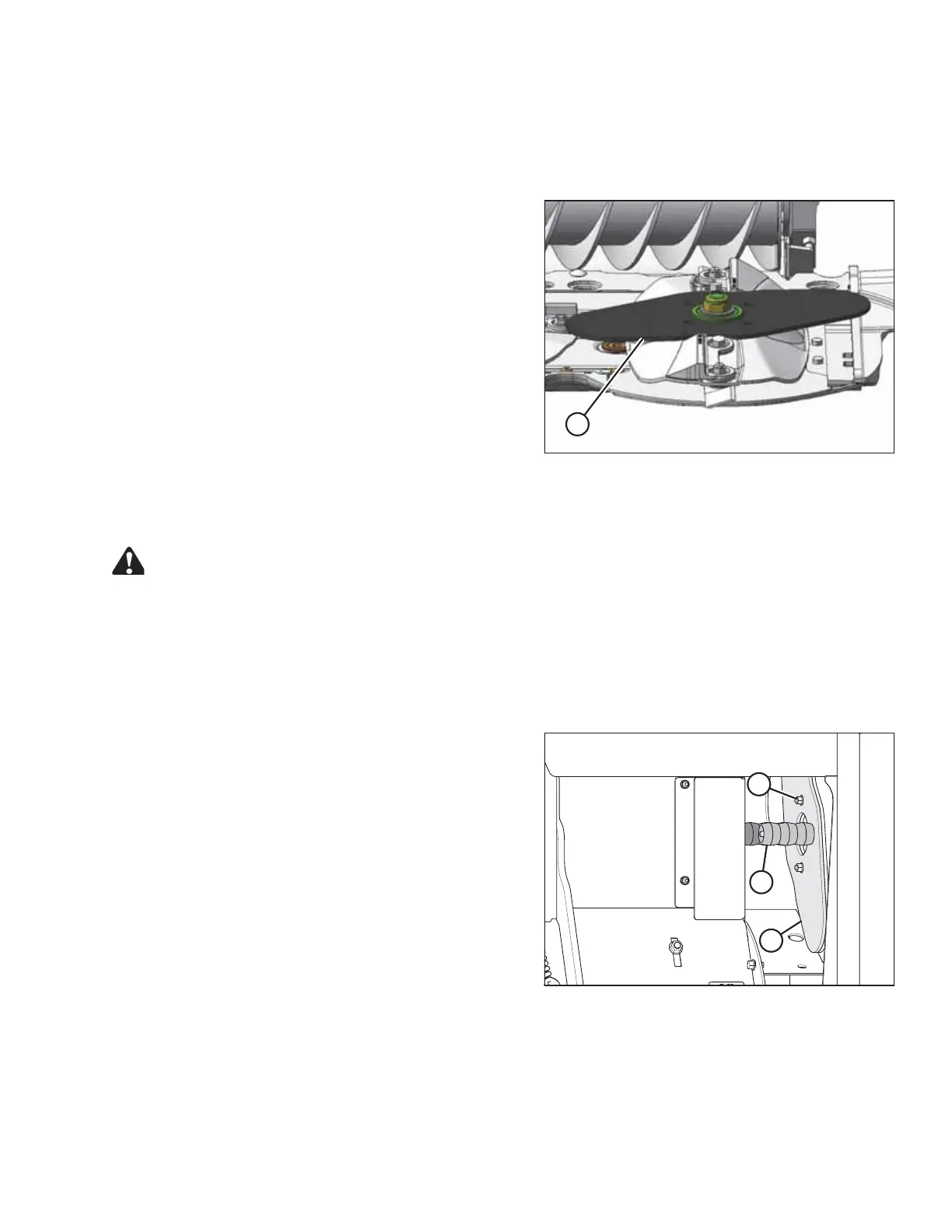
Figure 4.36: Tall Crop Feed Plate
3. Remove feed plate (A).
4. Return feed plates to storage. Refer to 4.11.3 Returning
Tall Crop Feed Plates to Storage, page 107.
5. Install the deflector. Refer to Installing the Driveline
Deflector, page 152.
6. Close the cutterbar doors. Refer to 3.5 Cutterbar Doors,
page 33.
4.11.3 Returning Tall Crop Feed Plates to Storage
DANGER
To avoid bodily injury or death from unexpected startup of the machine, always stop the engine and
remove the key from the ignition before leaving the operator’s seat for any reason.
1. Lower the header fully.
2. Stop the engine and remove the key.
3. Open the right end driveshield. Refer to 3.4.5 Removing Right Endshield, page 32.
1014125
A
B
C
Figure 4.37: Nut Deflector and Feed Plate
Storage
4. Remove four nuts (A) and secure nut shields (B) and
feed plates (C) to side of compartment. Reinstall
nuts (A).
NOTE:
Nut shields will not be in storage location if they are
installed on the cutterbar.
5. Install right shield. Refer to 3.4.6 Installing Right
Endshield, page 32.
OPERATING THE HEADER




 To Next Page