214366 140 Revision A
1004650
A
B
C
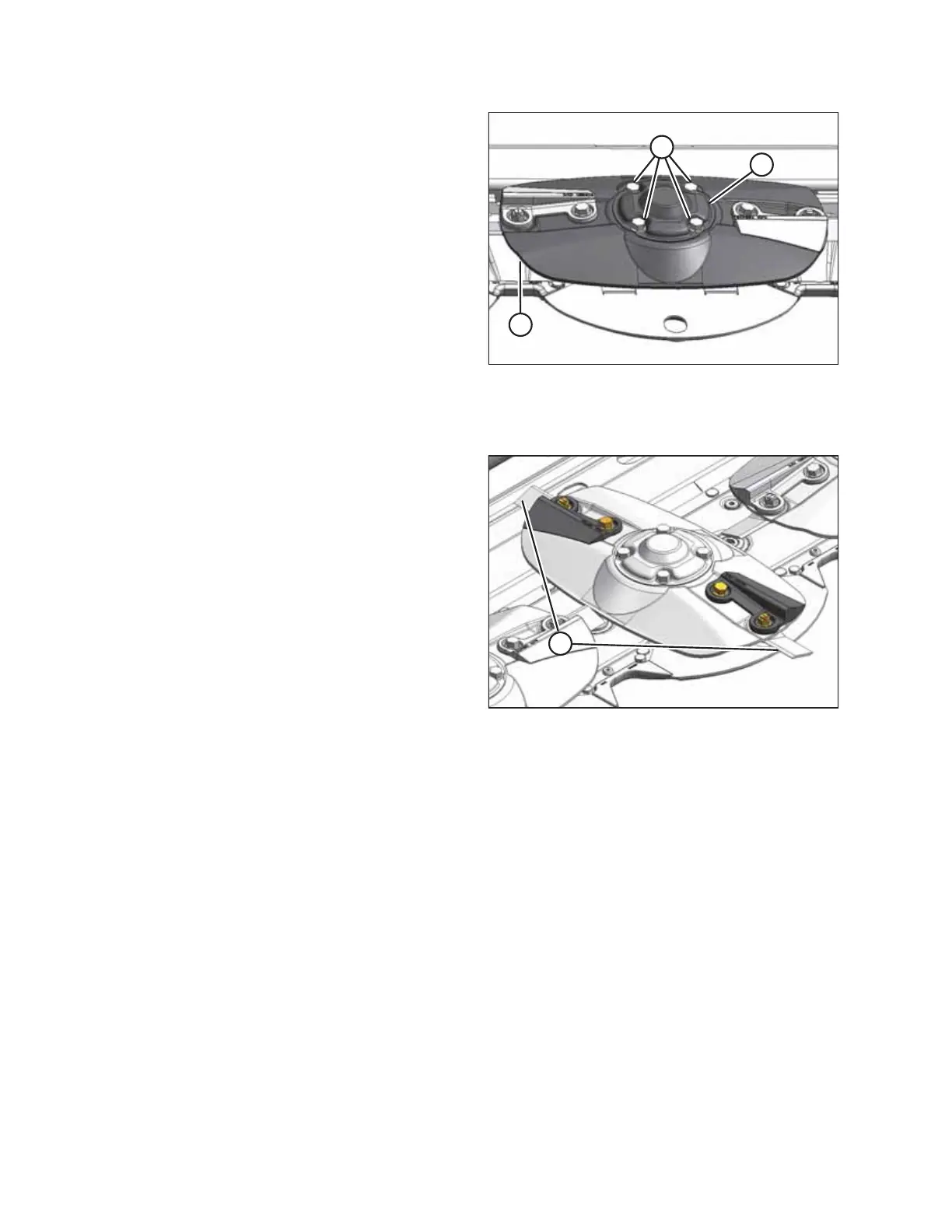
Figure 5.14: Cutterbar Disc
2. Install cover (B) and secure with four bolts (A).
Tighten bolts.
3. Reinstall previously removed rotary deflector (if
applicable). Refer to:
• Installing the Driveline Deflector, page 152
• Installing the Driven Deflector, page 151
4. Close the cutterbar door(s). Refer to 3.5 Cutterbar
Doors, page 33.
5.3.5 Cutterblades
1004822
A
Figure 5.15: Cutterblades
Each disc has two cutterblades (A), one attached at each
end, with a specially designed shoulder bolt that allows the
blades to swivel horizontally.
Since each blade has two cutting edges, they can be flipped
over to extend the life of the blades.
The blades are NOT repairable and must be replaced if
damaged or worn.
IMPORTANT:
Always use MacDon factory replacement parts.
MAINTENANCE AND SERVICING





 To Next Page