214366 157 Revision A
Replacing Door Latches: Export Header
To replace cutterbar door latches, follow these steps:
DANGER
To avoid bodily injury or death from unexpected startup of the machine, always stop the engine and
remove the key from the ignition before leaving the operator’s seat for any reason.
1. Turn off the windrower’s engine and remove the key from ignition.
2. Unlatch and lift the curtain.
1004674
A
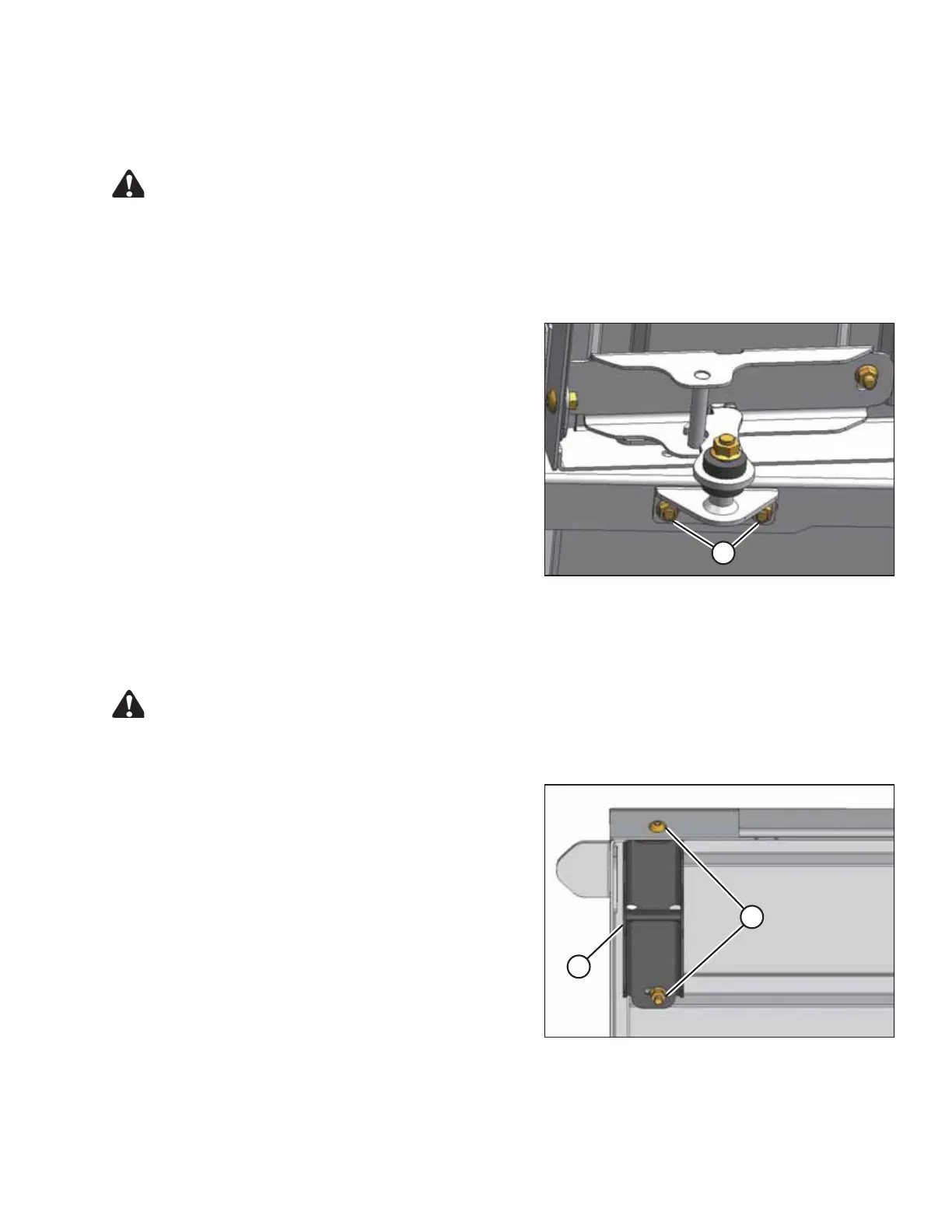
Figure 5.45: Cutterbar Door Latch
3. Remove bolts (A) and remove latch assembly
from frame.
4. Locate new latch assembly on frame and reinstall
bolts (A).
5. Adjust to position shown and tighten bolts (A).
Replacing Door Latch Brackets: Export Header
To replace the cutterbar door latch brackets, follow these steps:
DANGER
To avoid bodily injury or death from unexpected startup of the machine, always stop the engine and
remove the key from the ignition before leaving the operator’s seat for any reason.
1004673
A
B
Figure 5.46: Latch Bracket
1. Turn off the windrower’s engine and remove key from
ignition.
2. Open cutterbar door.
3. Remove bolts (A), washers, and nuts, and remove latch
bracket (B) from door.
4. Locate new latch bracket (B) on door and reinstall
bolts (A), washers, and nuts. Use three washers on aft
bolt as spacers between bracket (B) and door.
5. Close door and check alignment with latch. Adjust as
necessary and tighten bolts (A).
MAINTENANCE AND SERVICING




 To Next Page