214366 109 Revision A
1006169
A
B
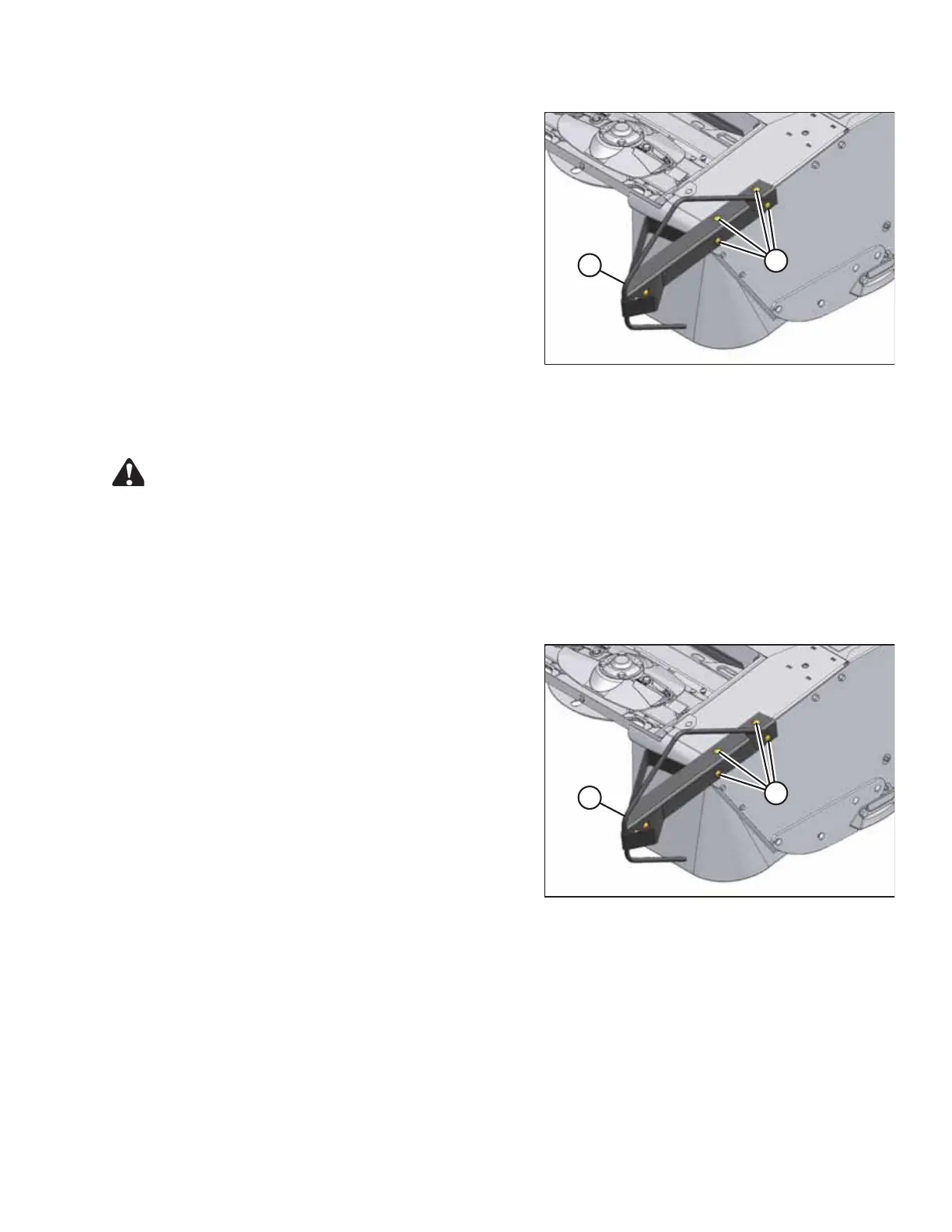
Figure 4.40: Tall Crop Divider Installed
6. Position left divider (B) on header left front corner, and
install with four bolts (A) and nuts in existing holes.
Tighten hardware.
7. Repeat for right side.
8. Lower cutterbar doors.
4.12.2 Removing Tall Crop Divider
DANGER
To avoid bodily injury or death from unexpected startup of the machine, always stop the engine and
remove the key from the ignition before leaving the operator’s seat for any reason.
1. Lower the header fully.
2. Stop the engine and remove the key.
3. Open the cutterbar doors. Refer to 3.5 Cutterbar Doors, page 33.
1006169
A
B
Figure 4.41: Left Crop Divider
4. Remove four bolts (A) and nuts. Remove deflector (B).
OPERATING THE HEADER





 To Next Page