214366 141 Revision A
Inspecting Discblades
DANGER
To avoid bodily injury or death from unexpected startup of machine, always stop engine and remove key
from ignition before leaving operator’s seat for any reason.
CAUTION
Discblades have two sharp cutting edges that can cause serious injury. Exercise caution and wear gloves
when working with blades.
CAUTION
Damaged blades may damage the cutterbar and result in poor cutting performance. Replace damaged
blades immediately.
CAUTION
Damaged or loose discblades or blade attachment hardware can be ejected during machine operation and
may cause personal injury or machine damage.
A
B
C
1003888
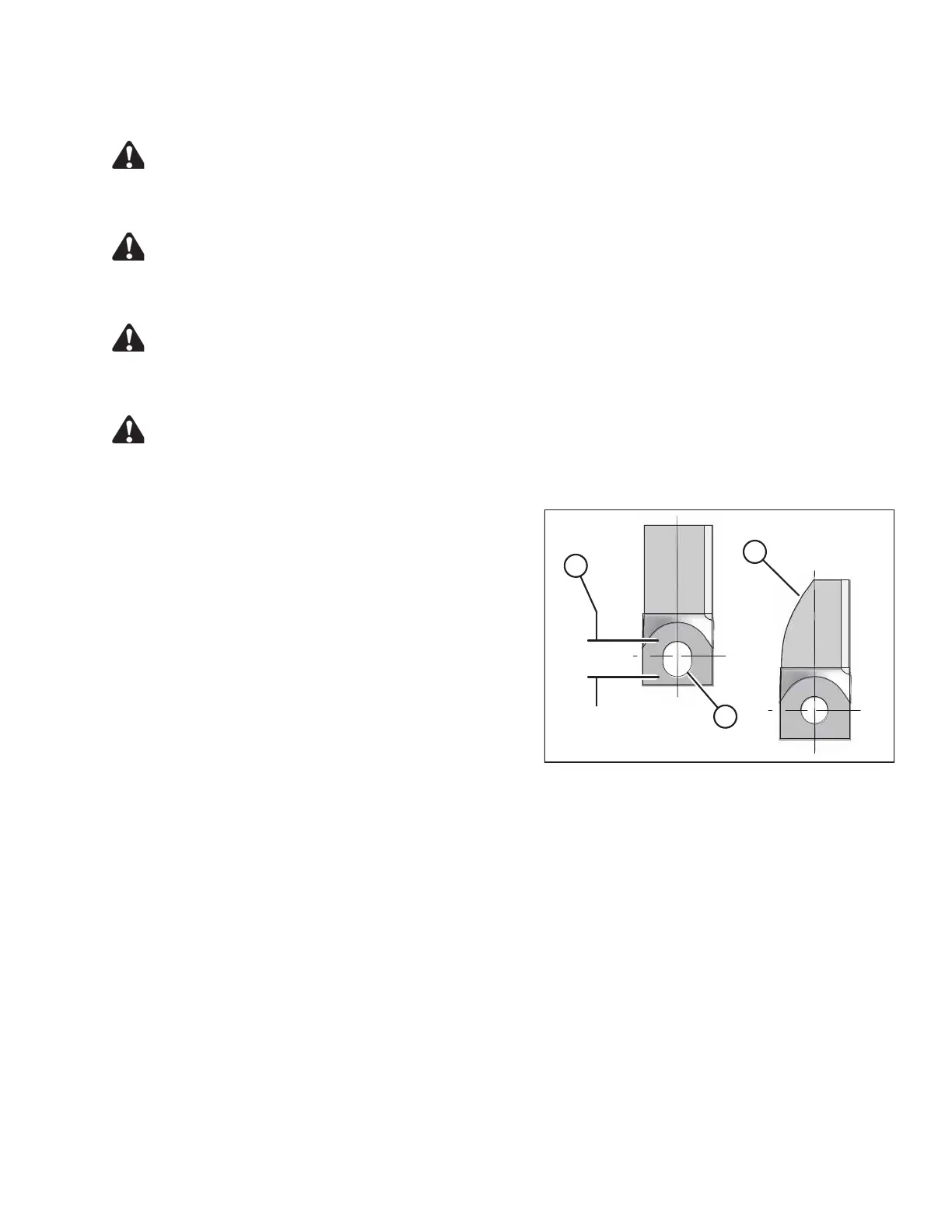
Figure 5.16: Discblades
A - Blade Wear to Center Line
B - Elongated Hole
C - Maximum Elongation 21 mm (13/16 in.)
1. Check daily that the discblades are securely attached to
the disc.
2. Inspect blades for cracks, wear beyond safe operating
limits (C), and distortion.
3. Replace blades immediately if any problems occur.
IMPORTANT:
Blades should be replaced in pairs, or the disc may
become unbalanced and cause damage to the
cutterbar.
MAINTENANCE AND SERVICING





 To Next Page