214366 58 Revision A
1015853
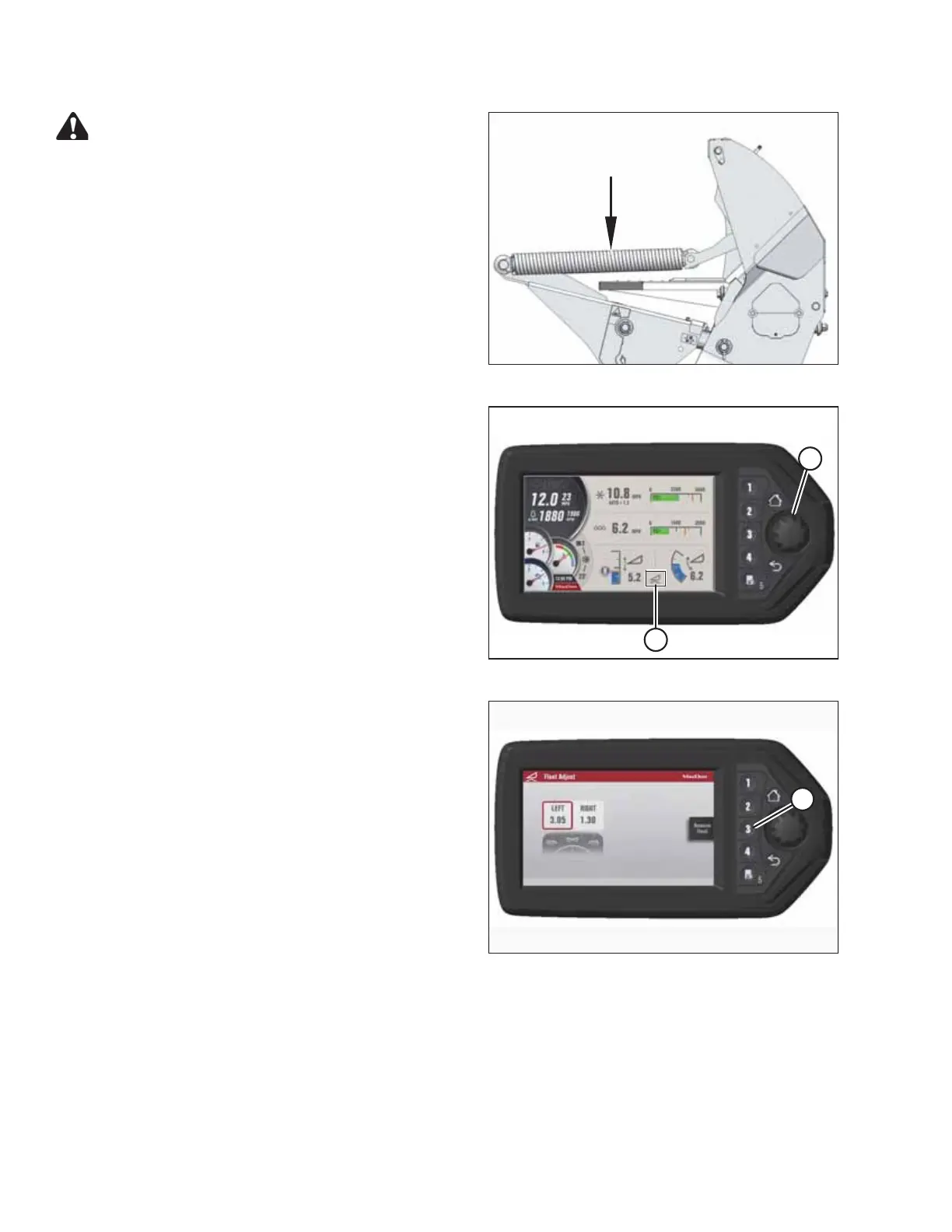
Figure 3.58: Header Float Spring
CAUTION
To prevent damage to the header lift linkages when
lowering header lift legs without a header or weight box
attached to the windrower, ensure the float springs
tension is fully released.
NOTE:
If not prompted by the harvest performance tracker (HPT)
display to remove float, remove float manually by doing the
following:
1015851
A
B
Figure 3.59: HPT Display
NOTE:
If not prompted by the HPT display to remove header
float, remove header float manually by doing the
following:
3. Press rotary scroll knob (A) on Harvest Performance
Tracker (HPT) to highlight QuickMenu options.
4. Rotate scroll knob (A) to highlight HEADER FLOAT
symbol (B), and press scroll knob to select.
1019607
A
Figure 3.60: HPT Display
5. On Float Adjust page, press soft key 3 (A) to remove
the header float.
NOTE:
If the header float is active, the icon at soft key 3 will say
REMOVE FLOAT; if header float has been removed, the
icon will say RESUME FLOAT.
OPERATION





 To Next Page