4-8
1. Remove the control panel (See page 4-3).
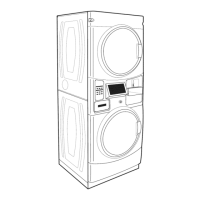
2. Remove the wires from the clips on the
control panel bracket.
3. Lift the locking tab and disconnect the
connector for power to the washer.
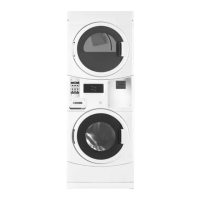
4. Remove four 1/4” hex head screws on the
left edge securing the control panel bracket
to the front of the Stack Washer/Dryer.
5. Remove four 1/4” hex head screws on
the right edge securing the control panel
bracket to the front of the Stack Washer/
Dryer.
6. On PD models, remove four more 1/4” hex
head screws around the coin vault.
7. To remove the control panel bracket, push
the wires through the hole of the bracket
and remove the control panel bracket.
NOTE: This provides access to the blower
assembly and heater assembly for testing.
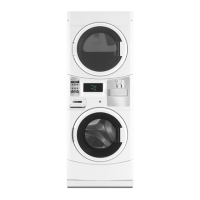
8. The chemical dispenser adapter has clips
on the back side of the control panel bracket
that can be released once the bracket is
removed.
CONTROL PANEL BRACKET
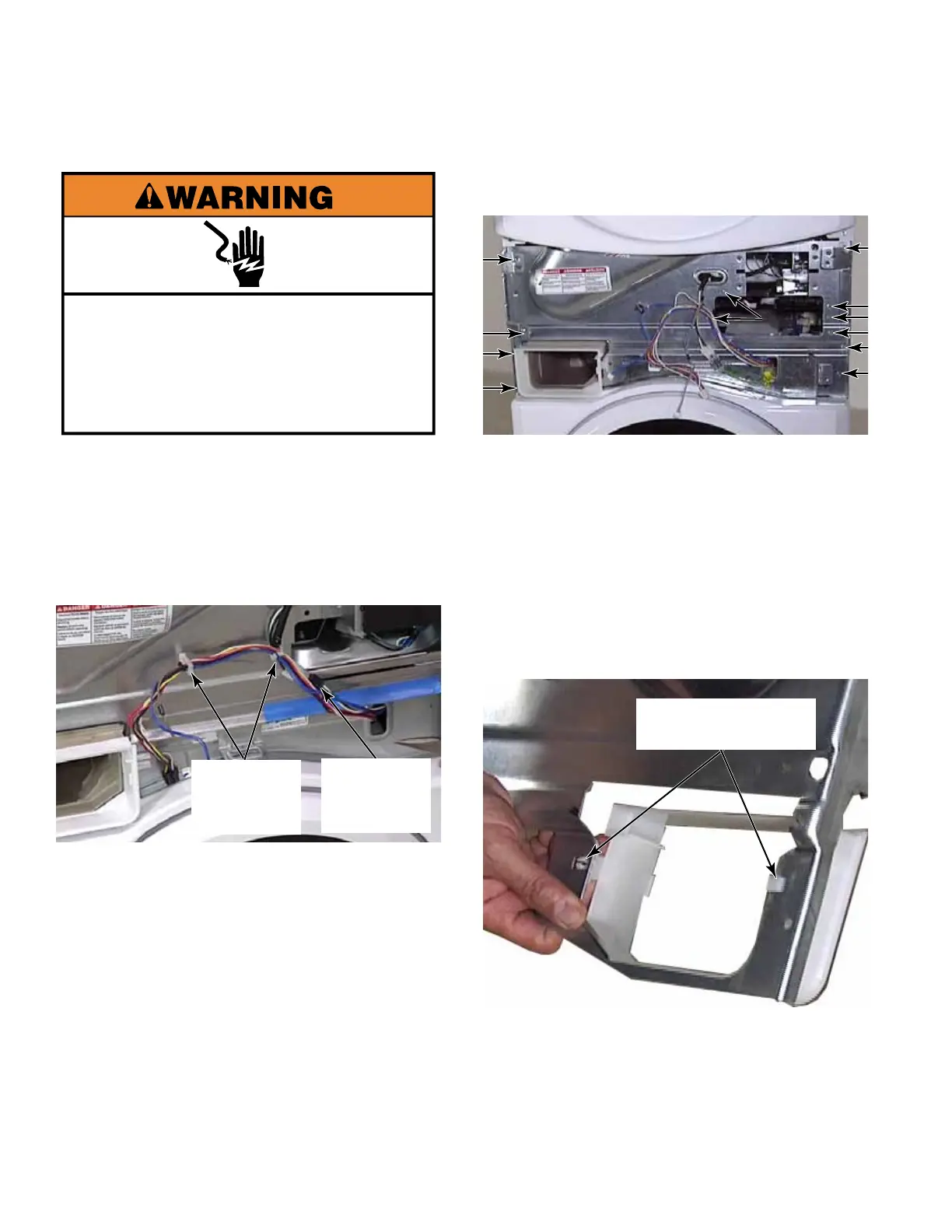
Electrical Shock Hazard
Disconnect power before servicing.
Replace all parts and panels before
operating.
Failure to do so can result in death or
electrical shock.
Chemical Dispenser
Adapter Clips
Washer
Power
Connector
Wire
Retainer
Clips



 To Next Page