4-16
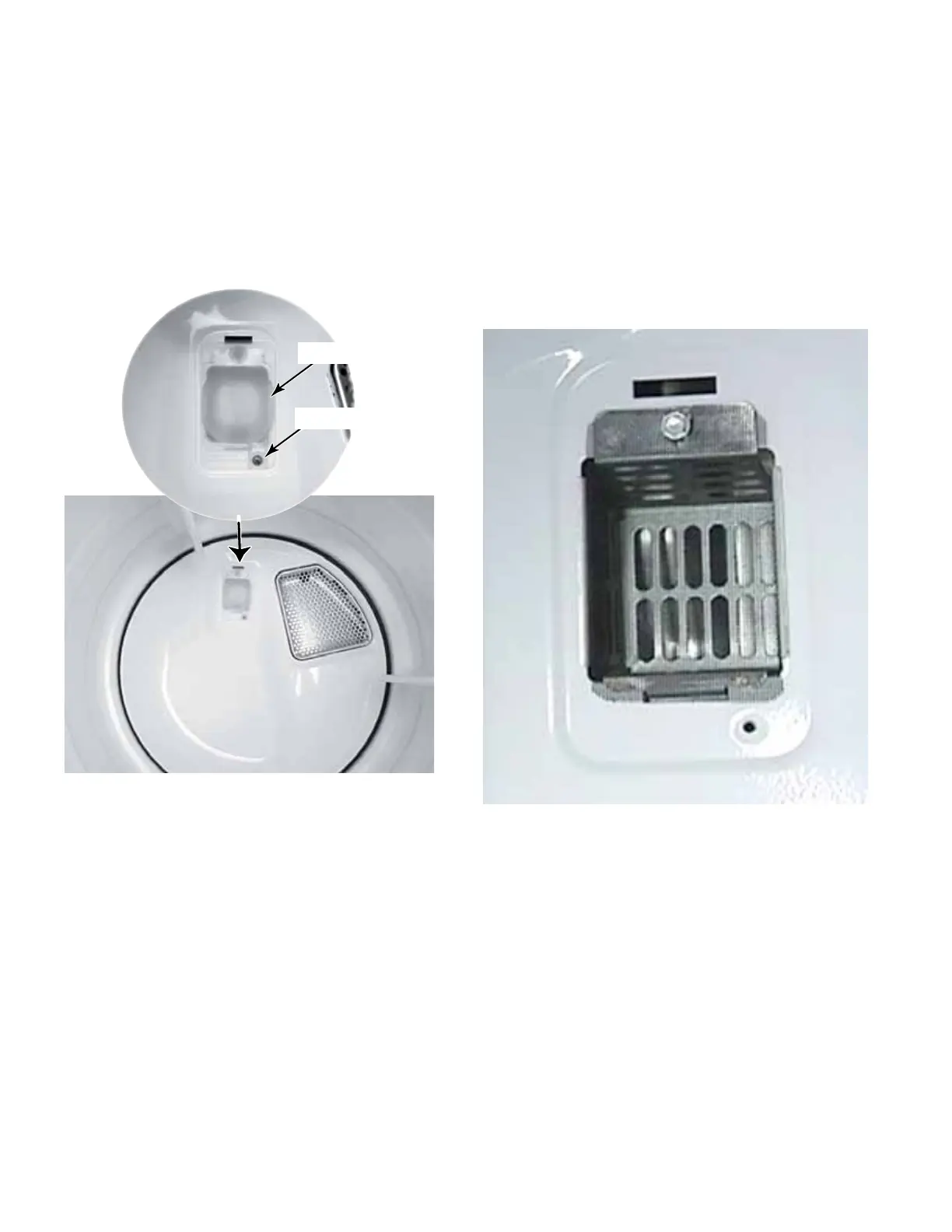
1. Open the dryer door.
2. Remove the Phillips head screw securing
drum light lens to the back bulkhead, and
remove the lens.
DRUM LIGHT LENS
Lens Screw
Drum Light Lens
NOTE: There is no light socket on a
commercial dryer, nor is there capability
of adding a light on commercial dryers.
The lens is maintained to prevent clothes
catching the rear bulkhead and light
bracket. Behind the light lens is a bracket
with a mesh screen. This assembly needs
to be maintained as it came from the factory.



 To Next Page