4-40
1. Remove dryer back panel
(See page 4-27).
2. Remove two 1/4” hex head screws securing
the heat plenum to back of the back
bulkhead.
3. Tilt lower edge of heat plenum out, away
from back bulkhead, to release the tab on
the top of the heat duct from inside heat
plenum. Pull heat plenum away from back
bulkhead.
HEAT PLENUM
Two 1/4” Hex
Head Screws
Electrical Shock Hazard
Disconnect power before servicing.
Replace all parts and panels before
operating.
Failure to do so can result in death or
electrical shock.
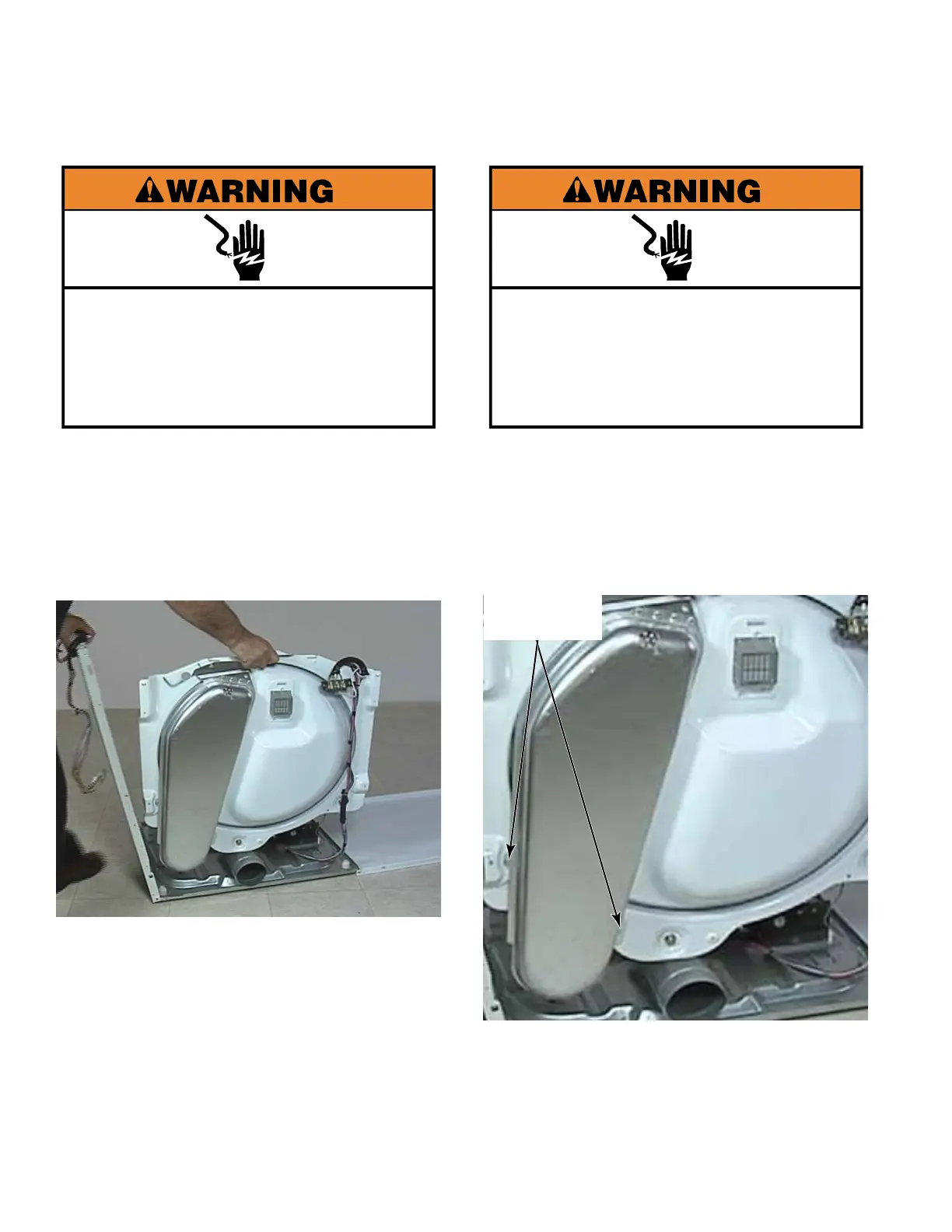
1. Remove dryer drum (See page 4-29).
2. Remove dryer side panels (See page 4-39).
3. Support back bulkhead when removing side
panels.
4. Use a pair of pliers to squeeze two
Christmas tree clips to release wire ties
holding wiring harness to back bulkhead.
BACK BULKHEAD
Electrical Shock Hazard
Disconnect power before servicing.
Replace all parts and panels before
operating.
Failure to do so can result in death or
electrical shock.



 To Next Page