4-64
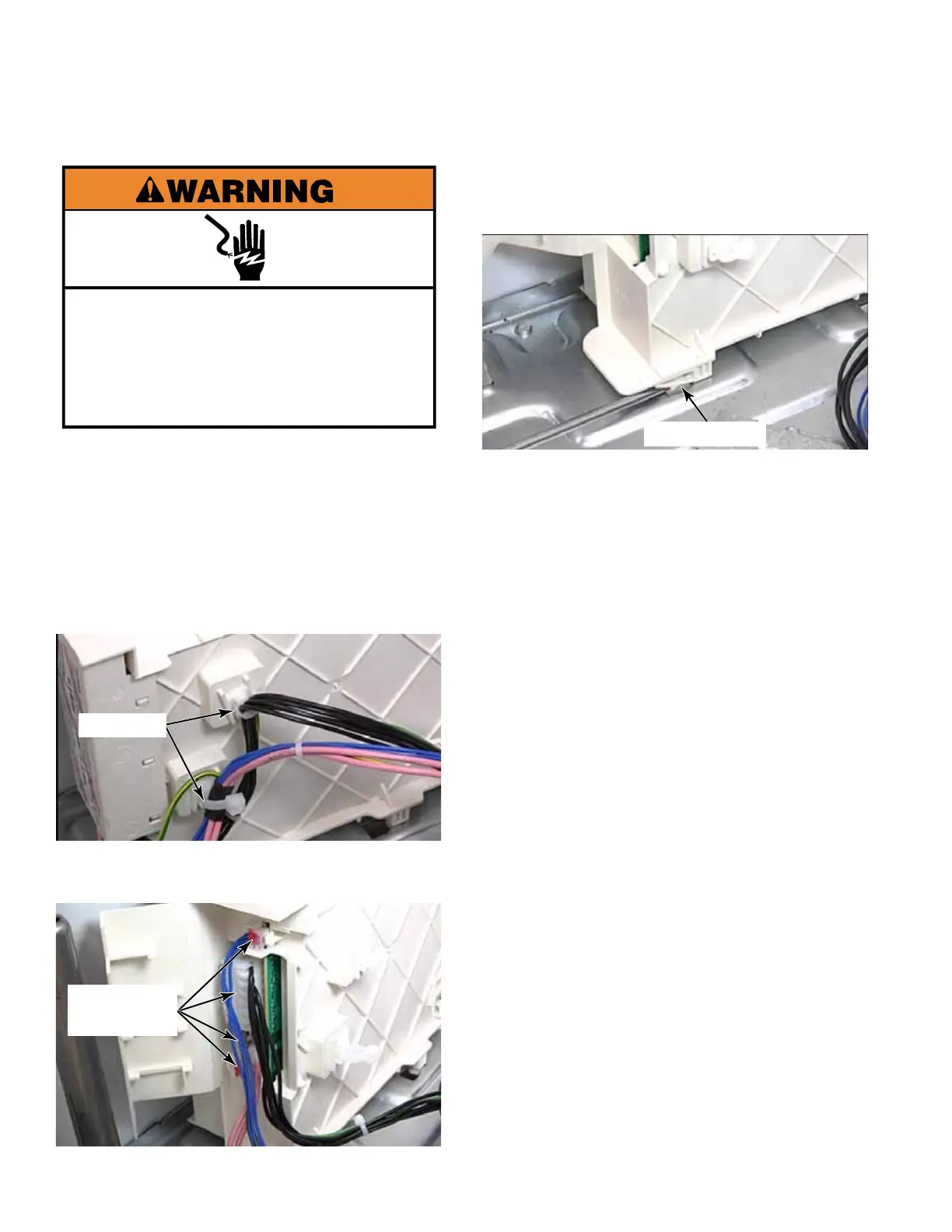
5. Use a flat blade screwdriver to lift the
locking tab securing the MCU to the base of
the washer.
6. Slide the MCU forward to release the tabs
from the keyhole slots in base of washer.
7. Remove the MCU from the washer.
NOTE: New wire ties will be provided with
a replacement MCU but not new base clips.
It is necessary to replace all cut, broken or
damaged wire ties.
1. Unplug washer or disconnect power.
2. Remove the toe panel (See page 4-61)
3. Cut the wire ties on the side of the MCU.
Make sure not to cut the plastic base clip
the wire tie secures to. Remove the base
clips and install them on replacement MCU.
4. Open the door of the MCU and disconnect
the four wire connectors from the MCU.
Electrical Shock Hazard
Disconnect power before servicing.
Replace all parts and panels before
operating.
Failure to do so can result in death or
electrical shock.
MOTOR CONTROL UNIT (MCU)
Wire Ties
4 Wire
Connectors
Locking Tab



 To Next Page