12Z6115A
MAIN:
Reset indicat. EXT
[ 065 001 ]
MAIN:
Reset indicat. USER
[ 021 010 ]
0
1
0: No
1: Yes
MAIN:
General reset USER
[ 003 002 ]
0
1
0: don't execute
1: execute
1: execute
MAIN:
Reset LED
306 020
≥1
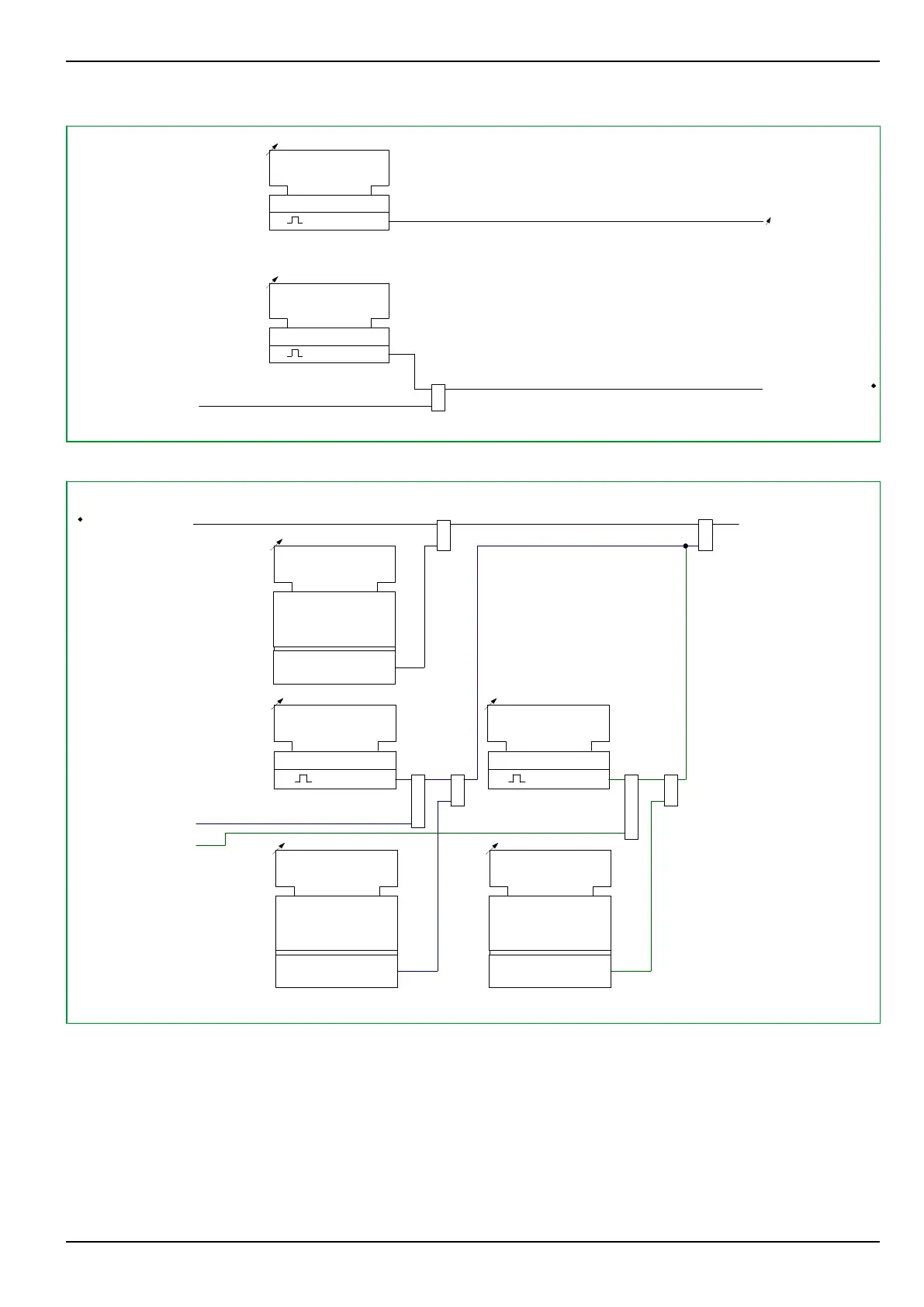
Fig. 3-65: General reset, LED reset and measured event data reset from the local control panel
OP_RC:
Reset record. EXT
[005 213]
0
1
0: don't execute
1: execute
&
MAIN:
Group reset 1 EXT
[ * ]
≥1
m out of n
LOC:
Fct. reset key
[ 005 251 ]
m out of n
MAIN:
Fct.assign. reset 1
[ * ]
MAIN:
Group reset 1 USER
[ * ]
LOC:
Reset key active
310 024
&
≥1
OP_RC:
Reset record. EXT
[ 005 213 ]
12Z61RMB
OP_RC:
Reset record. EXT
[005 213]
0
1
0: don't execute
1: execute
&
≥1
m out of n
MAIN:
Fct.assign. reset 2
[ * ]
MAIN:
Group reset 2 USER
[ * ]
OP_RC:
Reset record. EXT
[005 213]
MAIN:
Group reset 2 EXT
[ * ]
Fig. 3-66: “CLEAR” key on the local control panel and, as an example, group resetting of the operating data
recording (e.g. as an example for the reset signal OP_RC: Reset record. EXT.
A complete list of all resetting parameters that can be used in the way shown in
Fig. 3-66, (p. 3-97) can be obtained from the separately available
DataModelExplorer: Look up the setting parameter MAIN: Fct.assign. reset 1
in the file P634‑653_en_Addresses.pdf, and there follow the link to the referenced
config. table.
3 Operation
P634
P634/EN M/R-42-A // P634‑311‑653 3-97



 To Next Page