PCWS 2015 Setup Guide - 2nd Edition 3-39
What’s Inside?
Installing Options
Protégé Customer Display System - Integrated
This procedure describes how to install the Protégé on the PCWS 2015 when
support becomes available.
1. Power off the workstation, remove cables, place the unit face down to
access the IO Panel.
2. Remove the MICROS Logo plate from the IO Door. Reinstall the door and
make sure it is in the closed position.
3. Orient the Protégé with the speakers facing the bottom of the workstation,
then insert the bracket in the IO door cut-out. Slide the Protégé and bracket
into the housing until the clips lock into place.
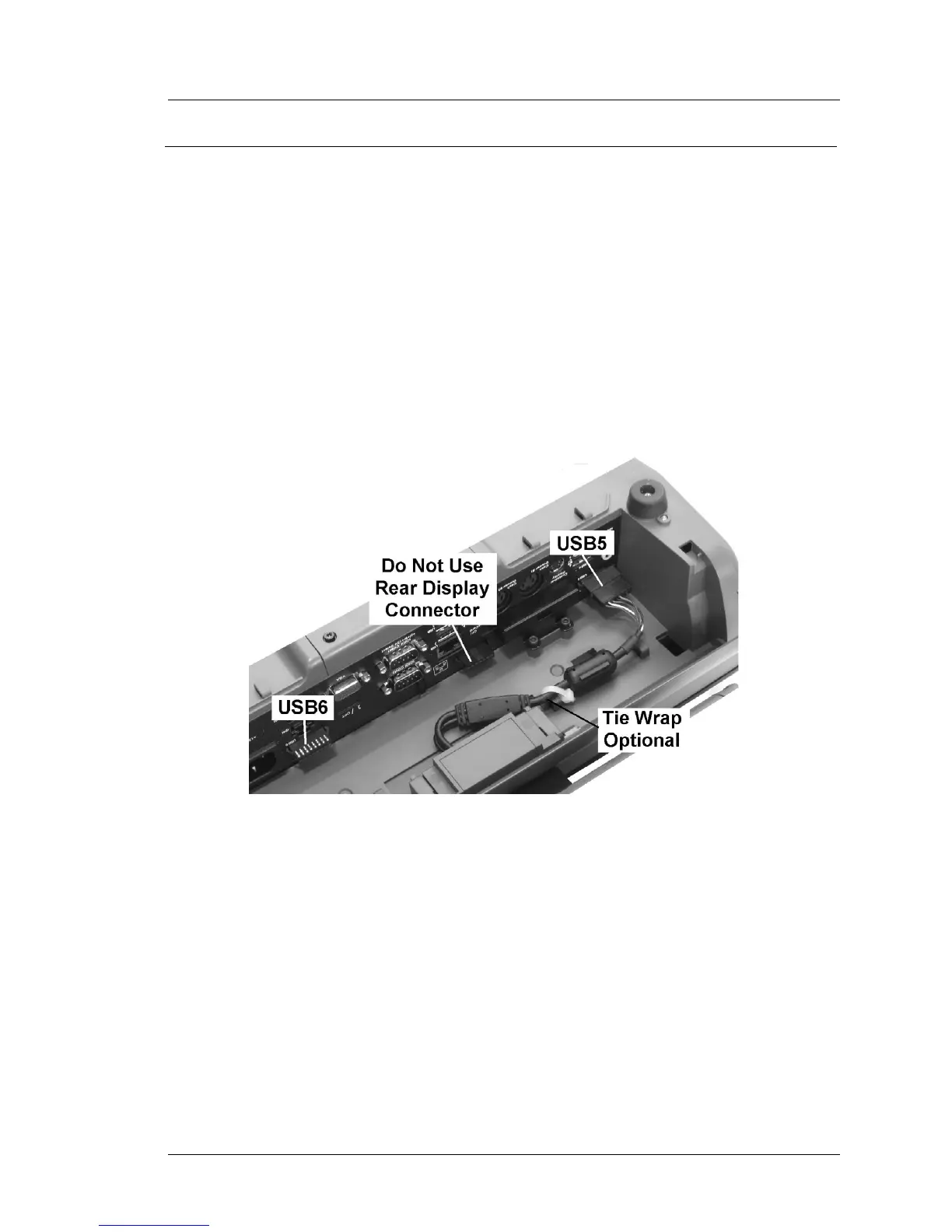
4. Attach the 1x8 connector to USB5 as shown in the as shown in the
illustration below.
Figure 3-35: Installing the Protégé Integrated Customer Display
• Alternately, the Protégé can be connected to USB6.



 To Next Page