PCWS 2015 Setup Guide - 2nd Edition 3-41
What’s Inside?
Installing Options
Hard Drive Installation
This section describes the PCWS 2015 Hard Drive configuration and shows
how to install or remove a disk drive.
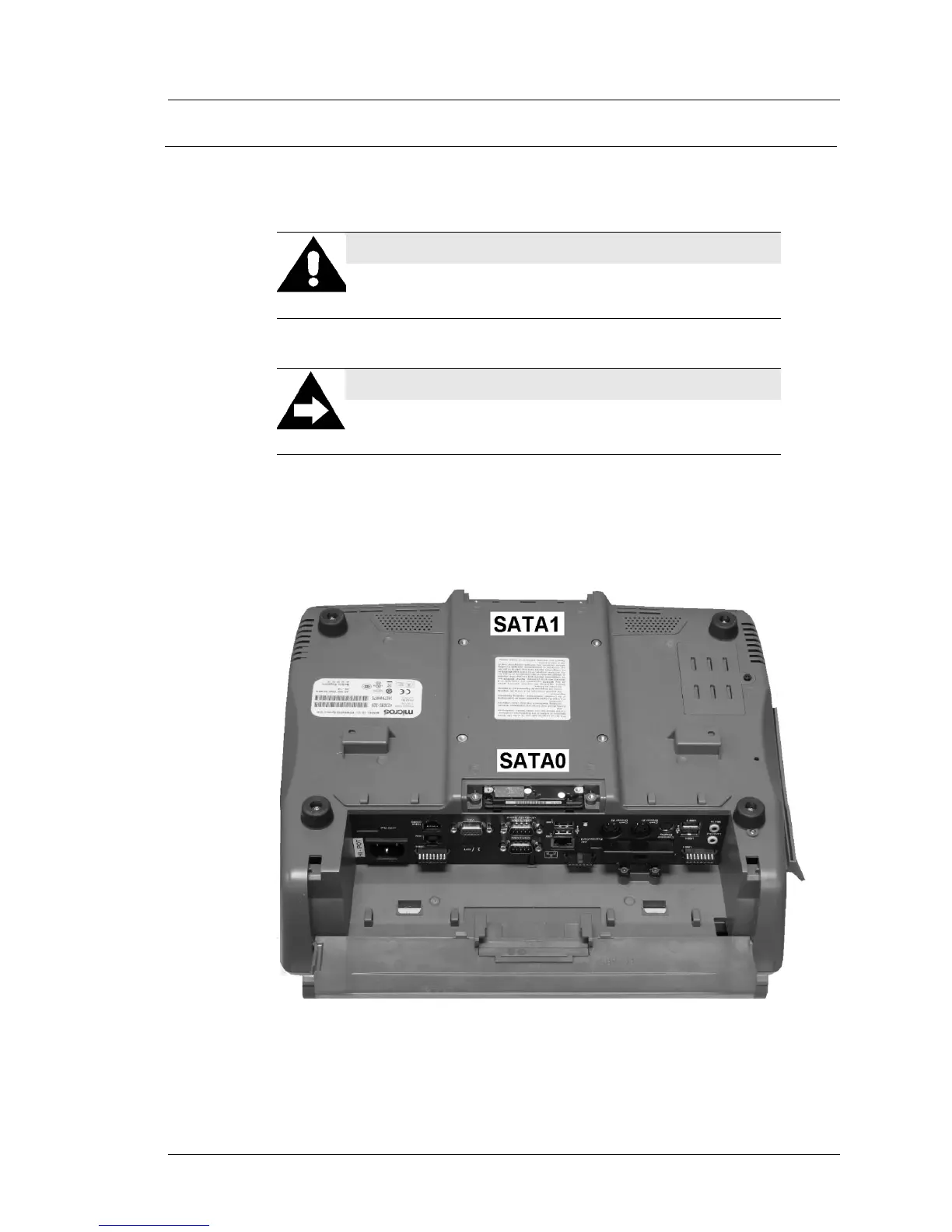
As shown in Figure 3-37, below the front and rear access doors have been
removed. A hard drive is installed in the SATA 0 bay, located near the IO
panel.
Figure 3-37: PCWS 2015 SATA Drive Bay Locations
CAUTION
Before installing or removing disk drives, always power
off the unit and remove the AC Power Cable.
A Note About SATA Drives
SATA drives do not require Master/Slave jumper
configuration.



 To Next Page