1-4 PCWS 2015 Setup Guide - 2nd Edition
What is the PCWS 2015
The System
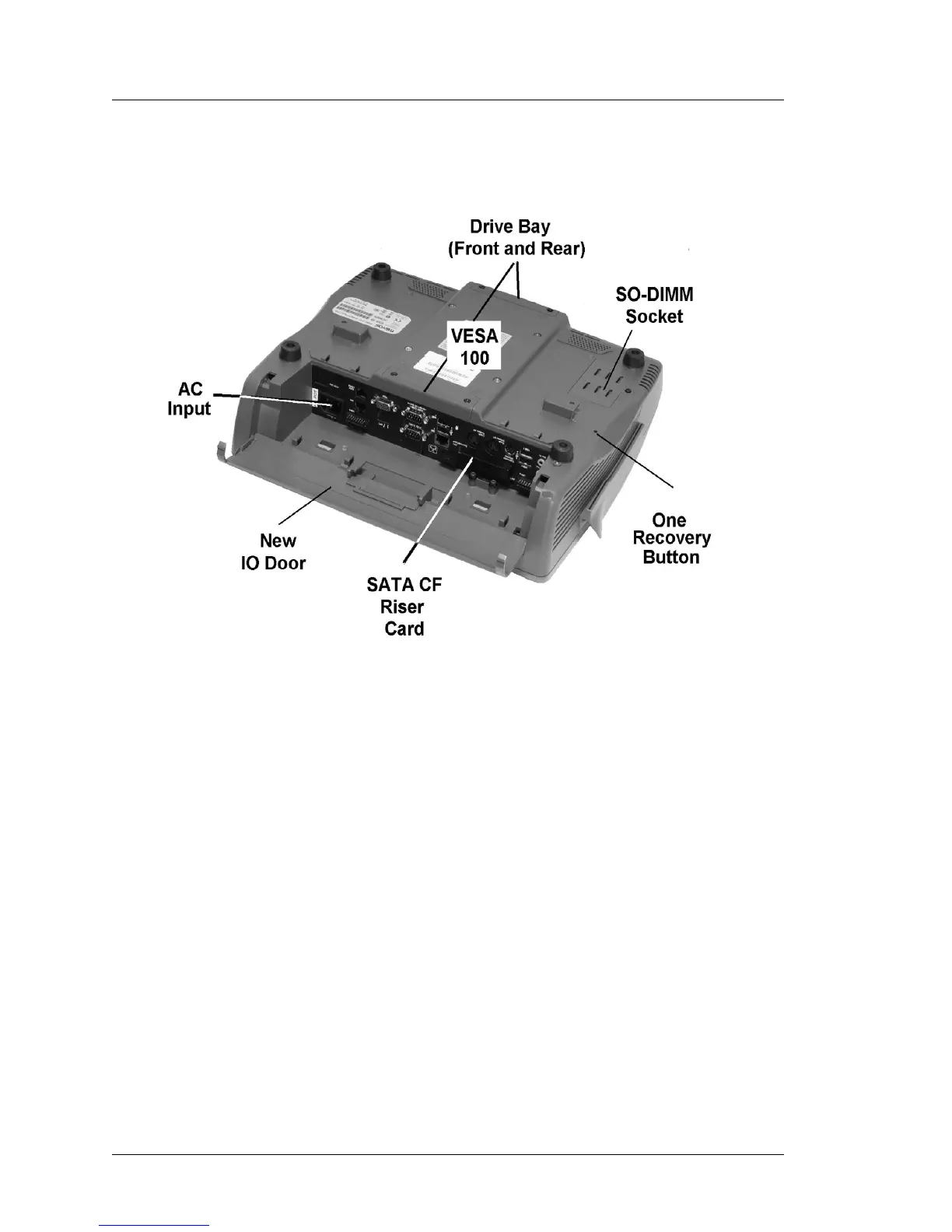
The illustration below points out features located on the bottom of the
workstation.
Figure 1-2: PCWS 2015 Features - Bottom View
Mass Storage
The PCWS 2015 can use standard 2.5” form factor SATA drives, but is also
capable of booting from a USB Hard Drive.
2.5” SATA Drive Bay
The PCWS supports one or two laptop form factor (2.5”) SATA drives,
accessed from the front and rear of the base. The PCWS 2015 ships with a
single 2.5” SATA drive installed in bay 0, near the IO panel. A second
drive can be added for expansion or two drives can be used in combination
to build a RAID 0 or RAID 1 array.
2.5” SATA Solid State Drives (SSD) are available, but are currently
substantially more expensive than spinning drives and not yet available in a
standard PCWS 2015 configuration.
Each bay is secured by access panels with captive allen head screws.
Chapter 3 contains more information about adding and removing hard
drives.



 To Next Page