3-20 PCWS 2015 Setup Guide - 2nd Edition
What’s Inside?
System Board Description
System Board Jumper Configuration
The following pages provide details and procedures for using the System
Board jumpers.
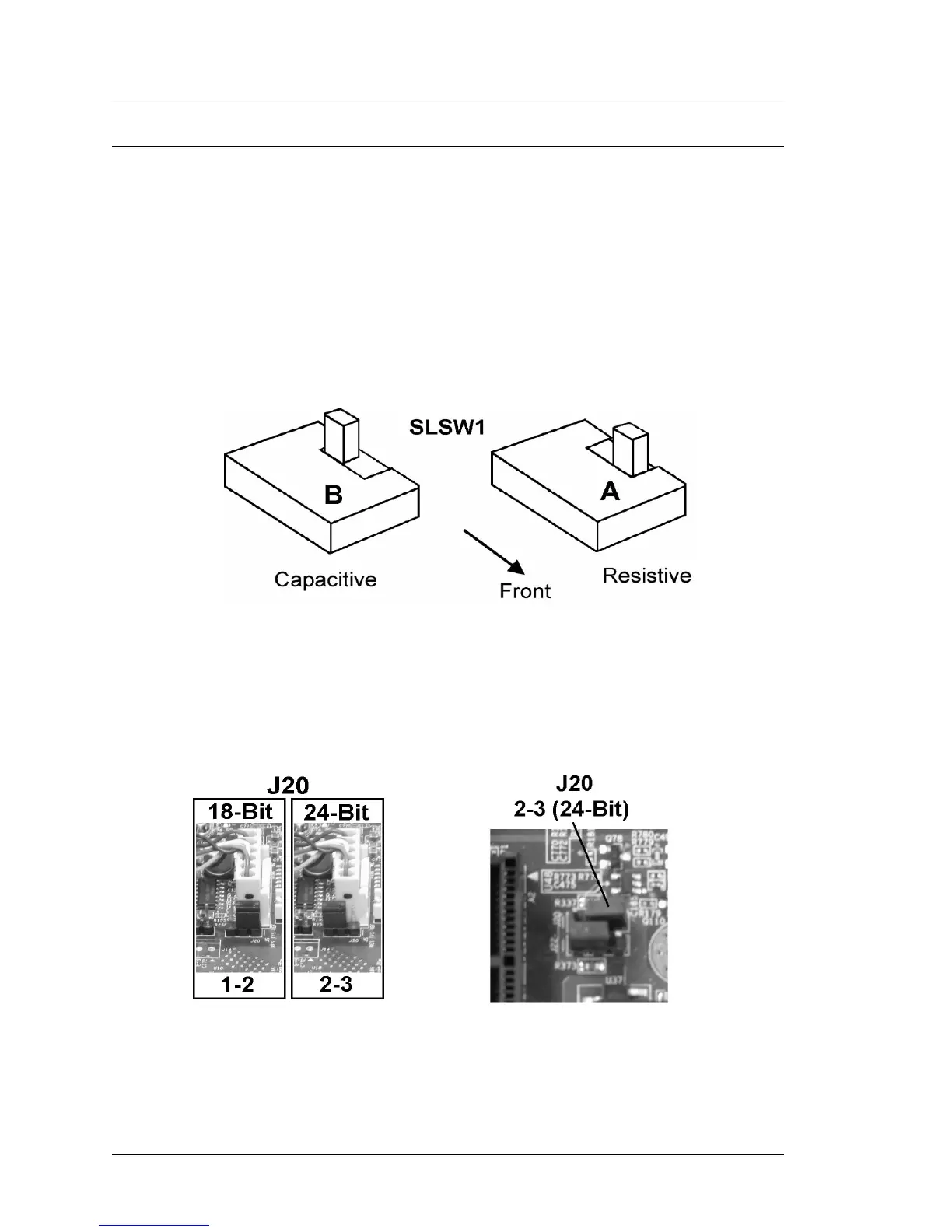
SLSW1 Touchscreen Select (Revision C and D)
The PCWS 2015 System Board uses a slide switch to select the touch screen
interface, detailed below.
SLSW1 is a low profile surface mount DPDT slide switch in series with USB7,
used for the touch screen interface. Figure 3-19, below displays how the switch
is set to support the resistive (A) or optional capacitive (B) touch screens.
Figure 3-19: Selecting the Touchscreen Interface
J20 - TFT Panel Color Depth Mode (Revs C and D)
J20 determines the color depth supported by the AUO LCD. 24-Bits is the
default configuration.
Figure 3-20: Configuration Jumper J20



 To Next Page