PCWS 2015 Setup Guide - 2nd Edition 2-9
PCWS 2015 BIOS
Advanced
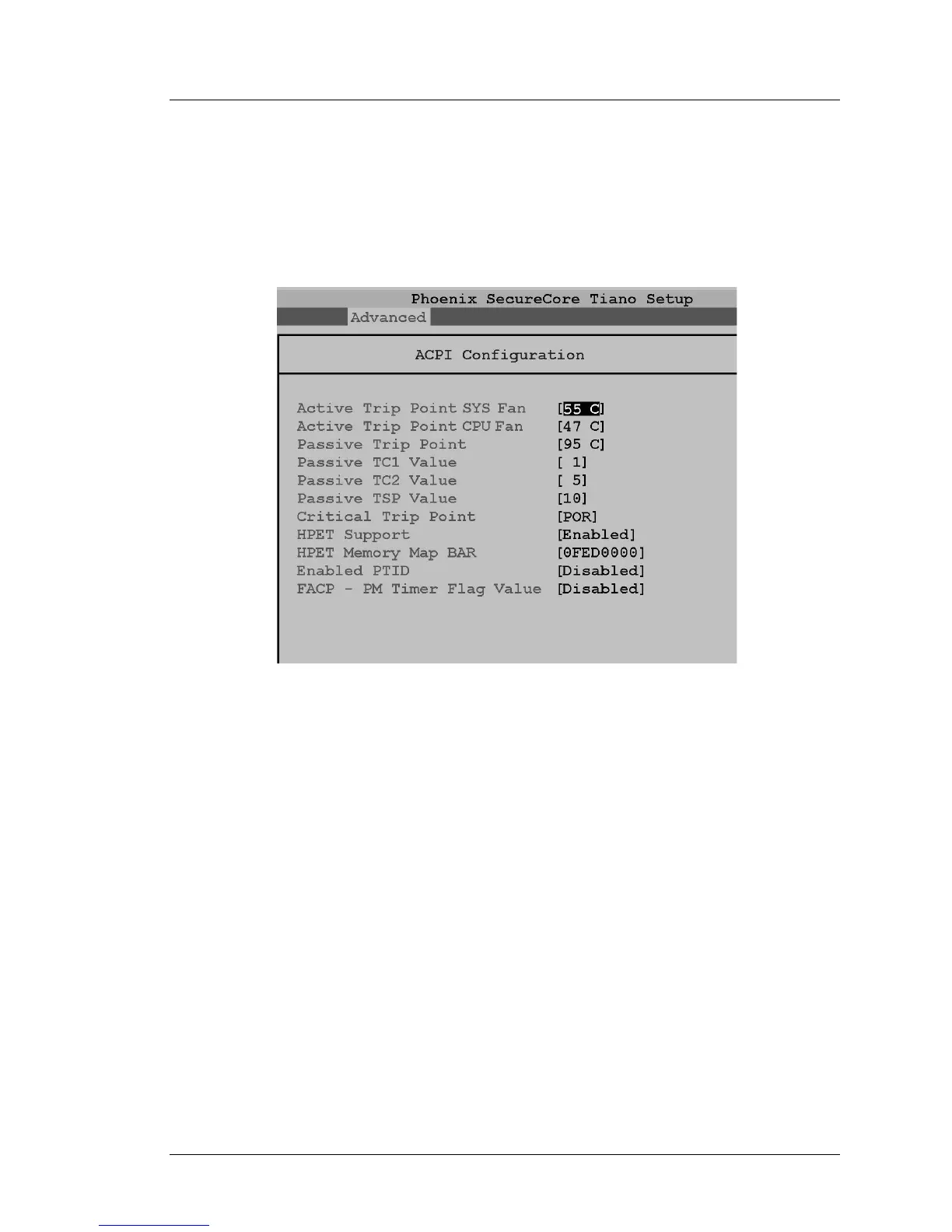
ACPI Configuration
The PCWS 2015 defines two thermal zones, SYS and CPU. Each zone
contains a sensor coupled to fan controllers located in the Super IO. At
start-up, the BIOS configures the fan controllers using the default active trip
points for the CPU and SYS fans.
Figure 2-5: Advanced - ACPI Configuration Fields
Active Trip Point SYS Fan
This field displays the temperature at which the SYS thermal zone
activates the SYS fan. The SIO SYS fan controller continuously compares
the system zone temperature to the SYS Active Trip Point. When the
system temperature reaches 55°C (131°F), the fan starts. As the fan runs,
the SYS fan thermal zone will cool to below 55°C and the fan slows down.
Note: the SYS Fan may not be installed on later production units.
Active Trip Point CPU Fan
This field displays the temperature at which CPU thermal zone increases
the CPU fan speed. At start-up, the BIOS programs the controller to run the
CPU fan at a continuous speed of about 2500RPM.
When the CPU zone temperature (as measured by T2, located near the
CPU) exceeds the trip point value of 47°C, the CPU fan speed increases.
When the increased fan speed brings the zone temperature below 47°C, the
CPU fan speed returns to about 2500RPM.



 To Next Page