2-28 PCWS 2015 Setup Guide - 2nd Edition
PCWS 2015 BIOS
Advanced
> AMT Configuration
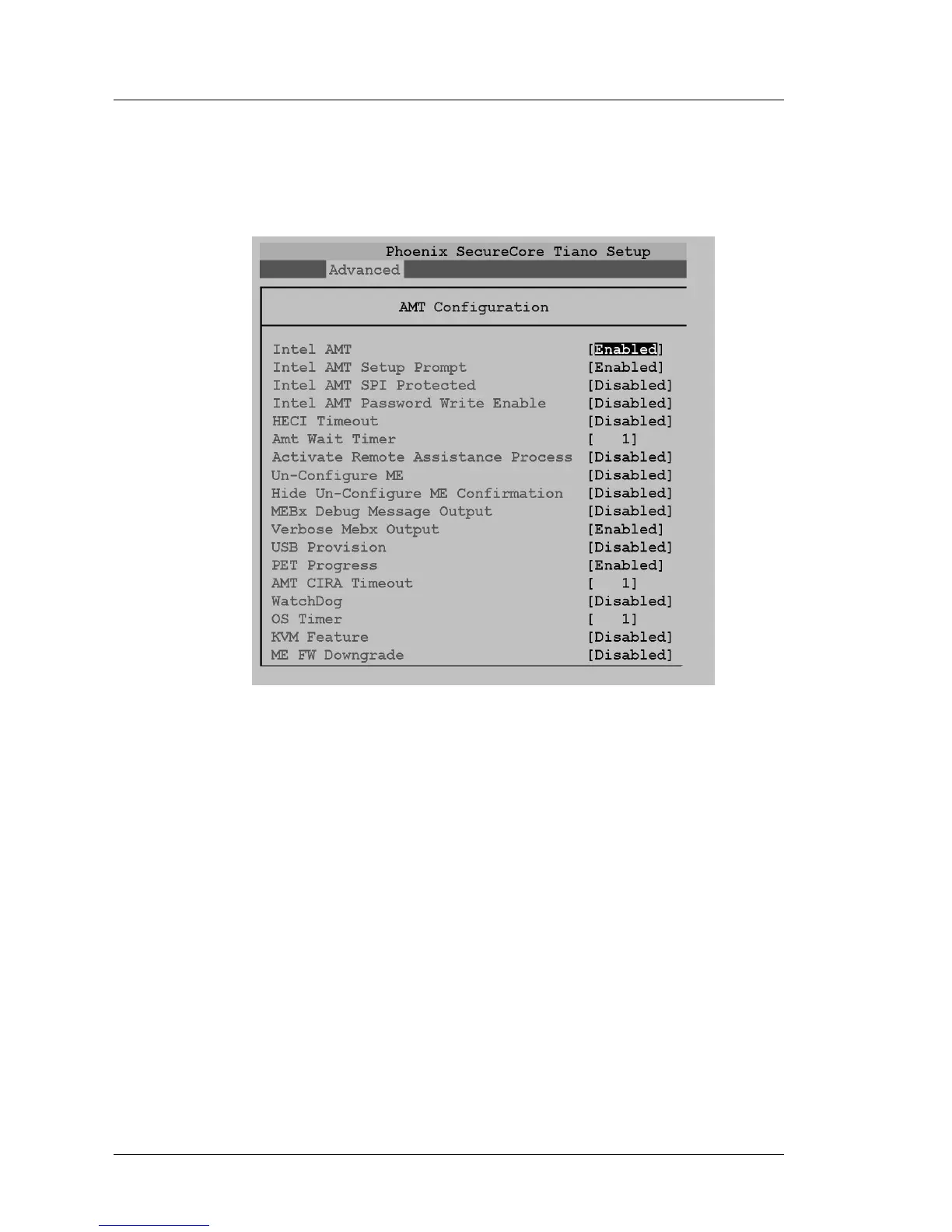
Figure 2-15 shows the Intel Active Management Technology Extension BIOS
screen.
Figure 2-15: Intel Active Management Technology BIOS Extension Settings
Intel AMT [Enabled]
Enable or Disable the Intel Active Management Technology BIOS
Extension. Using AMT requires additional ME firmware stored in SPI
Flash EEPROM U54.
Intel AMT Setup Prompt [Enabled]
Enable or Disable the Intel AMT Setup Prompt to wait for hot-key to enter
setup.
Intel AMT SPI Protected [Disabled]
Enable or Disable write protection for the ME Firmware for the AMT SPI
device.
Intel AMT Password Write Protect [Disabled]
Enable or Disable the AMT Password write protect feature. Password is
writable when set to Enable.



 To Next Page