3-42 PCWS 2015 Setup Guide - 2nd Edition
What’s Inside?
Installing Options
Single drive configurations are factory installed in the SATA 0 bay, located
near the IO Panel.
Installing a Second Hard Disk
To install a second SATA drive in an existing workstation, see below.
1. Power off and remove the AC power cable from the unit.
2. Remove the SATA 1 access door at the front of the unit.
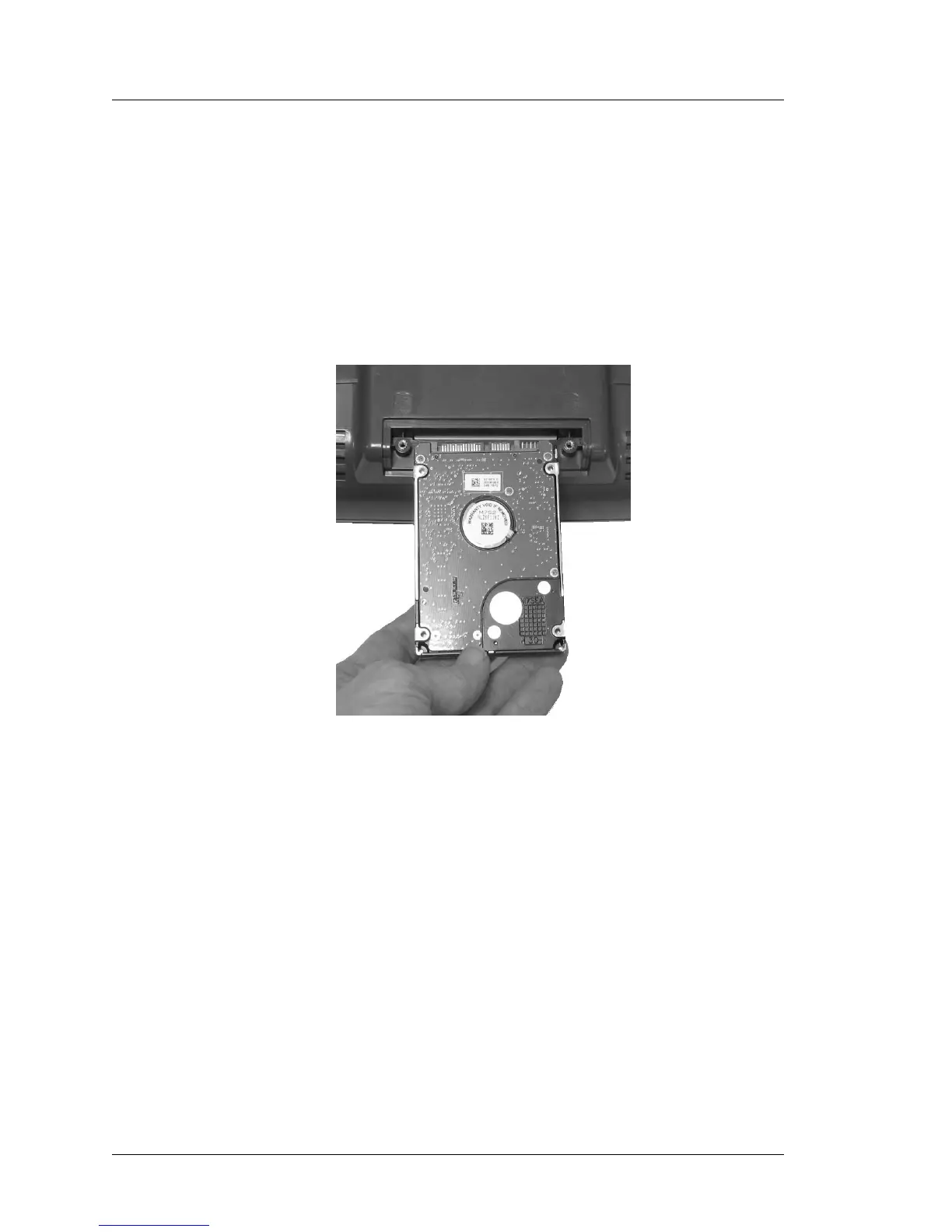
3. When installing the drive, make sure the SATA connectors are oriented as
shown in Figure 3-39, below.
Figure 3-38: Orienting the SATA Disk Drive before Installation
4. When sliding the drive into bay, avoid applying lateral force to the drive as
you install it.
5. If you apply a slight downward force on the drive as you install it, the
connectors can ride up and over the SATA HDD board connectors as
shown at the bottom of Figure 3-39.



 To Next Page