PCWS 2015 Setup Guide - 2nd Edition 3-43
What’s Inside?
Installing Options
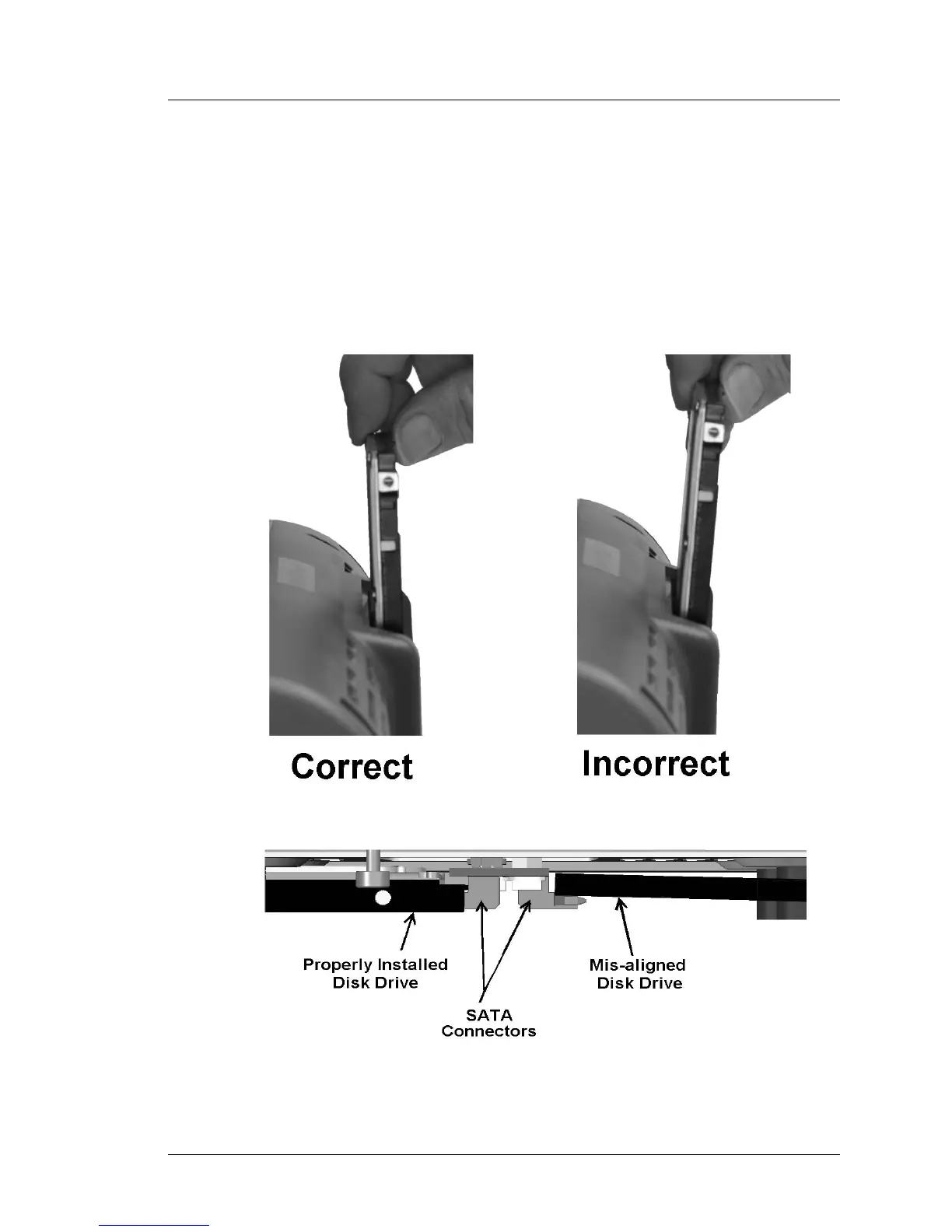
6. Push the drive into the bay until the connectors mate with the SATA HDD
card connectors.
o The left side of Figure 3-39 shows the correct method of installing the
disk, at right angles to the base. The disk will slide all the way into the
compartment and mate with the SATA Riser Card connectors.
o The right side of Figure 3-39 shows slight downward pressure on the
drive as it is installed. This can result in the drive riding up and over the
SATA Riser Card connectors as shown in Figure 3-39, below.
Figure 3-39: Installing a SATA Disk Drive



 To Next Page