3-8 PCWS 2015 Setup Guide - 2nd Edition
What’s Inside?
Disassembling the PCWS 2015
Removing the Power Supply Cover/Air Duct
To remove the Power Supply Cover and CPU fan, see the procedure below.
1. Remove the AC Power Cable from the PCWS 2015.
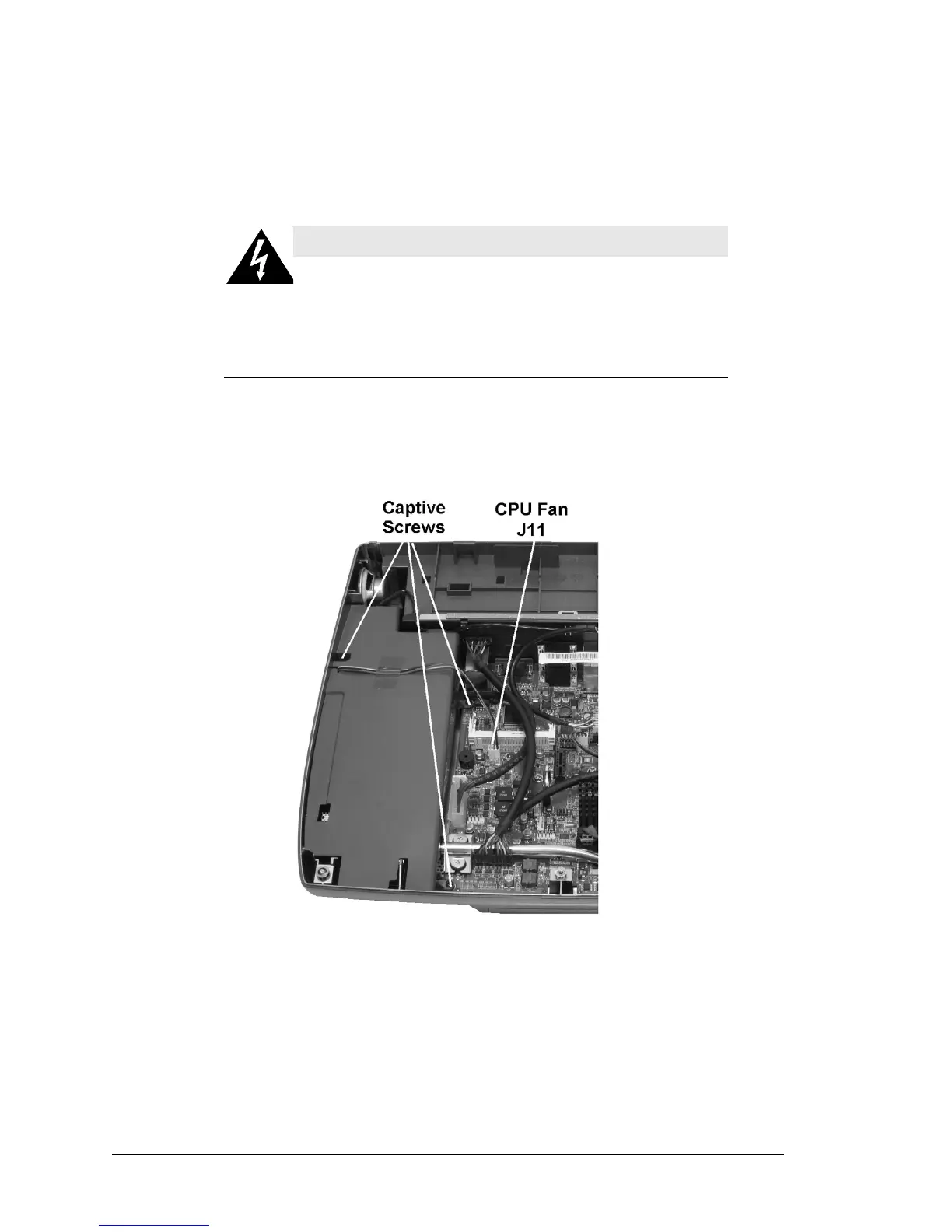
2. Remove the CPU fan connector from J11.
3. Loosen the three captive screws, two from the system board as shown in
Figure 3-6, below.
Figure 3-6: Removing the Power Supply Cover and CPU Fan
4. Remove the Power Supply cover and integrated fan, then remove the fan
cable from J11.
o Do not operate the PCWS 2015 without the Power Supply Cover
installed and the CPU fan connected to J11.
SHOCK HAZARD
When the AC Power Cable is connected to the
workstation, hazardous AC and DC voltages may be
present on the power supply heatsink(s).
Always remove the AC Power Cable from the unit before
removing the Power Supply Cover.



 To Next Page