5-4 PCWS 2015 Setup Guide - 2nd Edition
Diagnostics
PC Workstation 2015 Diagnostic Utility
PC Workstation 2015 Diagnostic Utility
The PCWS 2015 Diagnostic Utility extends the PC Workstation line,
descended from the PCWS 2010. It provides information about the hardware
platform as well as comprehensive testing of all workstation point of sale ports
and peripherals.
This edition covers Diagnostics Version 1.5 and the updated Version 1.6.
Running the Diagnostics Utility
A Desktop shortcut is placed on the desktop of the Windows 7, POSReady and
Windows XP Professional factory images.
1. From the Desktop, double tap the DiagUtility shortcut.
o The DiagUtility starts and displays the System Information screen.
System Information Screen
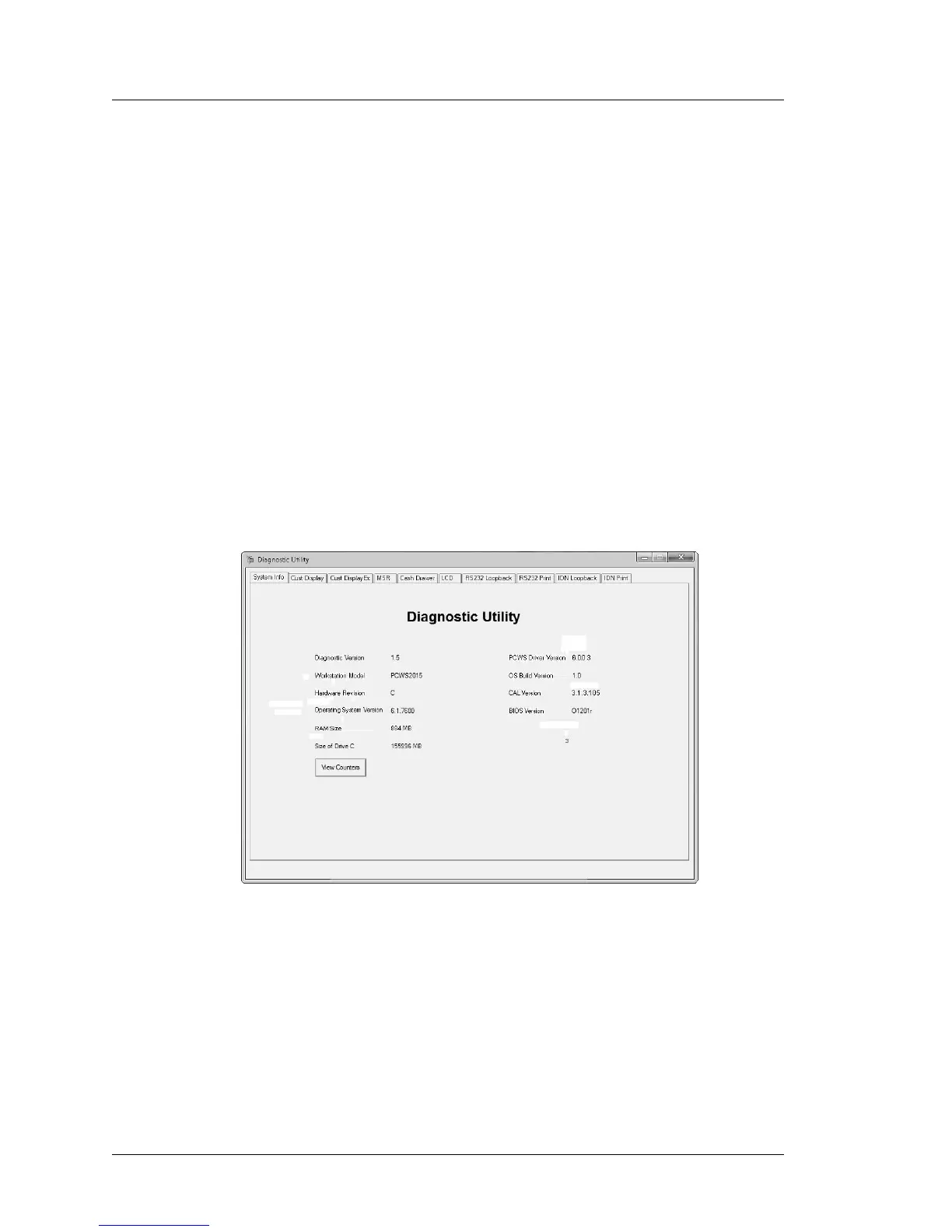
Figure 5-1 displays Diagnostics Version 1.5 System Info screen running on a
Revision C System Board with BIOS Version O1201r.
Figure 5-1: The PCWS 2015 Diagnostics Utility System Information Screen (V1.5)
The Figure on the next page displays the Diagnostics Version 1.6 System Info
screen running on a Revision D System Board with BIOS Version O1301g.



 To Next Page