4-12 PCWS 2015 Setup Guide - 2nd Edition
Installing and Operating the Workstation 2015
Operation
Operation
This section presents operational procedures for the PCWS 2015 including
how to use the power button to transition the unit between the NOPOWER, and
ON power states.
PCWS 2015 Operator Features
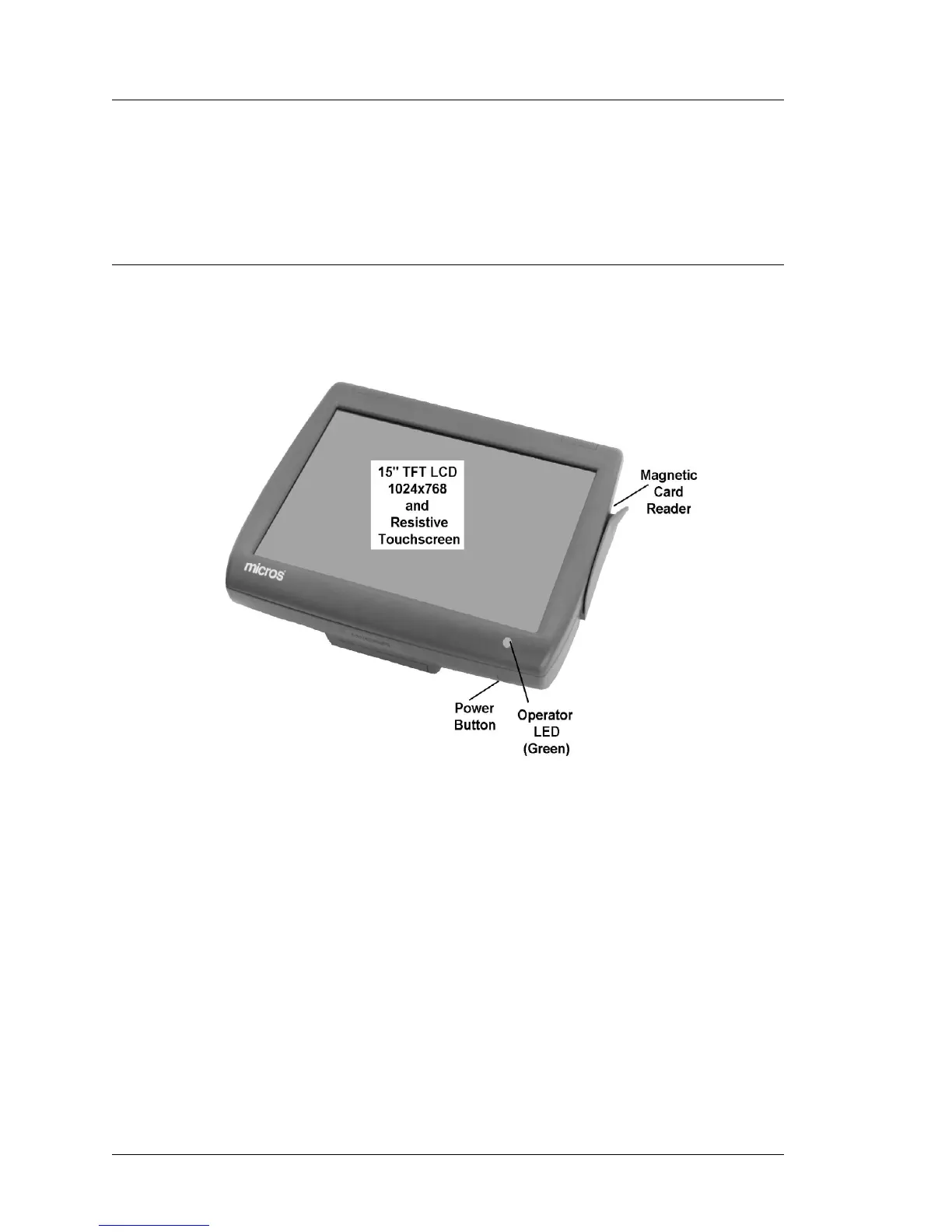
Figure 4-6 points out the location of the PC Workstation 2015 Power Button,
Green Operator LED, Magnetic Card Reader, and 15” LCD/Touchscreen.
Figure 4-6: PCWS 2015 Operator Features
Operator LCD
The Operator LCD is a 15” Active Matrix LCD with a resolution of 1024x768.
The standard 5-wire resistive or optional capacitive touchscreen is positioned
over the LCD.
Power Switch
The power switch is used by the operator to transition the Workstation between
the NOPOWER and ON states.
Operator LED
The Green Operator LED blinks during start-up and turns solid Green to
indicate the PCWS API has started.



 To Next Page