PCWS 2015 Setup Guide - 2nd Edition 4-11
Installing and Operating the Workstation 2015
Installation
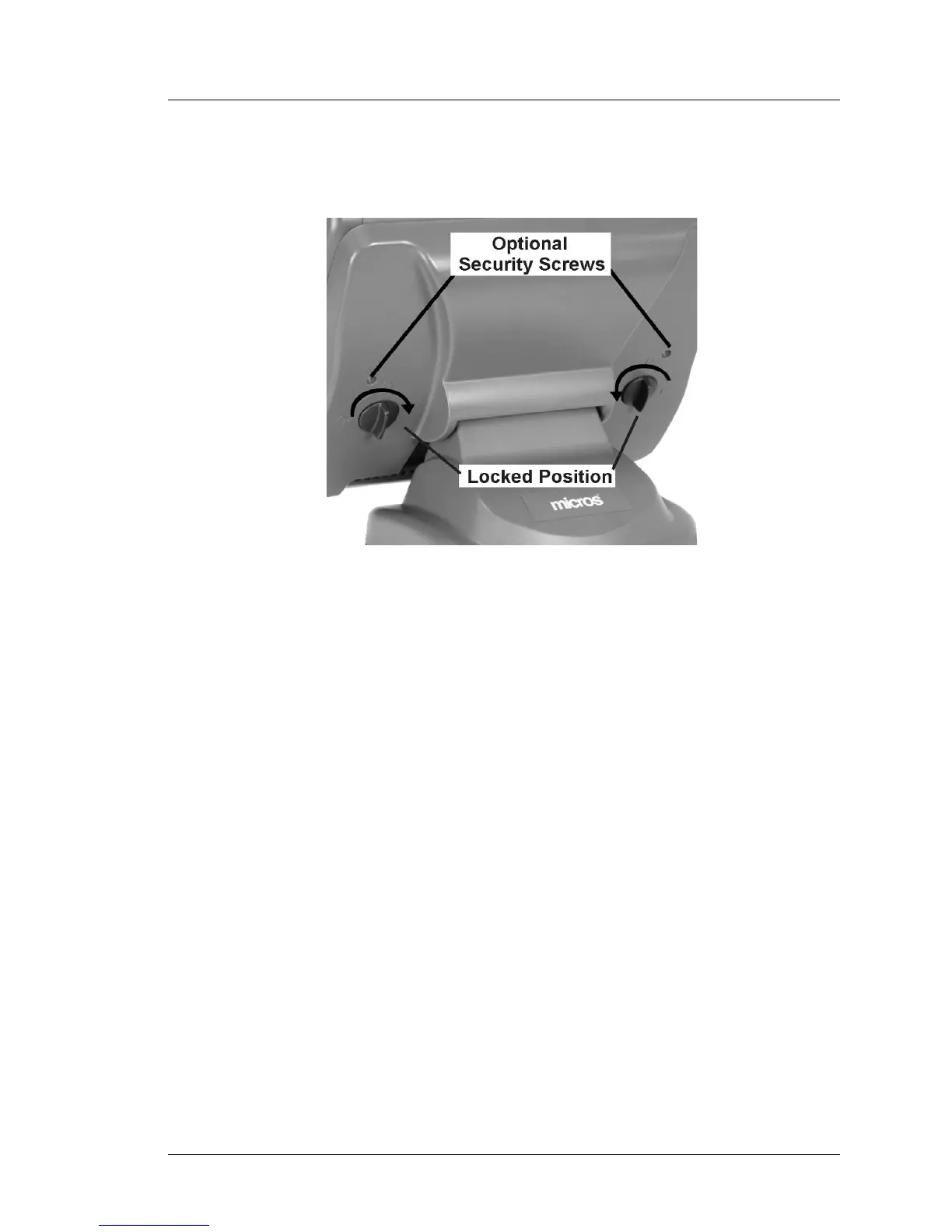
4. When the workstation is fully seated on the stand, turn the knobs on the
rear of the stand to the ‘Locked’ position as shown in Figure 4-5.
Figure 4-5: Securing the Workstation to the Adjustable Stand
5. For additional security, a pair of 17mm screws are provided in the
Adjustable Stand loose parts kit to help secure the knobs in the locked
position. Make sure the knobs are in the ‘Locked’ position and use the hex
wrench supplied in the workstation loose parts kit to install the screws.
6. Place your peripherals near the workstation and attach cables as required.
7. Connect the AC power cord to an electrical outlet installed in accordance
with the appropriate site prep guide. See Chapter 4 for more information
about starting the workstation.



 To Next Page