PCWS 2015 Setup Guide - 2nd Edition 1-11
What is the PCWS 2015
Features
Power Supply Compartment
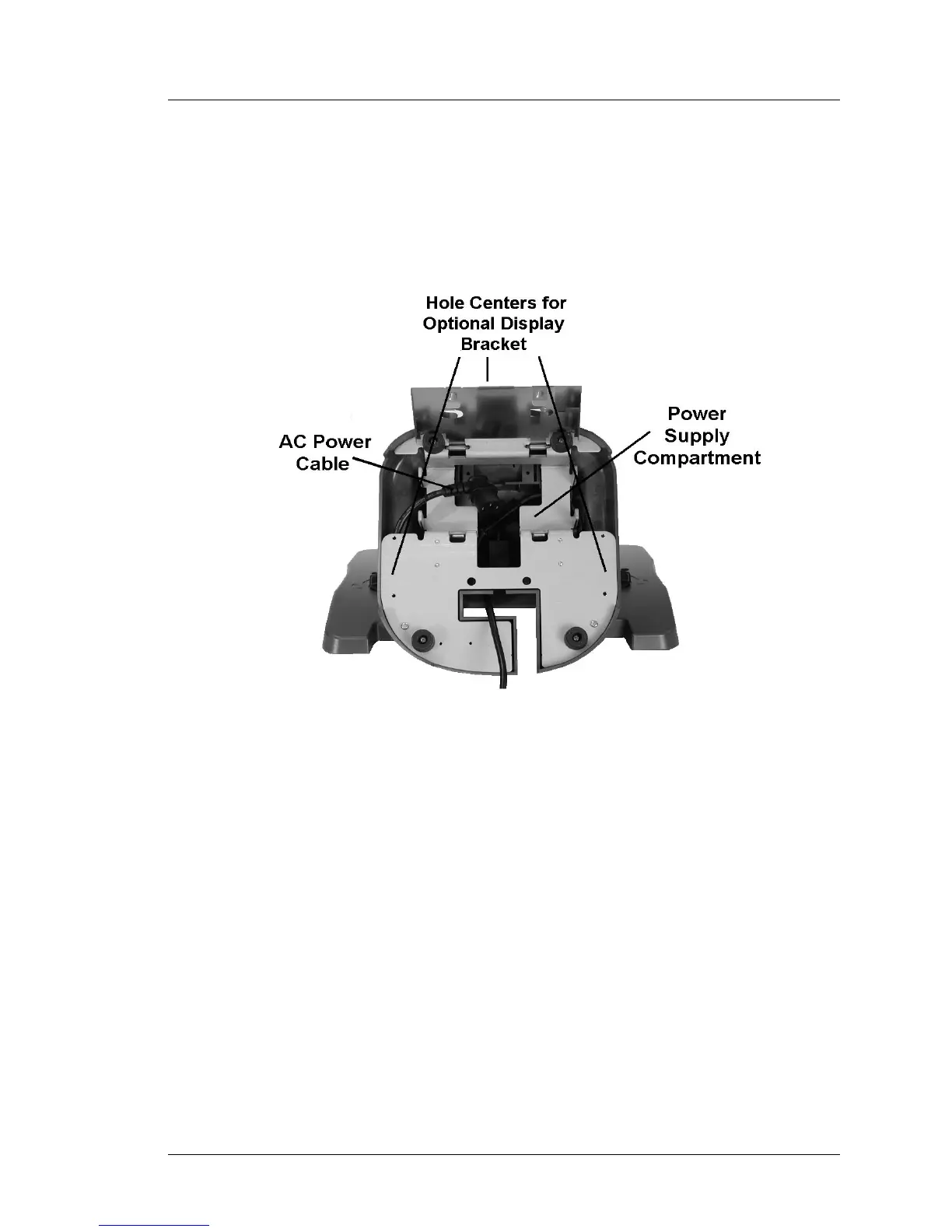
Figure 1-6, below shows a view of the stand base plate and the
compartment for housing an optional Printer Power Supply. AC power is
connected to a receptacle in the throat of the stand using a low profile
angled connector. An internal ‘Y’ cable distributes power to both the
workstation and printer power supply compartment.
Figure 1-6: Adjustable Stand - Power Supply Compartment
Three pairs of mounting holes are provided at the left, right and rear of the
plate sized for optional Adjustable Stand Mounting Bracket.



 To Next Page