PCWS 2015 Setup Guide - 2nd Edition 2-17
PCWS 2015 BIOS
Advanced
> IGD Configuration
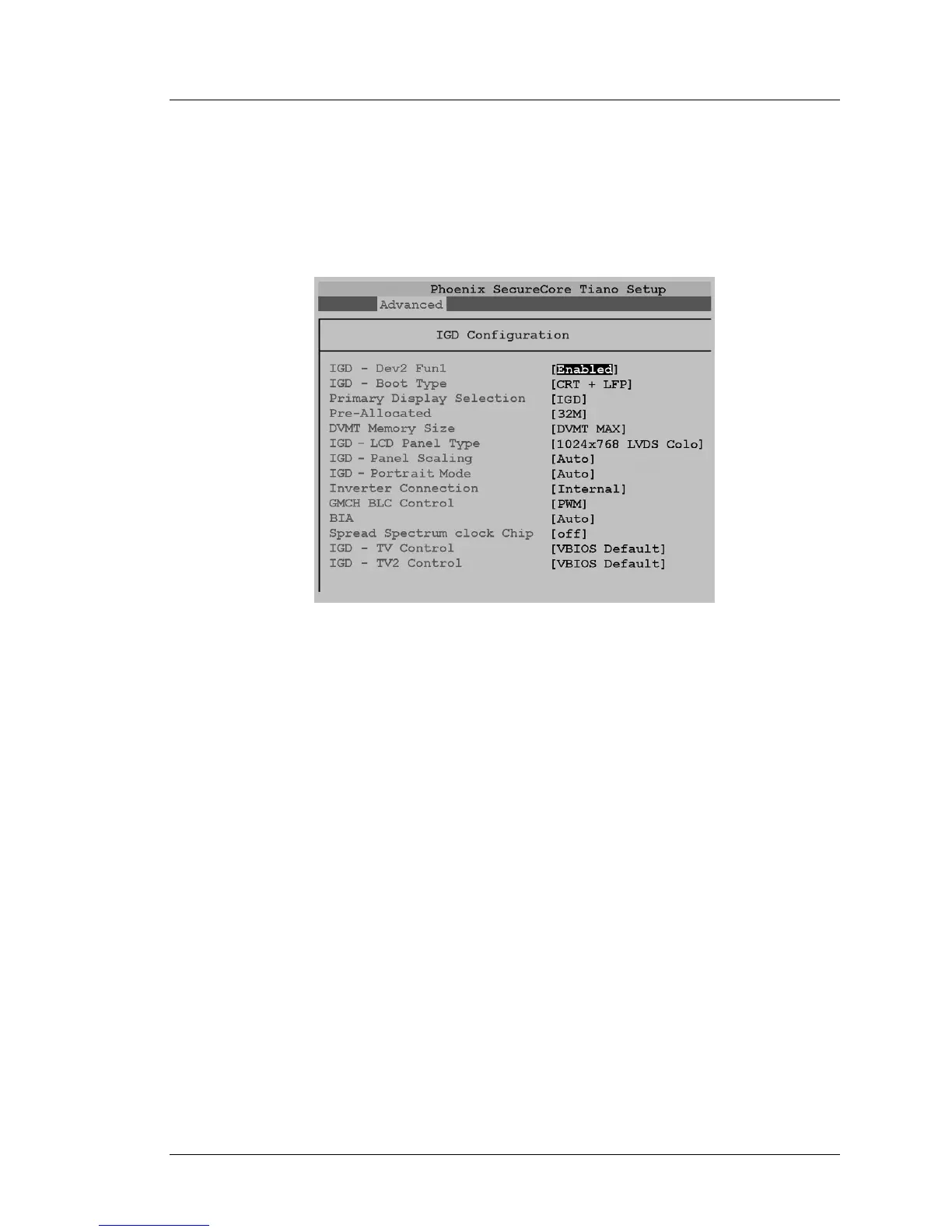
The Integrated Graphics Device configuration screen contains the 2015
BIOS related video configuration settings. All configurations are factory
configured and should not be changed. A sample of this screen is shown in
the illustration below.
Figure 2-8: BIOS IGD Configuration
IGD - Dev2 Fun1 [Enabled]
The Integrated Graphics Device (IGD) located at Device 2 Function 1
is the primary graphics device for the 2015. This is the Display Link
interface between the graphics processor and PCH, which drives the
LVDS outputs to the LCD panel.
IGD - Boot Type [CRT + LFP]
Determines the video device that will be active during POST. On the
PCWS 2015, CRT refers to the IO Panel VGA connector and LFP
refers to the workstations 15” LCD.
If an LCD monitor is connected to the IO Panel VGA connector, it will
display the POST messages. Start-up messages always appear on the
built-in 15” LCD.
Primary Display Selection [IGD]
Enables the Integrated Graphics Device as the primary display
controller in the PCWS 2015.



 To Next Page