4. Service Procedures - Replace Components - Cap Module
104 Morgana DocuMaster MFC - Service Manual
Before you start:
• Remove the CAP rear panel (See Section 4.2.1)
• Remove the CAP top cover and CAP front panel (See Section 4.2.2).
Step Action Information
1 Disconnect the blower motor
power cable
(See Figure 4.83).
2 Remove the blower motor fixing
nut
s and washers
(See Figure 4.83).
3 Remove the blower motor. Remove the plastic air pipe and
sealing ring from the blower motor
and fit them
to the replacement
blower motor before fitting.
4.6.3 Replace the Cooling Fan
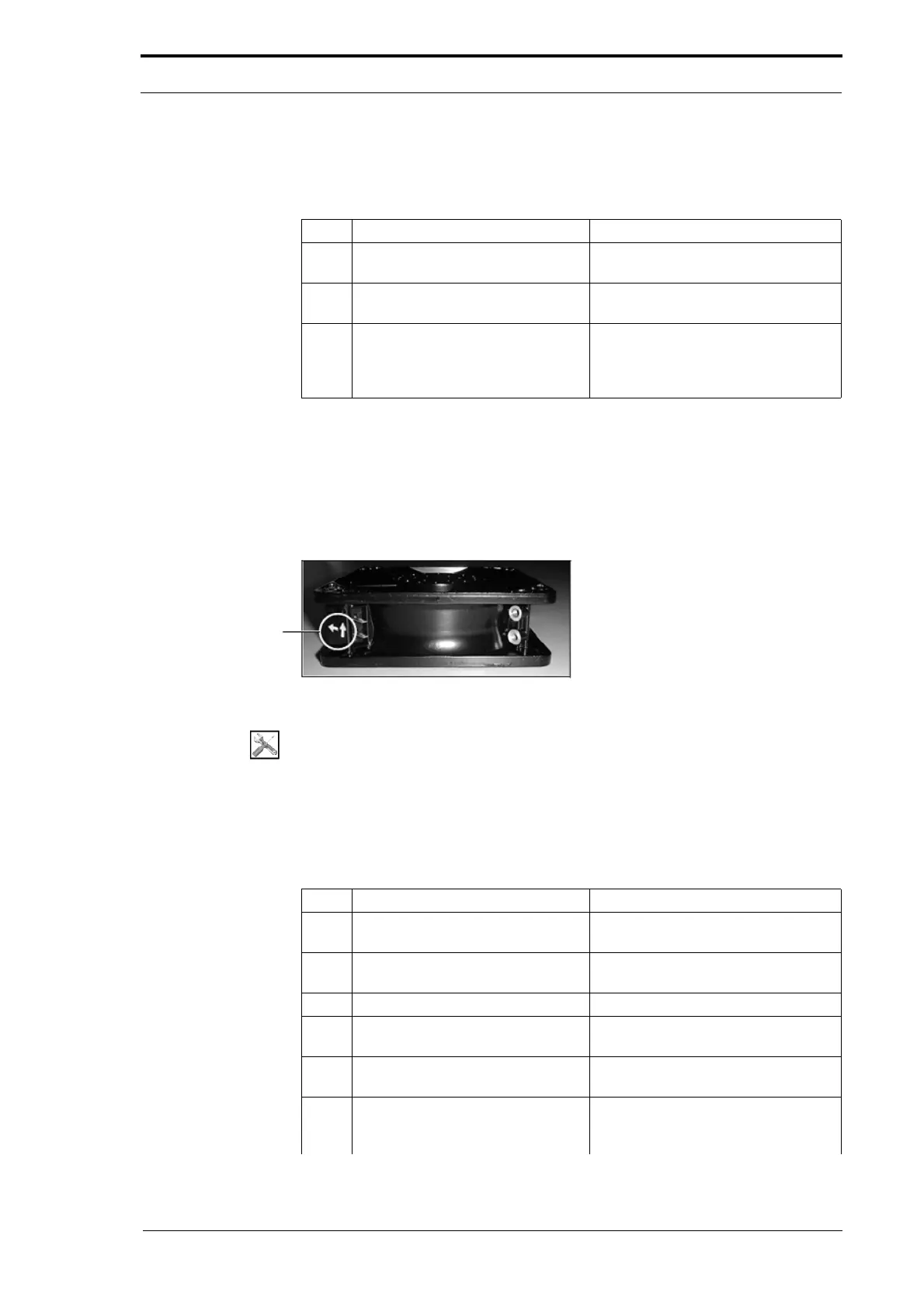
The cooling fan pulls cool air into the CAP and blows hot air out of the vents in the top
cover. If the cooling fan is defective, the vacuum motor and blower motor will overheat
and can cause damage.
Air-Flow Direction
Indicator Arrows
Figure 4.84 The Cooling Fan Air-Flow Direction
Tools:
• Allen Key: 3mm
• Spanner: 7mm
• Screwdriver: Flat Blade.
Before you start:
• Remove the CAP rear panel (See Section 4.2.1).
Step Action Information
1 Disconnect the cooling fan power
cables.
2 Disconnect the cooling fan earth
cable
3 Open the hinged rear panel. (See Section 4.2.4).
4 Remove the four screws that
att
ach the cooling fan to the CAP.
Use a spanner to hold the nuts.
5 Lift the cooling fan and remove it
from the
CAP.
6 Make sure that the replacement
cooling fan is inst
alled to give the
correct air-flow direction.
(See Figure 4.84).



 To Next Page