Morgana DocuMaster MFC - Service Manual 99
4. Service Procedures - Machine Adjustments and Calibration
Before you start:
• Remove the LH side cover (See Section 4.2.6)
• Remove the A4 pinch drive (See Section 4.3.4.1).
Step Action Information
1 Remove the gear from the RH
sidelay adjustment shaft.
Turn the RH sidelay adjustment shaft
to make the drive pin horizontal (see
Figure 4.75).
2 Measure the gap between the RH
side-plate and the top of the
RH
Sidelay (see Figure 4.76).
Figure 4.76
3 Adjust the gap between the LH
side-plate and the top of the LH
sidelay to be the same as the
measurement taken on the RH
side.
Use the hand wheel to adjust the LH
sidelay position (see Figure 4.75).
4 Install the gear on the RH sidelay
adjustment shaf
t.
4.5.26 Adjust the Rear Guard Interlock Switch
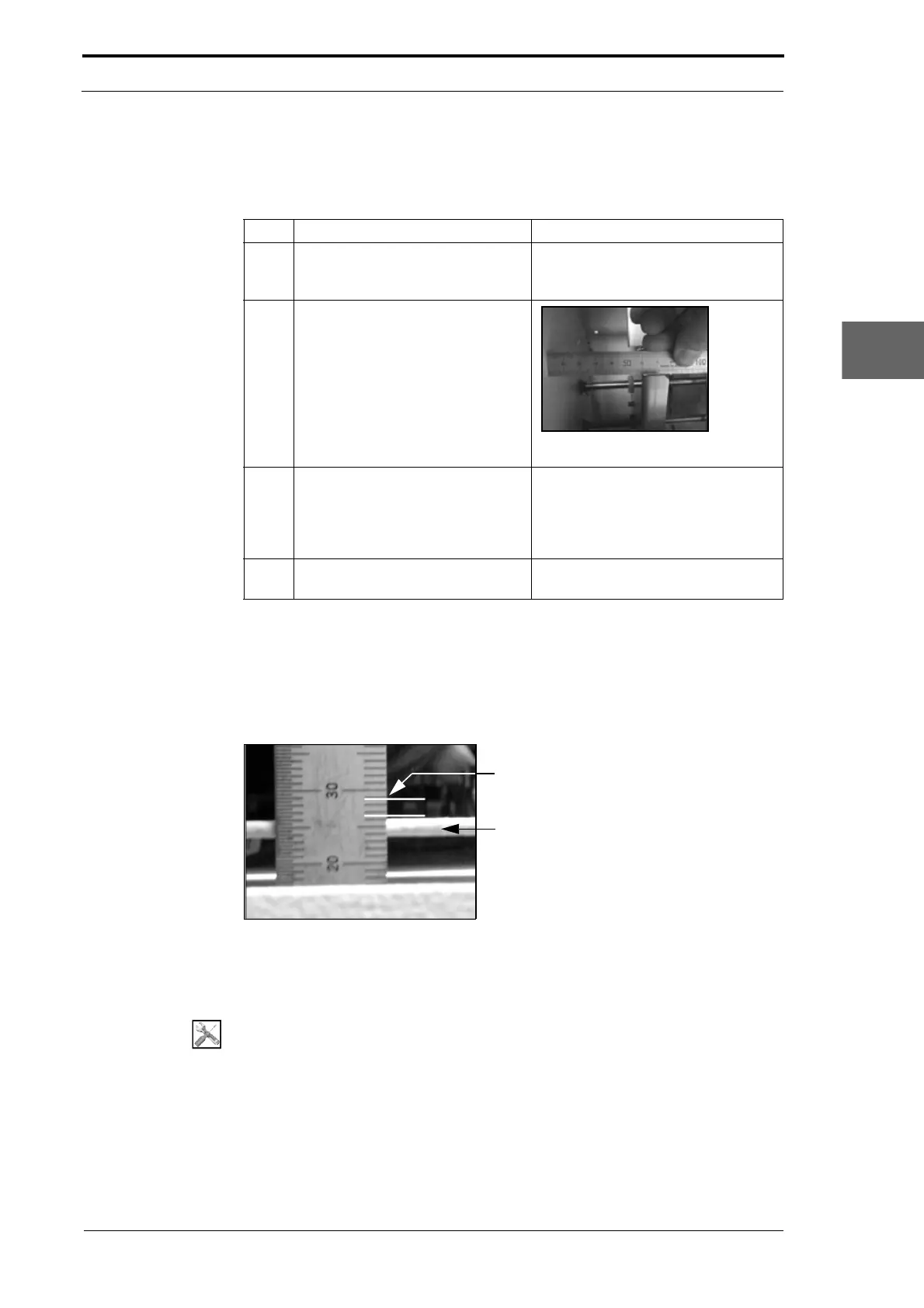
The rear guard interlock-switch must stop the MFC before the rear conveyor is open
enough to become an entanglement hazard.
Measure the Pivot Plate Lift
here
Pivot Plate
Figure 4.77 Test the Rear Guard Interlock Switch
4.5.26.1 Test the Rear Guard Interlock Switch
Tools:
• 6” Steel Rule.
Before you start:
• Open the hinged rear panel (See Section 4.2.4).



 To Next Page