Morgana DocuMaster MFC - Service Manual 117
4. Service Procedures - Replace Components - DRV Module
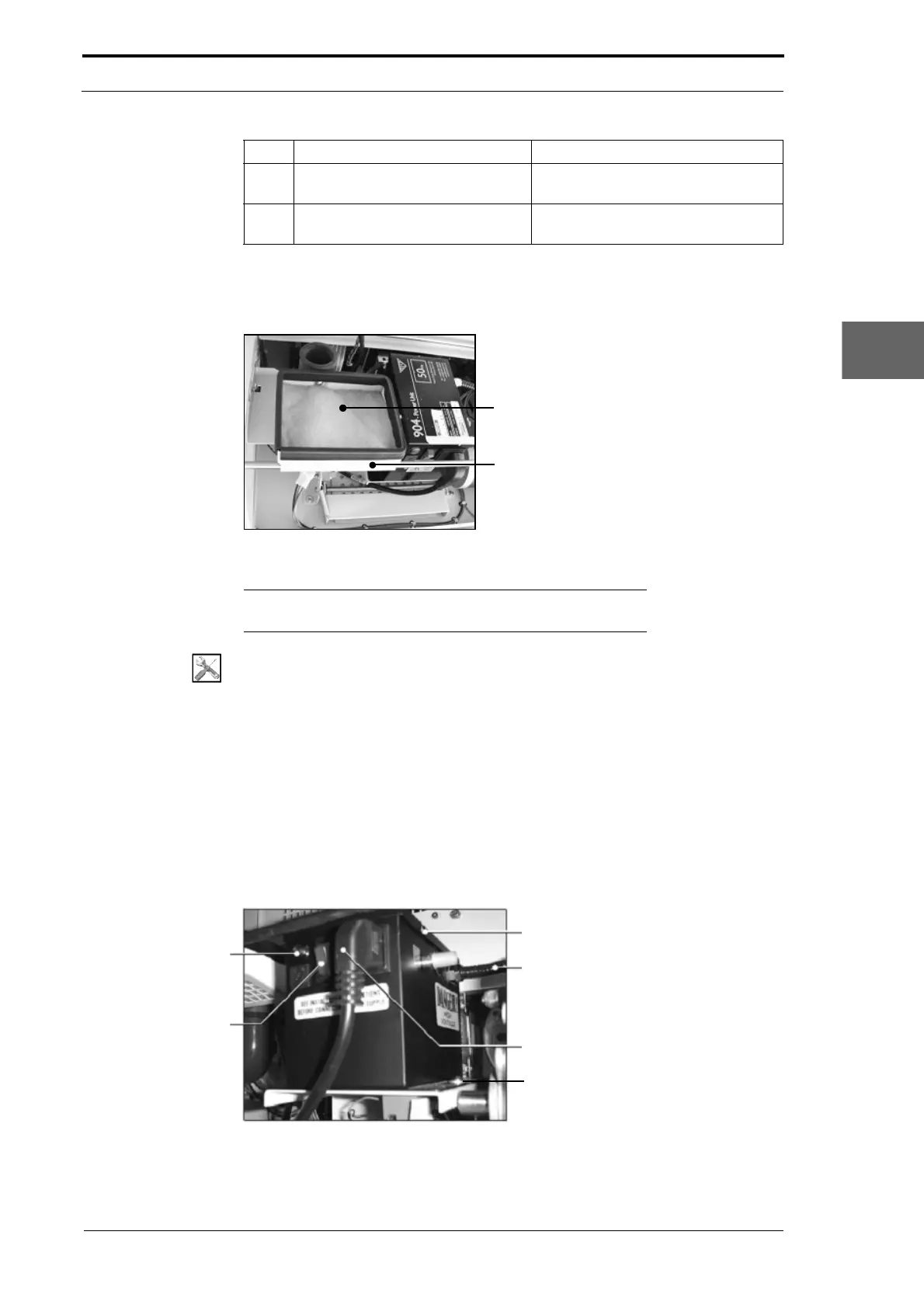
4.7.7 Replace the Blower Motor Air Filter
Figure 4.106 Air Filter
Note: If you have to clean the air filer, it is recommended that
you use an airline in a well-ventilated area.
Tools:
• Allen Key: 3mm.
Before you start:
• Open the hinged rear panel (See Section 4.2.4).
(1) Remove the air filter from the air filter housing.
(2) Clean the air filter housing.
(3) Install the replacement air filter (blue face up).
4.7.8 Replace the High Voltage Anti-static Transformer
Lid Screws (3)
Ioniser Bar Cable
Power Cable
Screw (2)
High Voltage Output
Indicator Light
ON/OFF Switch
Figure 4.107 High Voltage Anti-Static Transformer
3 Lift the interface PCB away from
the DRV module.
4 Install the replacement interface
PCB
.
Step Action Information



 To Next Page