Morgana DocuMaster MFC - Service Manual 69
4. Service Procedures - Machine Adjustments and Calibration
Before you start:
• Do the creaser drive-motor gear play test (See Section 4.5.11.1).
Step Action Information
1 Adjust the creaser drive-motor
position to increase or decrease
the gear play.
• Loosen the four screws that
attach the creaser drive-motor to
the RH side plate.
• Turn the crease-motor clockwise
around the pivot screw to
decrease the amount of gear
play.
• Turn the creaser drive-motor
counterclockwise around the
pivot screw to increase the
amount of gear play.
• Tighten the screws.
2 Do the creaser drive-motor gear
play test.
(See Section 4.5.11.1).
4.5.12 Adjust the Crease-Motor Belt
It is important that the crease-motor belt is adjusted to the correct tension.
If the crease-motor belt is too tight:
• The crease mechanism can stall
• The crease-motor can ignore ‘steps’.
If the crease-motor belt is too loose:
• The crease mechanism will not operate.
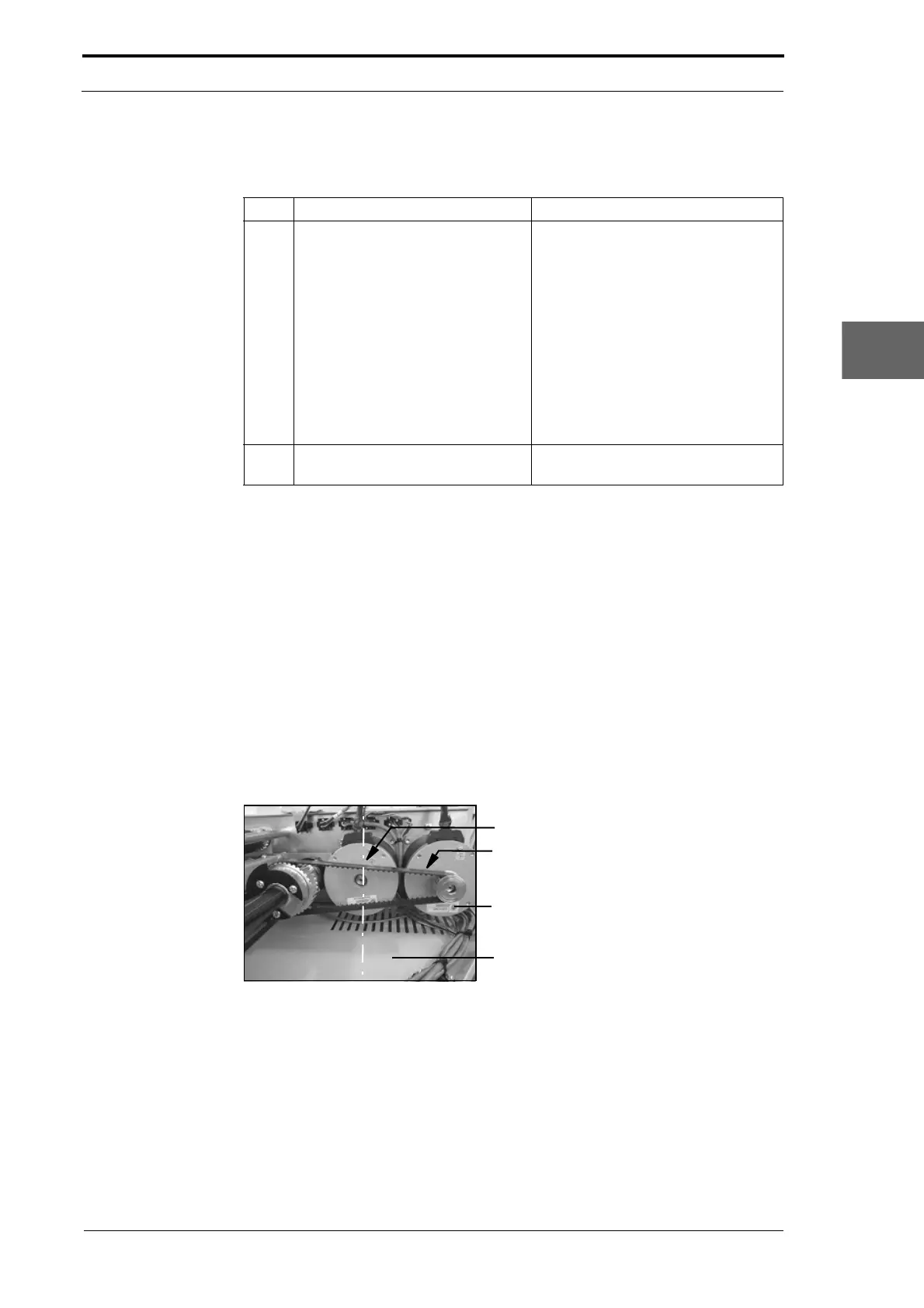
4.5.12.1 Test the Crease-Motor Belt Tension
Belt Centre (Test the belt tension here)
Crease Motor Belt
Crease Motor
Motor Cover Base Plate
Figure 4.36 Creaser Motor Drive Belt



 To Next Page