Morgana DocuMaster MFC - Service Manual 115
4. Service Procedures - Replace Components - DRV Module
4.7.4 Replace the GUI Panel
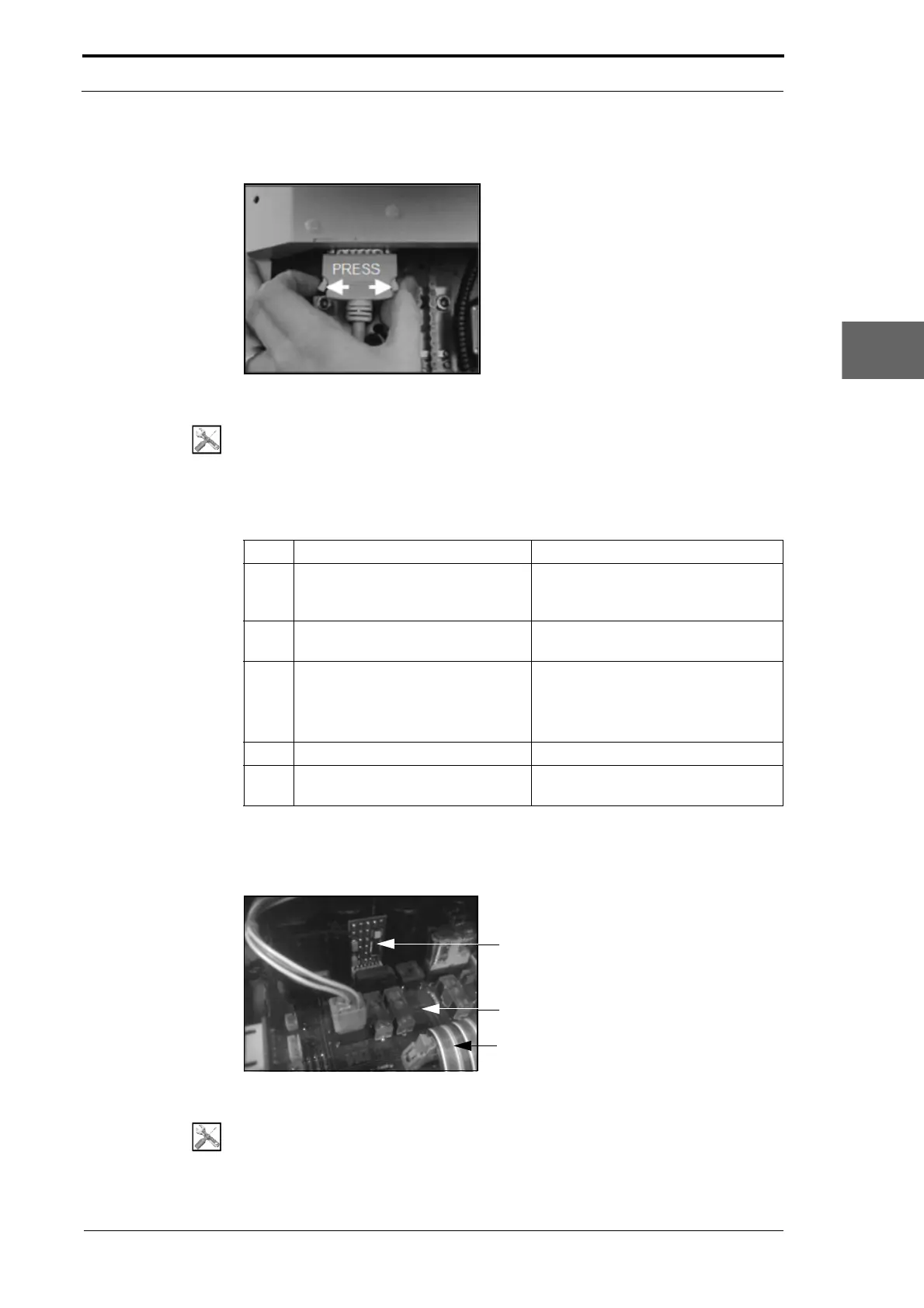
Figure 4.103 Release the 50-Way touch screen interface cable
Tools:
• Allen Key:3mm.
Before you start:
• Remove the LH side covers (See Section 4.2.6).
Step Action Information
1 Disconnect the 50-way touch
screen interface cable from the
GUI panel.
(See Figure 4.103).
2 Loosen the two hidden screws that
att
ach the GUI panel to the MFC.
Turn the screws counterclockwise by
three full turns.
3 Remove the GUI panel from the
MF
C.
• Pull the GUI panel towards you.
• Move the GUI panel towards the
rear of the MFC to disengage it
from the side plates.
4 Fit the replacement GUI panel.
5 Calibrate the GUI panel touch
screen.
(See Section 4.5.21).
4.7.5 Replace the Interface PCB
Zerox PCB
Interface PCB
20-Way Ribbon Cable
Figure 4.104 Location Of Zerox PCB
Tools:
• Screwdriver: Small Flat-blade
• Anti-static Wrist Band.



 To Next Page