4. Service Procedures - Machine Adjustments and Calibration
92 Morgana DocuMaster MFC - Service Manual
Warning: Use extreme caution not to touch live circuits when the MFC is turned on.
Step Action Information
1 Turn the VR7 POT on the creaser
controller PCB
assembly
counterclockwise until LED3 is on.
(See Section 7.3.8)
2 Turn the VR7 POT fully clockwise.
4.5.20 Adjust the Edge-Sensor Set Sensitivity
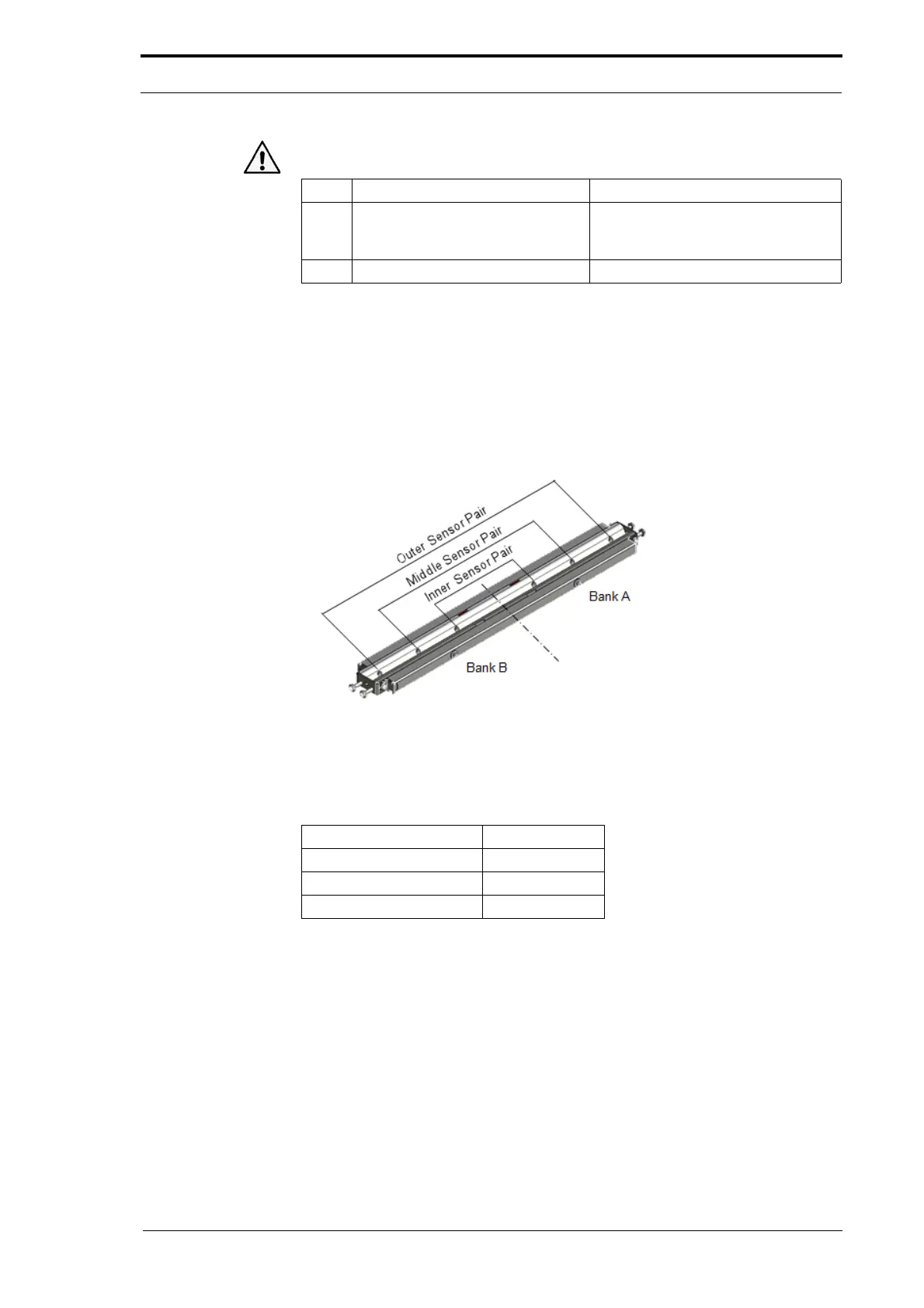
The MFC uses sensor pairs to detect the lead-edge of the sheet. There are six sensor
pairs found in an assembly known as the edge-sensor set (see Figure 4.71).
• The sensors on the RH side of the edge-sensor set are identified as Bank A.
• The sensors on the LH side of the edge-sensor set are identified as Bank B.
Figure 4.71 The Edge-Sensor Set
When the MFC operates, a sensor pair is automatically set to operate. The MFC
makes the decision which sensor pair to use from the sheet width input on the GUI
panel.
Sheet Width (mm) Sensor Pair
Less than 208 Inner
208.1 - 302 Middle
302.1 - 320 Outer
To adjust the sensitivity
of a sensor pair you must first set the sensor pair to be on. You
can do this by one of the procedures that follow:
• MFC Test program - Input Displays (See Section 6.6.3).
• Machine Configuration Wizard (See Section 4.5.18.1).
• Input a sheet width value on the GUI panel (See The MFC User Operating
Instructions Manual).



 To Next Page