Morgana DocuMaster MFC - Service Manual 123
4. Service Procedures - Replace Components - Suction Feed Bin
4.8.3 Replace the Feed Clutch
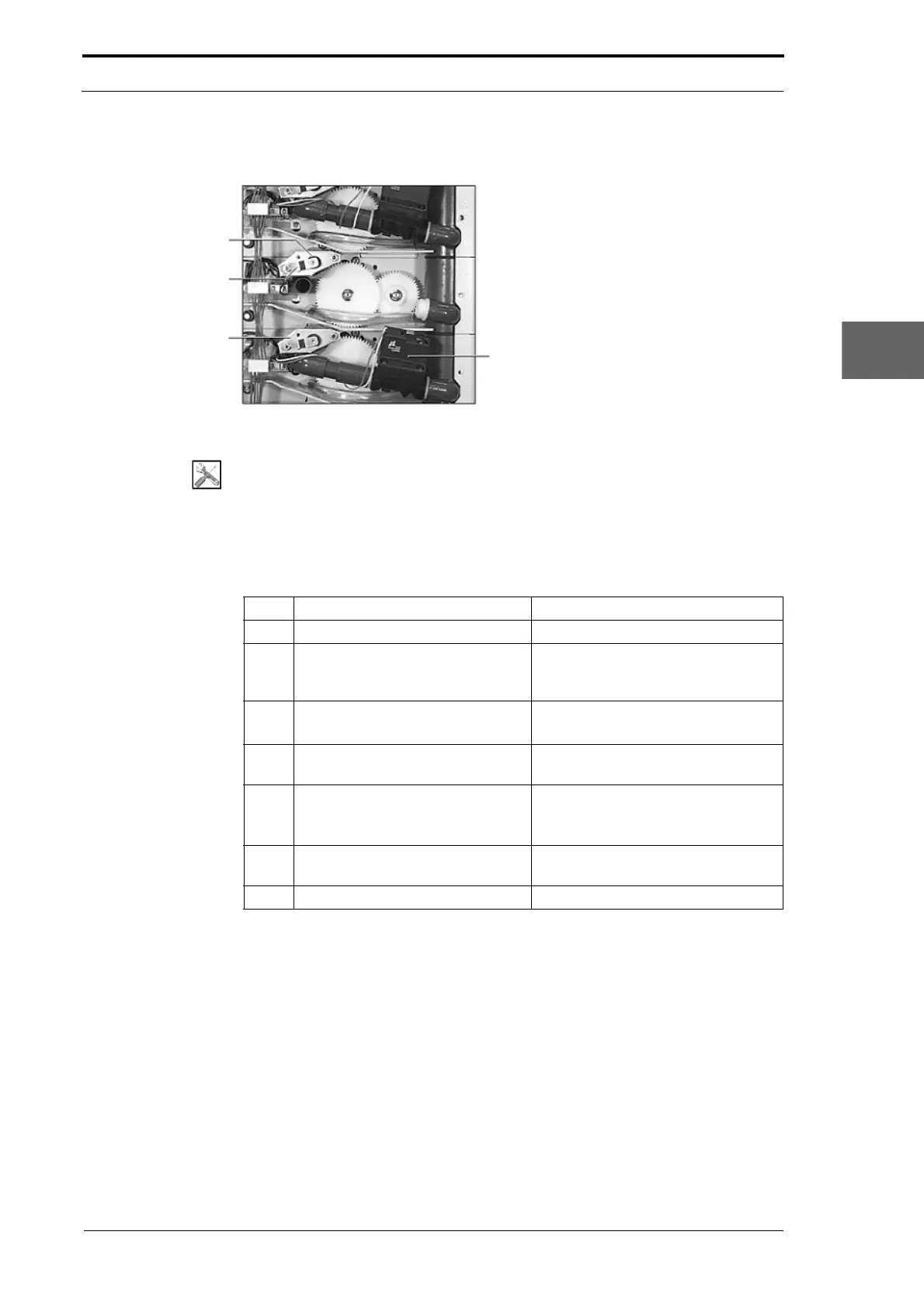
Support Bush
Earth Tab
Clutch Mounting
Plate
Air Valve
Figure 4.115 Feed Bin RH Side Plate
Tools:
• Allen Key: 3mm
• Pliers: Long Nose, Side Cutters.
Before you start:
• Remove the top RH side cover from the MFC (See Section 4.2.5).
Step Action Information
1 Remove the air valve. (See Section 4.8.5.1).
2 Disconnect the feed clutch power
cable
from PL4 on the feed bin
control PCB.
(See Section 7.3.4).
3 Remove the clutch plate fixing
sc
rews.
• Remove the washers and earth
tab.
4 Remove the clutch plate and
support bush.
5 Remove the stainless steel split
pin.
• Press the legs of the split pin
together and pull out of the shaft
with a pair of side cutters.
6 Remove the clutch from the clutch
shaf
t.
7 Install the replacement clutch.



 To Next Page