Morgana DocuMaster MFC - Service Manual 125
4. Service Procedures - Replace Components - Suction Feed Bin
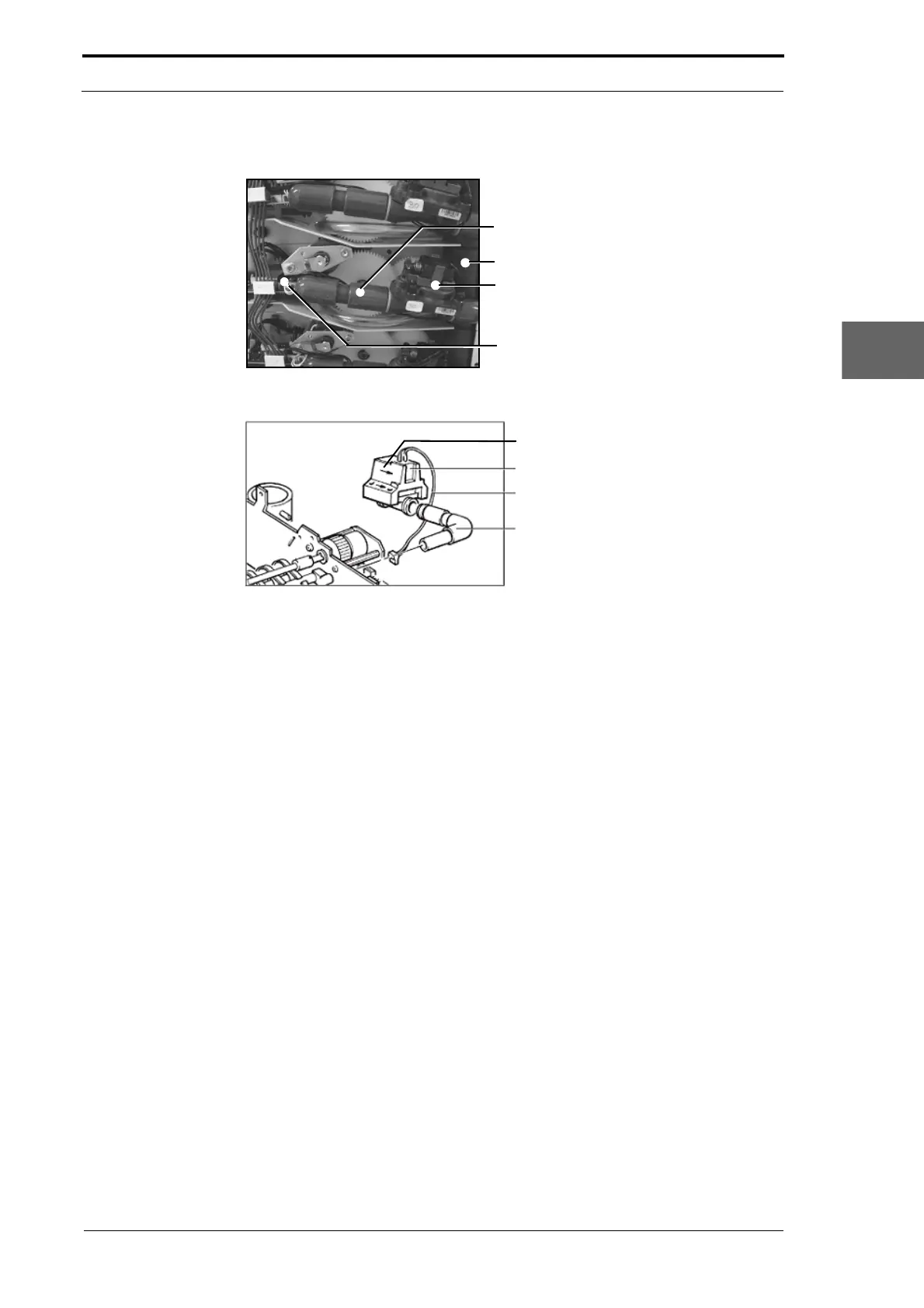
4.8.5.1 Replace the Air/Vacuum Solenoid Valve - Air Supply
Blow Tube
Air Manifold
Air/Vacuum Valve
Valve Cable Connector
Figure 4.117 Air/Vacuum Solenoid Valve - Air Supply Position
Solenoid Valve
Valve Power Cable
Blow Tube Elbow
Air Flow Direction Arrow
Figure 4.118 Air/Vacuum Solenoid Valve
Before you start:
• Remove the RH side covers (See Section 4.2.5).
(1) Disconnect the valve power cable from the feed bin control PCB.
(2) Hold the blow tube and pull it towards you.
(3) Disconnect the solenoid valve and blow tube from the air manifold connector.
(4) Remove the blow tube from the solenoid valve.
(5) Make sure that the arrow that shows the direction of the air-flow on the base of the
valve is pointing in the correct direction (it must point towards the blow tube (see
Figure 4.118)).
(6) Connect the blow tube to the solenoid valve and wrap the excess power cable
once over the top of the tube.
(7) Connect the solenoid valve to the air manifold connector and push the blow tube
onto the air tube on the LH side plate.
(8) Connect the valve power cable.



 To Next Page