4. Service Procedures - Covers
44 Morgana DocuMaster MFC - Service Manual
(1) Set the main input switch to OFF (0).
(2) Disconnect the main power cord from the MFC.
(3) Disconnect the mains power link cord from the MFC.
(4) Remove the two screws that attach the hinged rear panel to the DRV.
(5) Make sure that the hinged top panel is closed.
(6) Place some sheets of paper on the hinged top panel to protect the paint on the
CAP.
(7) Open the hinged rear panel and let the CAP rest on the top panel.
4.2.5 Remove the RH Side Covers
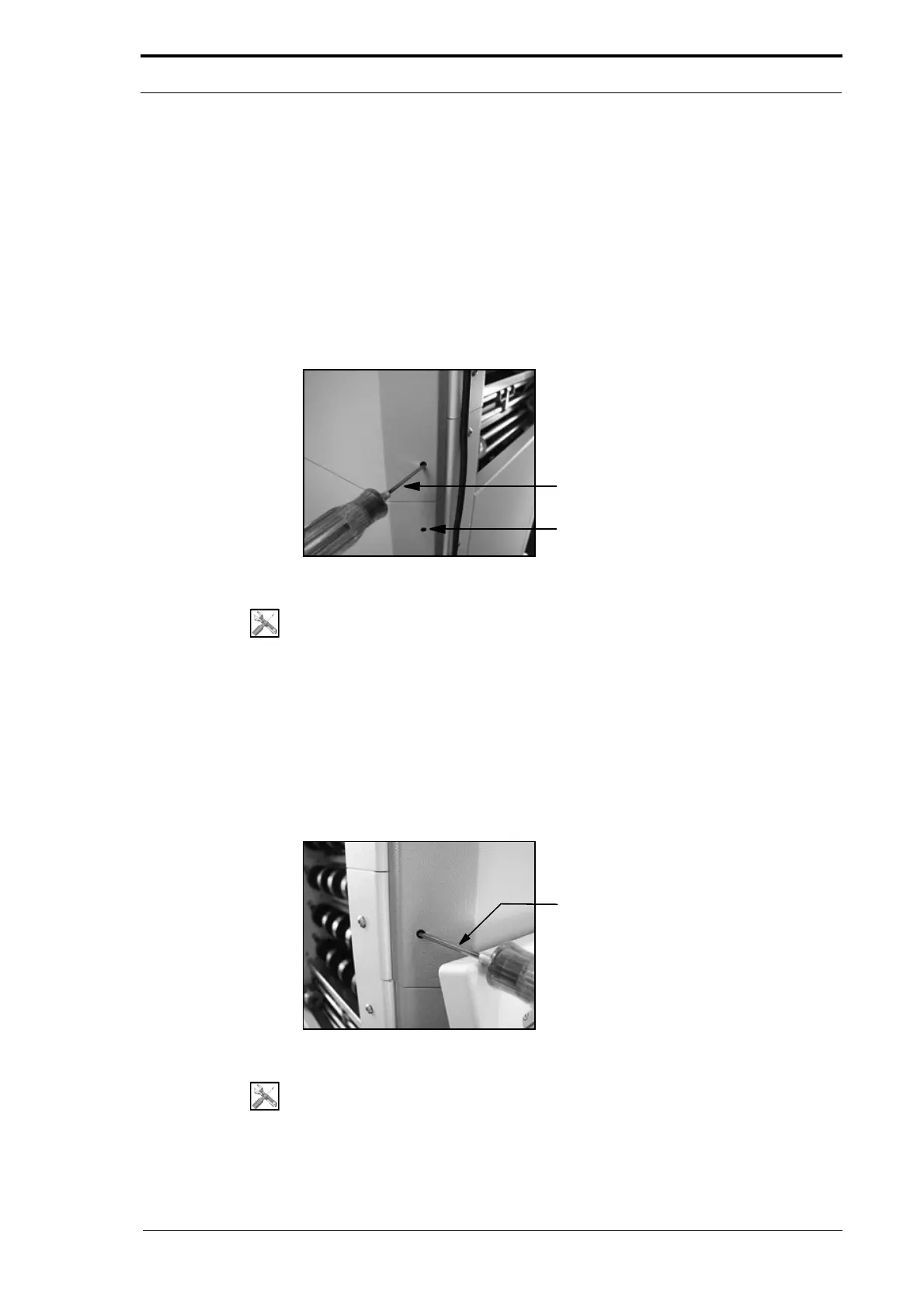
3mm Allen Key
Cover Screw Access Hole
Figure 4.6 Hidden Screw Access Hole - RH Side Cover
Tools:
• Allen Key: 3mm.
(1) Set the main input switch to OFF (0).
(2) Loosen the two hidden screws - turn the screws counterclockwise by three full
rotations (see Figure 4.6).
(3) Pull the RH side cover towards you.
(4) Move the side cover to the rear of the MFC to disengage it from the side plates.
4.2.6 Remove the LH Side Covers
Figure 4.7 Hidden Screw Access Hole - LH Side Cover
Tools:
• Allen Key: 3mm.



 To Next Page