Morgana DocuMaster MFC - Service Manual 41
4. Service Procedures - Covers
4.2 Covers
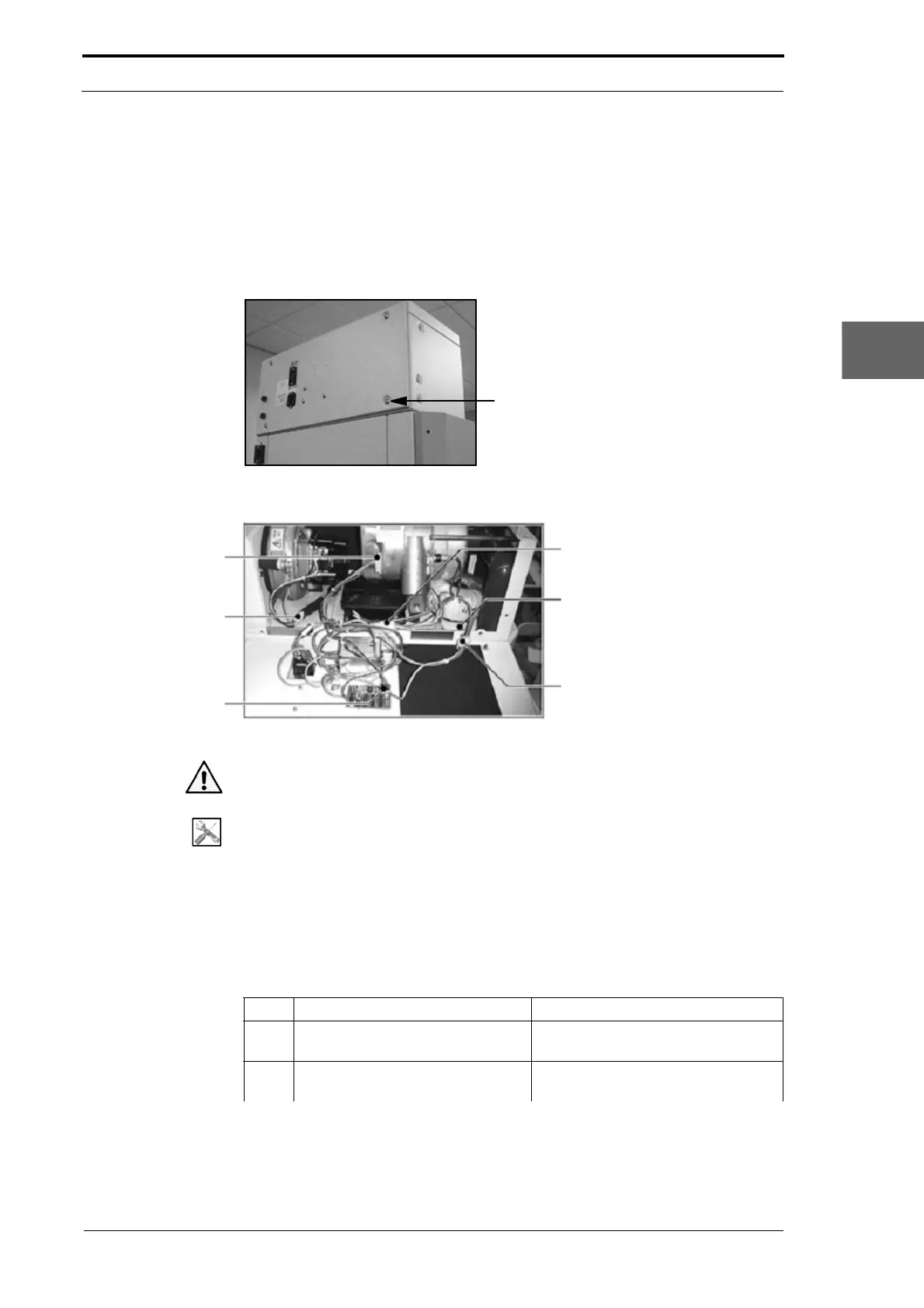
4.2.1 Remove the CAP Rear Panel
You must remove the CAP Rear Panel to gain access to the components inside the
CAP for replacement and maintenance.
Figure 4.1 CAP Module Rear Panel
Vacuum Pump
Power Cable
Blower Motor
Power Cable
Windjammer PCB
Connection Cable
Transformer Power Cable
Rear Panel Earth Cable
Cooling Fan Power Cable
Figure 4.2 Inside the CAP Module
Warning: Use extreme caution not to touch live circuits when the MFC is turned on.
Tools:
• Allen Key: 3mm.
• Spanner: 8mm.
Before you start:
• Set the main input switch to OFF (0).
• Disconnect the main power cord from the MFC.
• Disconnect the main power link cord from the MFC.
Step Action Information
1 Loosen the four screws that attach
the rear
panel to the CAP.
These screws are attached by a nut
and stay with the panel.
2 Lower the rear panel, and hold it in
a horizo
ntal position.
(See Figure 4.2).



 To Next Page