Morgana DocuMaster MFC - Service Manual 127
4. Service Procedures - Replace Components - Suction Feed Bin
The profile of the stop finger helps to separate sheets when the feed bin operates. The
stop fingers must be replaced if they are worn to stop an increase in double sheet
feeds.
A solenoid connected to the stop finger shaft is activated by the tray down sensor. The
stop fingers move towards the paper stack and 'knock-back' any loose sheets.
Before you start:
• Make sure that the paper tray is down
• Turn off the MFC.
(1) Remove the suction feed head (see Section 4.8.2.1).
(2) Slide the stop fingers to the RH end of the stop finger shaft and remove them from
the shaft (lubricate the shaft with water if necessary).
(3) Put the replacement stop fingers onto the stop finger shaft and set them in
position.
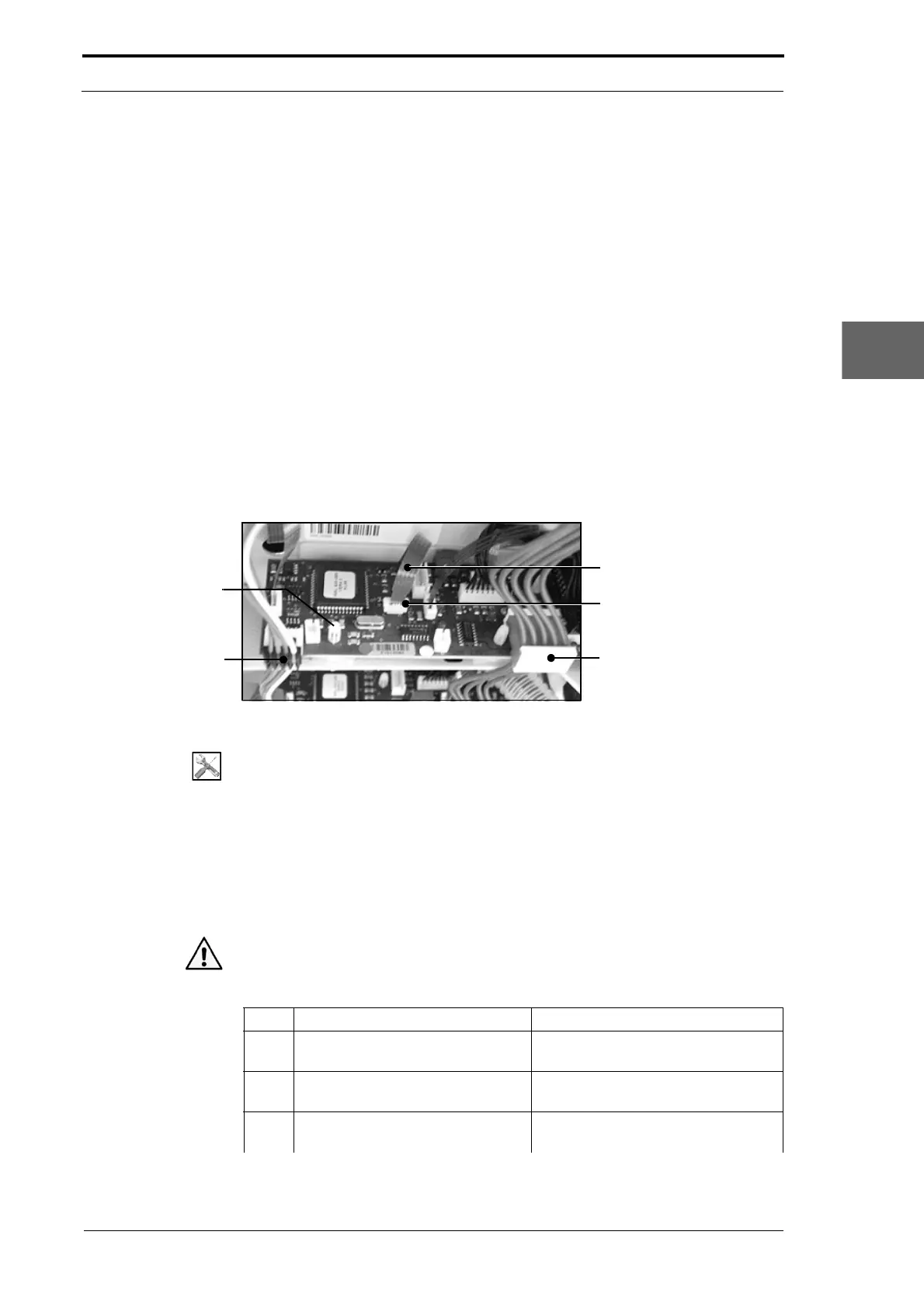
4.8.7 Replace the Feed Bin Control PCB
Power Bus Cable
Data Bus Cable
Sensor Ribbon
Sensor Ribbon
Socket Retainer
PCB Locking
Support Post
Figure 4.121 Suction Feed BIn Control PCB
Tools:
• Allen Key: 3mm
• Screwdriver: Small Flat-blade.
Before you start:
• Remove the top RH side cover (See Section 4.2.5).
4.8.7.1 Remove the Feed Bin Control PCB
Caution: Always wear an anti-static wrist band or earth yourself to the MFC before you
touch a PCB.
Step Action Information
1 Disconnect the Data Bus cable
from PL1.
(See Figure 4.121).
2 Disconnect the Power bus cable
from PL2.
(See Figure 4.121).
3 Disconnect all of the bin
component cables.
(See Section 7.3.4).



 To Next Page