4. Service Procedures - Replace Components - Suction Feed Bin
124 Morgana DocuMaster MFC - Service Manual
4.8.4 Replace the Tray Lift Motor Assembly
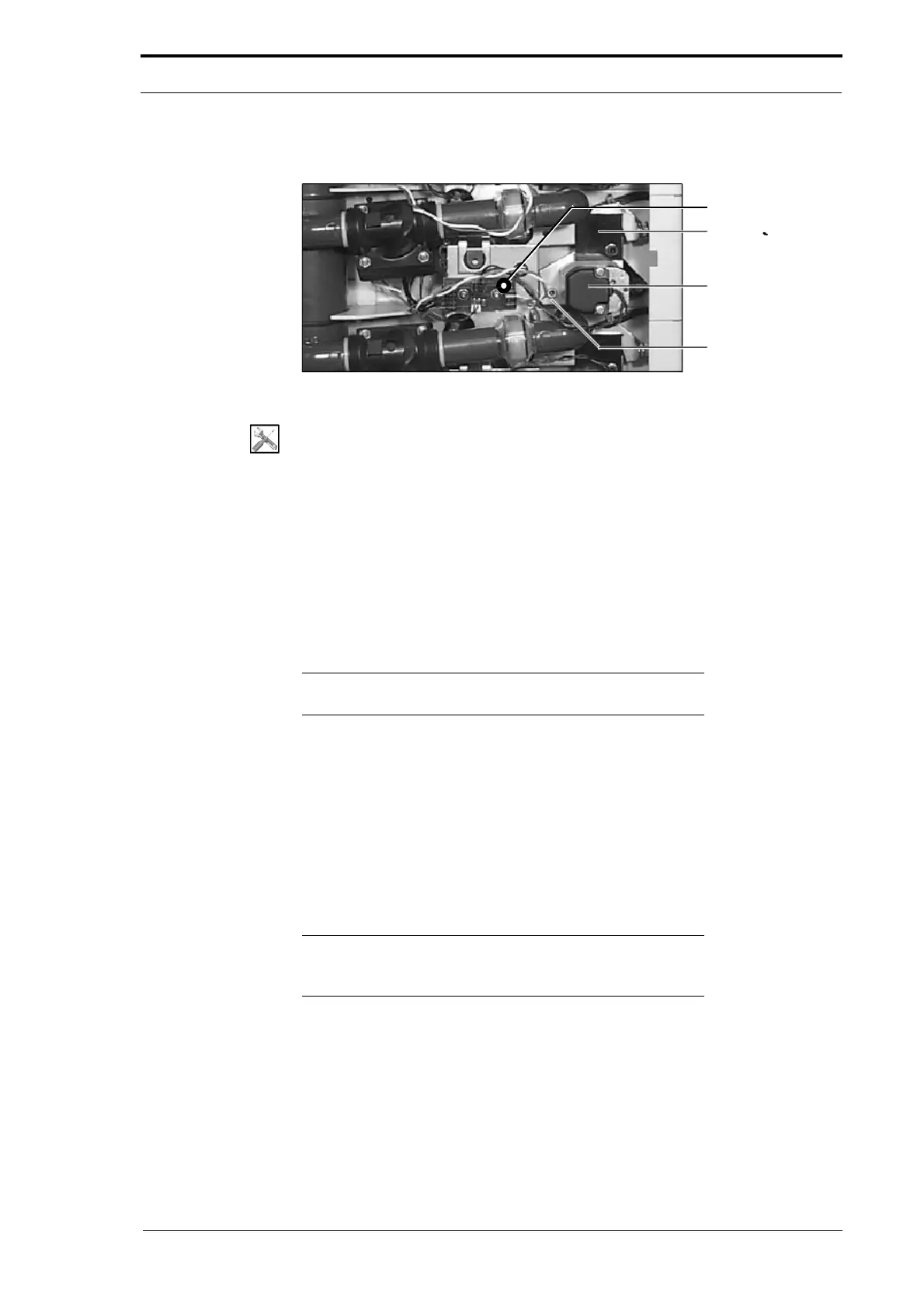
Clamp Plate
Tray Lift Motor
Motor Mounting
Plate
Distributor PCB
Figure 4.116 Suction Feed Tray Lift Motor
Tools:
• Allen Key: 3mm.
Before you start:
• Remove the top LH side cover (See Section 4.2.6)
• Remove the GUI panel (as necessary) (See Section 4.7.3).
(1) Disconnect the tray lift motor cable from PL11 on the distributer PCB.
(2) Remove the clamp plate (do not lose the nylon spacer behind the plate).
(3) Remove the remaining motor mounting plate screw.
(4) Remove the tray lift motor assembly.
(5) Install the replacement tray lift motor assembly.
Note: To engage the tray lift motor drive pinion with the tray lift
quadrant on the tray lift shaft, lift the shaft with your hand.
4.8.5 Replace the Air/Vacuum Solenoid Valve
A solenoid activated valve is used to switch on the vacuum and air supply to the
suction feed bin. The same valve type is used in both positions. An arrow is moulded
on the valve body to show the flow direction.
• The air supply valve is located on the RH side of the MFC.
• The vacuum valve assembly is located on the LH side of the MFC.
Note: If a valve does not operate correctly in one position, for
example, on the vacuum supply, swap it with the valve on the
air supply as a temporary solution.



 To Next Page