Morgana DocuMaster MFC - Service Manual 53
4. Service Procedures - Diagnostic Procedures
4.4.2 Test the Static Elimination System
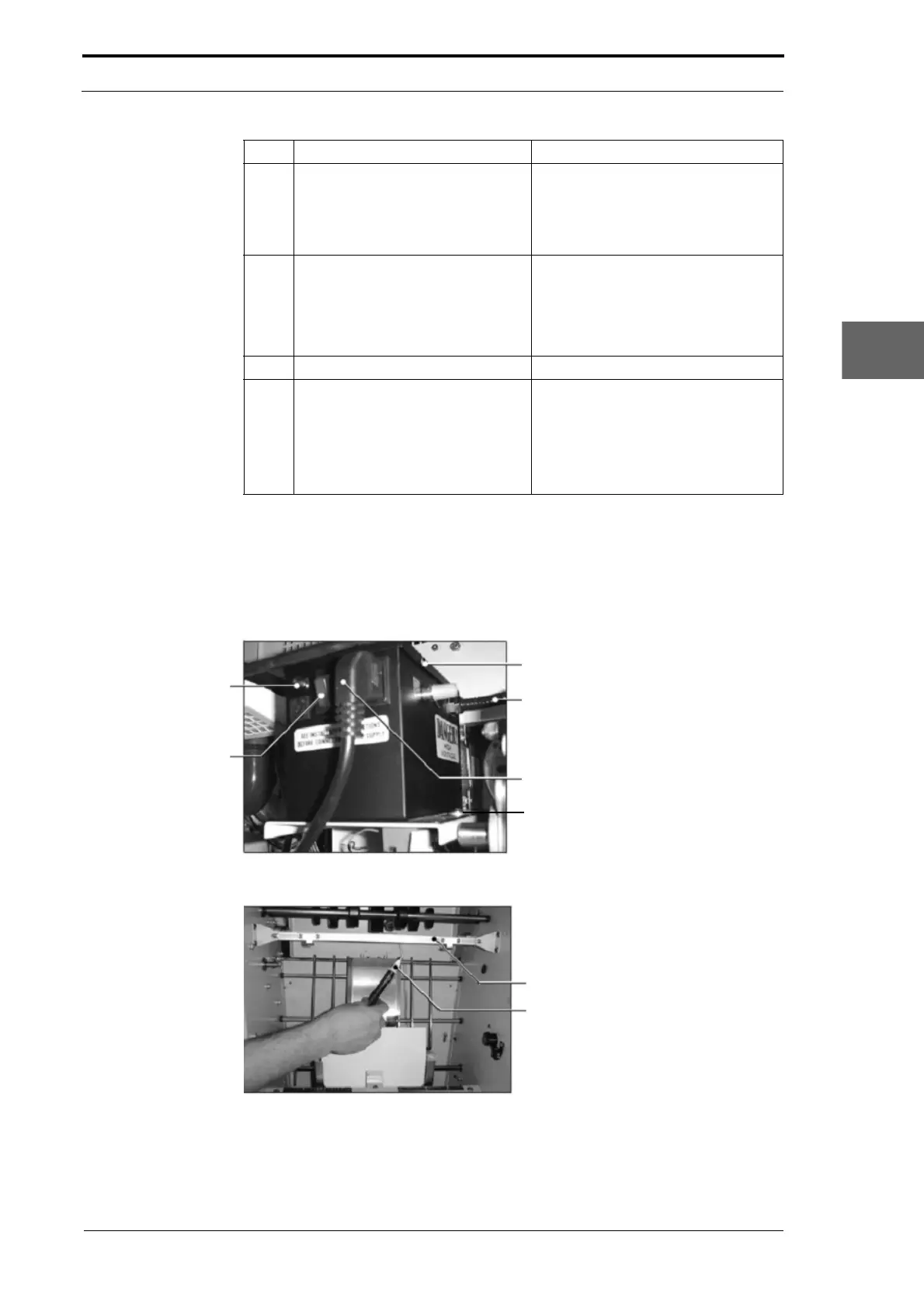
4.4.2.1 Check the High Voltage Anti-Static Transformer
Lid Screws (3)
Ioniser Bar Cable
Power Cable
Screw (2)
High Voltage Output
Indicator Light
ON/OFF Switch
Figure 4.19 High-Voltage Static Elimination-Bar Transformer
Ioniser Bar
Non-contact Volt Sensor
Figure 4.20 Test the Ioniser Bar Corona
6 Disconnect the vacuum control
cable from PL6 on the interface
PCB (see Section 7.3.2).
This will make the vacuum pump
motor operate at idle speed when the
MFC is turned on. The vacuum pump
will operate at full speed when the
AIR
BLOW window is open.
7 Turn on the MFC.
• Select the SUPERVISOR ACCESS
LEVEL
• Set the AIR BLOW to 80%
• Let the blower and vacuum
motors operate for 20 minutes.
8 Remove the CAP rear panel. (See Section 4.2.1).
9 Repeat steps 2 thru 3.
• If the TCS is open-circuit it is
defective and must be replaced
(see Section 4.6.4).
• If a resistance is shown the TCS
has closed. Replace the cooling
fan (see Section 4.6.3).
Step Action Information



 To Next Page