Morgana DocuMaster MFC - Service Manual 61
4. Service Procedures - Machine Adjustments and Calibration
(1) Loosen the belt-tensioner locking-nut.
(2) Adjust the belt-tensioner pulley until the correct belt tension is set.
(3) Tighten the belt tensioner locking-nut.
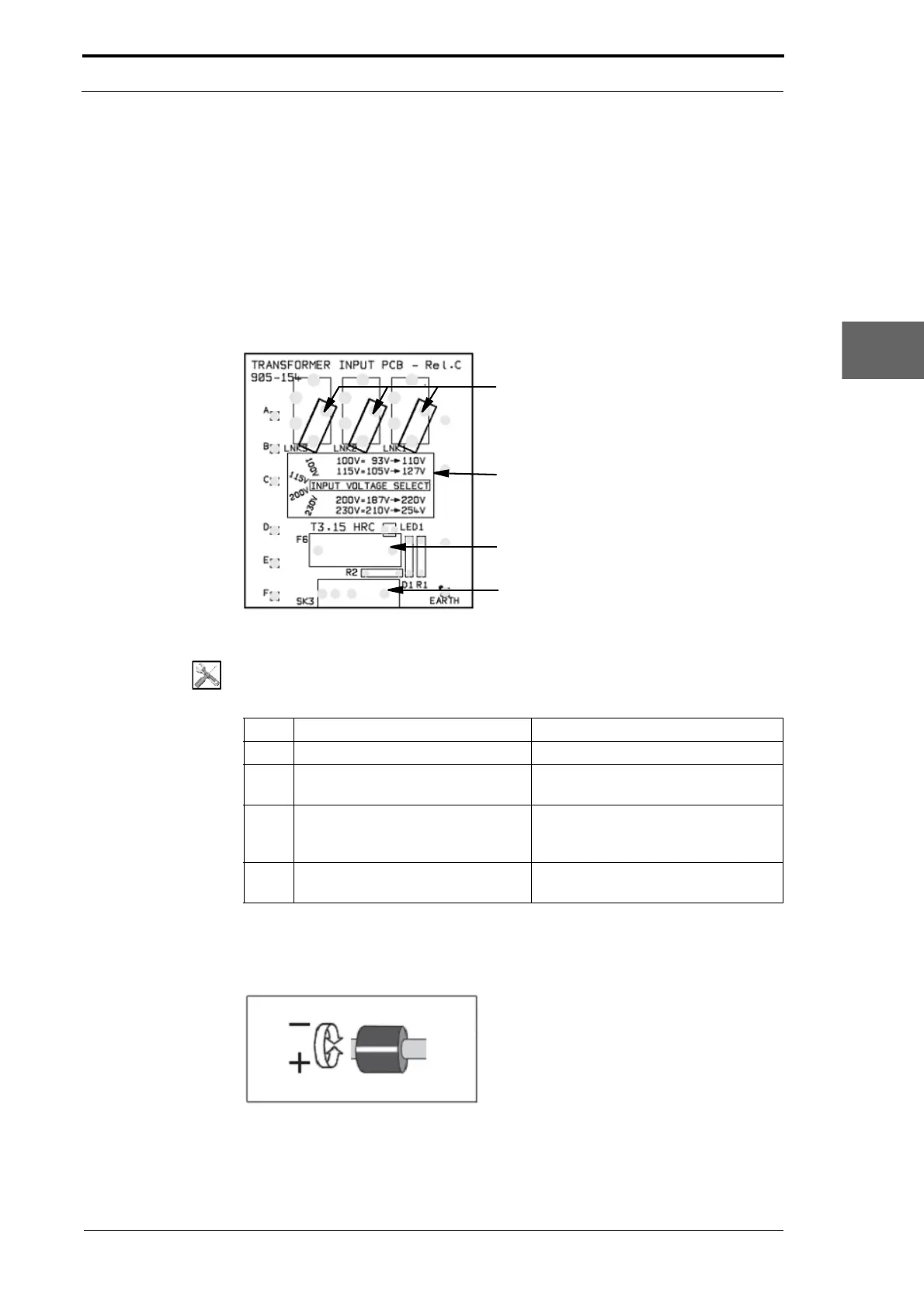
4.5.3 Adjust the Low Voltage Transformer Taps
The low voltage transformer taps are set to the local nominal mains input voltage. If the
on-site voltage fluctuates above or below the nominal voltage, the transformer taps
must be re-set (see Section 7.2.1).
Transformer Taps
Transformer Tap Position
Information
Fuses
Mains Input
Figure 4.26 Low Voltage Transformer Input PCB
Tools:
• Allen Key: 3mm.
Step Action Information
1 Open the hinged front panel. (See Section 4.2.3)
2 Remove a blue transformer tap. Hold the tap and pull it towards you
to disengage
it from the PCB.
3 Fit the tap in the correct position. Rotate the tap around the RH leg.
Pu
sh the legs into the correct set of
holes (see Section 7.2).
4 Repeat steps 2 thru 3 for the other
two t
aps.
4.5.4 Calibrate the Feed Head Separation Adjuster
Figure 4.27 Separator Adjuster in the Central Position



 To Next Page