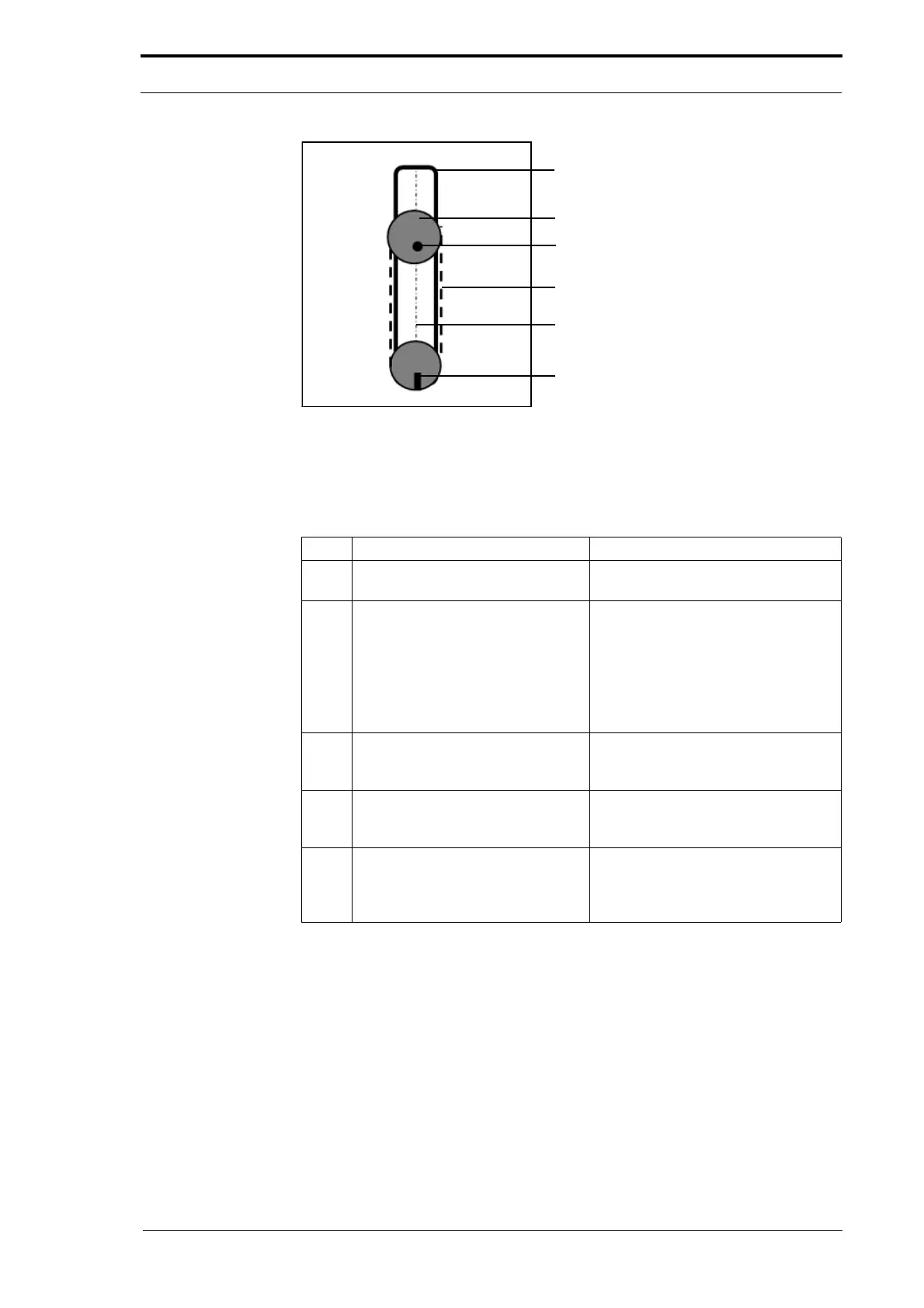
Feed Head
Adjuster Pulley
Location Pin
Timing Belt
Centre Line
Separation Adjuster
(Central Position)
4. Service Procedures - Machine Adjustments and Calibration
62 Morgana DocuMaster MFC - Service Manual
Figure 4.28 Suction Feed Head Separation Adjuster Calibration
When to do:
• If the suction feed bin feed head has been dismantled to replace the feed band.
• If the suction feed head separation adjuster does not seem to work correctly.
Step Action Information
1 Remove the feed band from the
suction feed head.
(See Section 4.8.2.2).
2 Set the separation adjuster so that
the
location pin in the adjuster
pulley faces the separation
adjuster and is in line with the
centre line of the feed head.
(See Figure 4.28).
• If the separation adjuster in the
central position as shown, the
feed head separation adjuster is
calibrated
• If the separation adjuster is not in
the central position go to step 3
3 Tilt the LH end of the support shaft
away from the feeder head to
release the timing belt tension.
4 Rotate the separation adjuster until
the
green indicator bar is in the
central position.
Hold the adjuster pulley to prevent it
from moving.
5 Reset the support shaft and check
that the sep
arator adjuster and the
location pin on the adjuster pulley
are in line.
When the separation adjuster is
calibrated correctly, replace the feed
band and re-check the calibration
before you fit the suction feed head.
4.5.5 Address the Feed Bins
Each feed bin is numbered so that the operator can identify where he needs to load
paper. The MFC control system has to be told how many bins are installed and, where
they are, by a manual address procedure. When the feed bins have been addressed in
sequence from bin 1 to bin 4, the MFC can synchronise and control the sheet feeding.



 To Next Page