4. Service Procedures - Machine Adjustments and Calibration
64 Morgana DocuMaster MFC - Service Manual
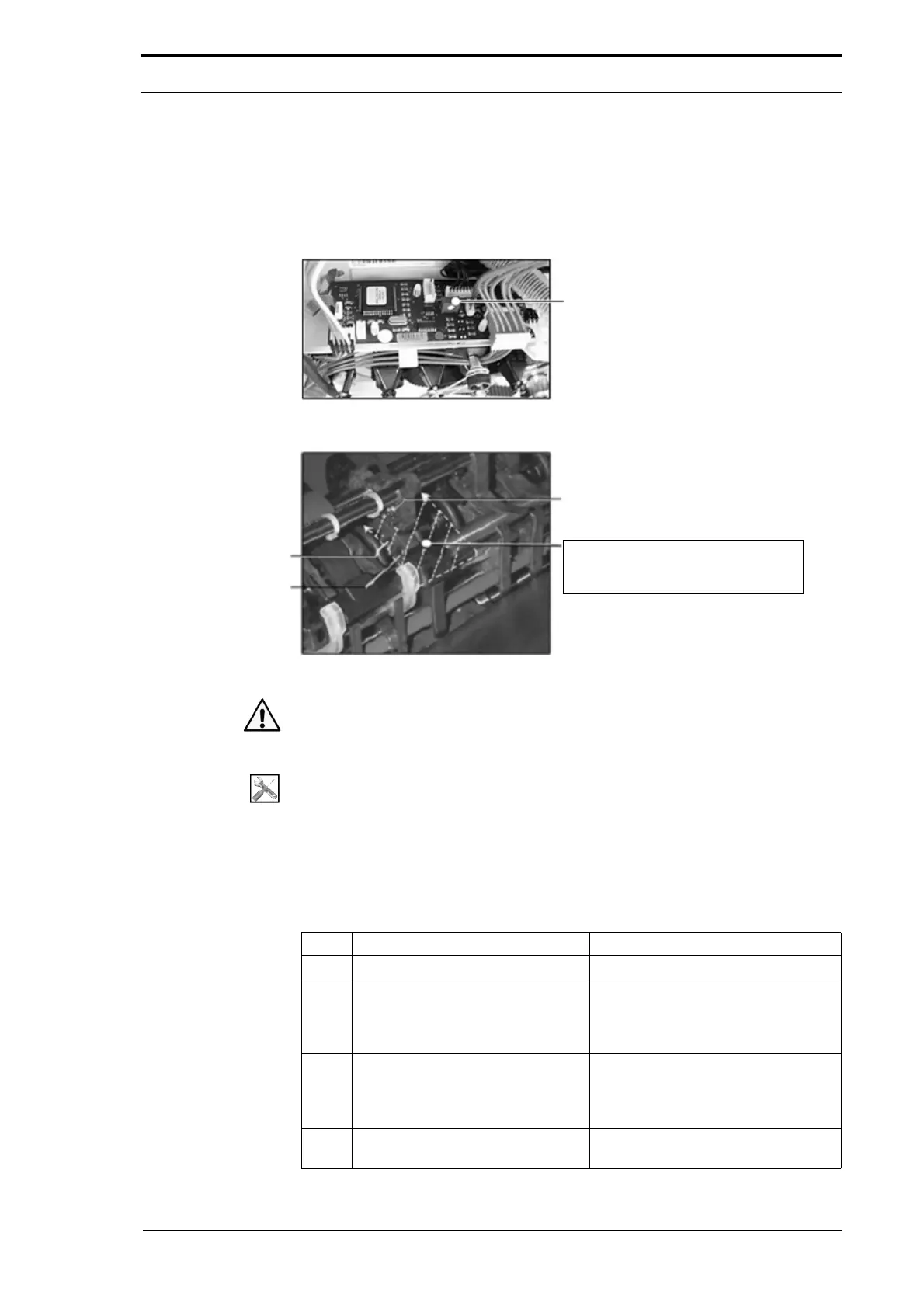
4.5.7 Adjust the Feed Bin Emitter/Sensor Low Range
You must set the low range limit of the emitter/sensor after you have replace the
emitter/sensor or the bin control PCB. All bin sensors are set to the same limit so that
they will operate over the same sensing range.
Figure 4.29 The Feed Bin Emitter/Sensor Low Range Adjustment
Emitter
Note: Calibration stock must be put
into the conveyor guides between the
emitter /sensor.
Sensor
Sensor Housing
Rivet
Figure 4.30 Feed Bin Emitter/Sensor
Warning: Be careful not to touch metal objects to live low voltage circuits when the
MFC is turned on. This can cause severe damage to the machine.
Tools:
• Allen Key: 3mm
• Screwdriver: Small Flat Blade
• Bin Sensor Calibration Stock - VAR370-052 (or 40gsm Bond Paper).
Before you start:
• Remove the top RH side cover (See Section 4.2.5).
Step Action Information
1 Turn on the Bin Test mode. (See Section 4.4.3).
2 Insert the calibration stock through
the p
aper path so that it is in the
conveyor guides between the
emitter/sensor.
(See Figure 4.30).
3 Adjust the potentiometer on the
feed
bin control PCB until the Red
and Yellow LEDs on the bin control
switch are both on.
(See Figure 4.29).
4 Remove the calibration stock and
turn t
he MFC OFF/ON.



 To Next Page