4. Service Procedures - Replace Components - Cap Module
102 Morgana DocuMaster MFC - Service Manual
4.6 Replace Components - Cap Module
4.6.1 Remove the CAP
It is recommended that the CAP is removed from the MFC when the machine is moved
through a standard height doorway.
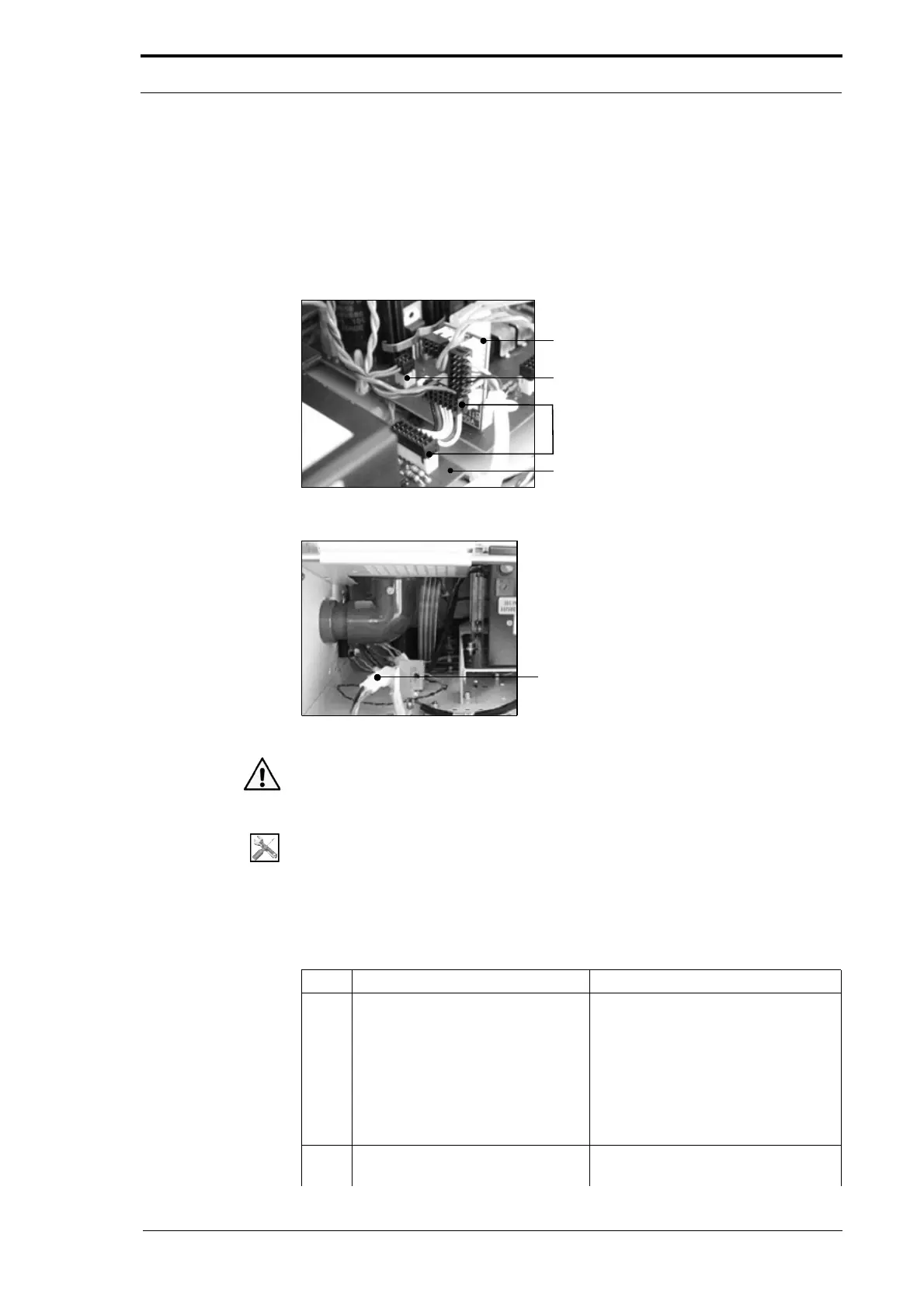
Signal Interface PCB
Vacuum Control Cable
Windjammer Cable
Motor Drive PCB
Figure 4.80 Windjammer Cable Connection
Figure 4.81 Blower Motor Power Connector
Warning: The CAP module is heavy. It is necessary for two people to lift the CAP
module. Always follow good health and safety procedures
when you lift.
Tools:
• Allen Key: 3mm.
Before you start:
• Open the hinged front panel (See Section 4.2.3)
• Open the hinged rear panel (See Section 4.2.4).
Step Action Information
1 Disconnect the Windjammer and
vacuum control cable.
Disconnect the Windjammer and
vacuum control cable connectors
from the:.
• motor drive PCB (PL12)
• signal interface PCB
• interface PCB (PL6).
(See Figure 4.80).
2 Disconnect the blower motor
power cable.
(See Figure 4.79).



 To Next Page