4. Service Procedures - Replace Components - DRV Module
114 Morgana DocuMaster MFC - Service Manual
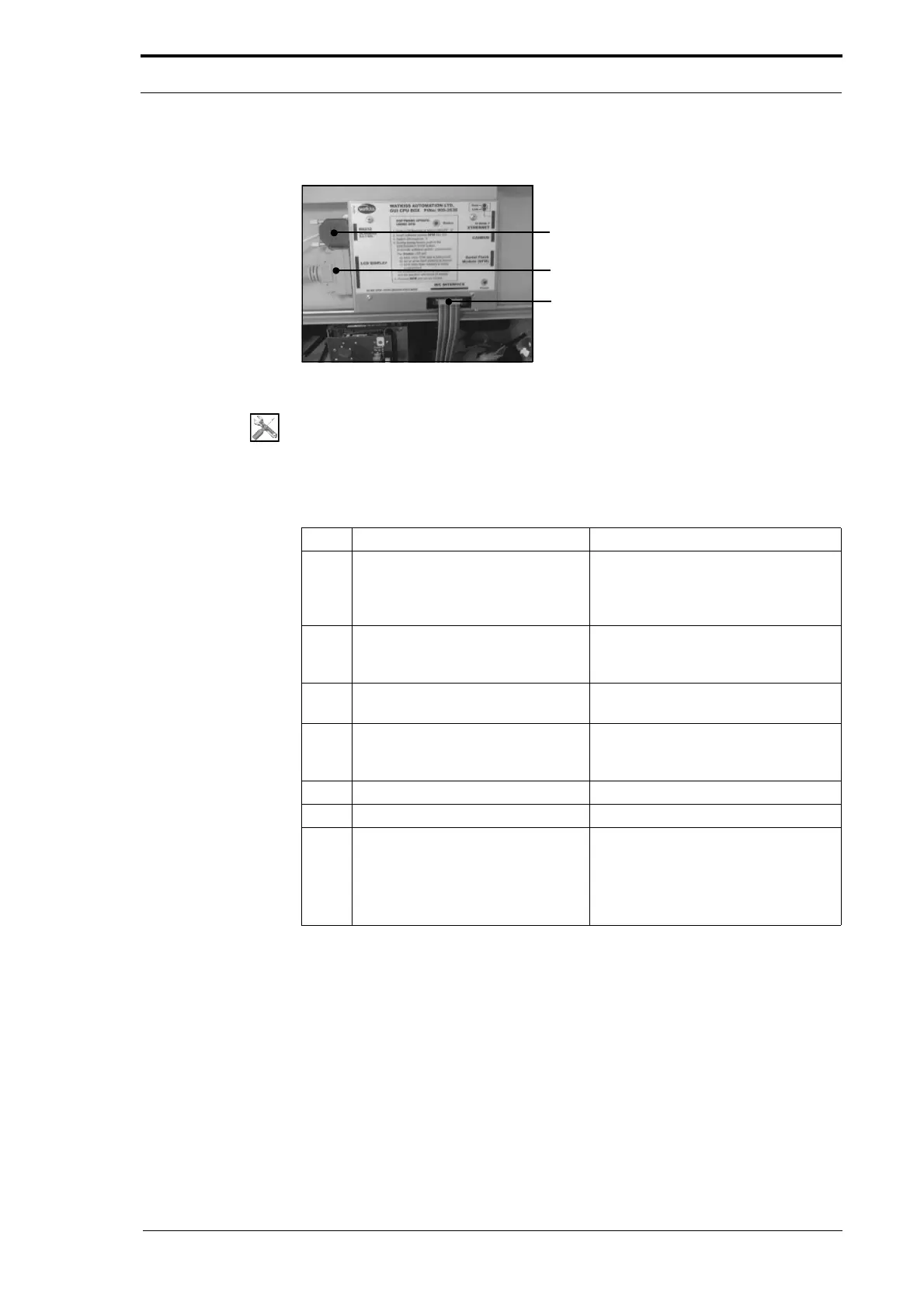
4.7.3 Replace the GUI CPU
RS232 Creaser Interface Cable
50-Way Touch Screen Interface Cable
20-Way Ribbon Cable
Figure 4.102 The GUI CPU and Connections
Tools:
• Allen Key:3mm.
Before you start:
• Open the hinged front panel and the hinged top panel (See Section 4.2.3).
Step Action Information
1 Disconnect the 50-way touch
screen interface cable from the
GUI
CPU.
Press in the latches on both sides of
the connector to release the
connector from the GUI CPU (see
Figure 4.103).
2 Disconnect the 20-way ribbon
cable from th
e GUI CPU.
Push apart the latches on the
connector to release the cable from
the CPU.
3 Disconnect the RS232 creaser
interface cable from the GUI C
PU.
Loosen the two connector screws
and detach the cable from the CPU.
4 Remove the two screws that attach
the GUI CPU to
the hinged top
panel.
5 Remove the GUI CPU.
6 Install the replacement GUI CPU. Connect all the cables.
7 Turn on the MFC and check that
the:
• Software is up-to-date.
• GUI CPU is configured
correctly.
Update the software if necessary
(see Section 7.4).
Configure the CPU if required (see
Section 4.5.24).



 To Next Page