Morgana DocuMaster MFC - Service Manual 65
4. Service Procedures - Machine Adjustments and Calibration
4.5.8 Adjust the Friction Feed Wheel Tracking
When you replace the friction feed wheels you must check that they track square to the
feed shaft. If the feed wheels are not set square to the shaft, poor feeding can result.
Tools:
• Screwdriver: Small Flat Blade.
Step Action Information
1 Turn on the MFC.
2 Select
CLEANING mode. (See Section 4.13.2).
3 Press the red button on the bin
control sw
itch.
This action operates the feed clutch,
which turns the feed shaft.
4 Align the feed wheels. Press against the side of the fee
d
wheel with a screwdriver while feed
shaft turns.
4.5.9 Adjust the Friction Tray Alignment
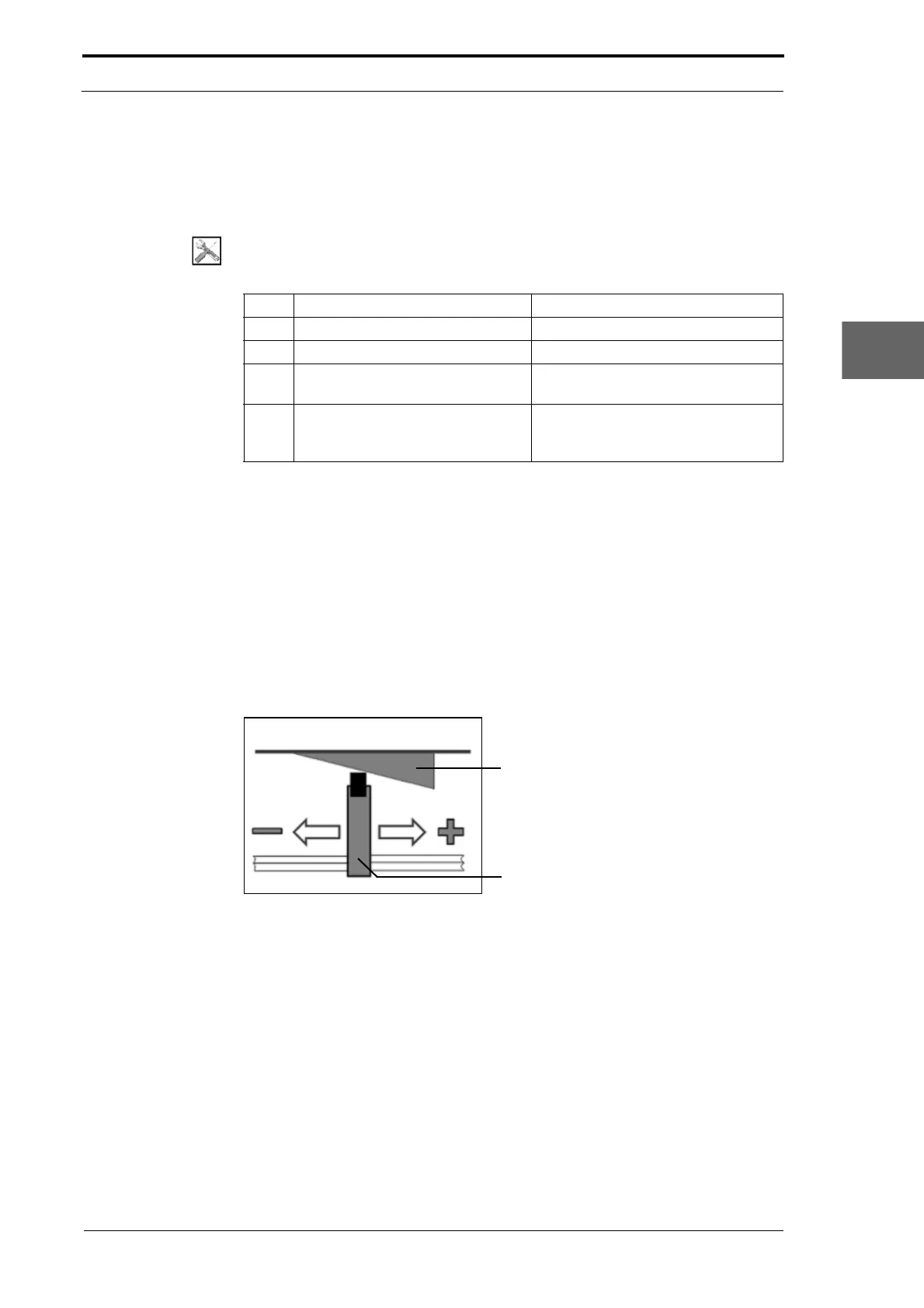
The paper tray in the friction feed bin is pushed against the feed shaft by two tray lift
arms below the tray. The tray lift arms are fixed to a hexagonal shaft which is
connected to a spring mechanism to apply variable feed pressure. A roller that is
attached to the end of each tray lift-arm, pushes against a plastic wedge on the bottom
of the tray.
If the sheets are seen to skew to one side as they feed, the tray lif
t arms must be
adjusted to balance the tray pressure.
Figure 4.31 Feed Alignment Adjustment
• Slide the tray lift arm into the wedge (+) to increase the tray pressure.
• Slide the tray lift arm away from the wedge (-) to decrease the tray pressure.
4.5.10 Adjust the Creaser Drive Belt
It is important that the creaser drive-belt is adjusted to the correct tension.
If the creaser drive-belt is too tight:
• The roller bearings can be damaged
• The drive-belt can be damaged.



 To Next Page